
Transitioning into the core of this guide, we’ll delve into the specifics of how to repost on Instagram effectively. Whether you’re looking to enhance your brand’s visibility or engage with your audience more dynamically, reposting is a powerful strategy when done right.
First, let’s explore a step-by-step guide to reposting:
- Find the Content: Identify user-generated content (UGC) or relevant posts that align with your brand’s message.
- Request Permission: Always ask the original creator for permission to repost their content. This is not only courteous but also necessary for legal reasons.
- Use a Reposting Tool: Utilize apps like Repost for Instagram or other tools that make sharing content seamless while giving proper credit.
- Edit and Caption: Customize the post with your brand’s voice in the caption, and make sure to tag the original creator.
- Post and Engage: Share the reposted content and engage with your audience by responding to comments and encouraging interaction.
Next, it’s essential to follow best practices and use the right tools to ensure your reposting efforts are successful. Leverage tools like Later or Buffer to schedule reposts efficiently. Maintain consistency in your brand’s visual style and tone, and always credit the original content creators.
Finally, keep in mind the legal and ethical considerations of reposting. Respect intellectual property rights and adhere to Instagram’s terms of service. For more in-depth information on legalities, refer to Instagram’s community guidelines and terms of use.
By carefully following these steps and considerations, your brand can effectively harness the power of reposting to build stronger connections and drive engagement on Instagram.
Building on the foundation of our comprehensive guide, let’s delve into the introductory aspects of reposting on Instagram. Understanding the basics will set the stage for more advanced topics discussed later in this article.
Reposting on Instagram involves sharing content originally posted by another user on your own profile. This practice is an excellent way for brands to leverage user-generated content (UGC), foster community engagement, and enhance their social media strategy.
There are several benefits to reposting for brand engagement:
- Authenticity: Sharing content created by your followers or brand advocates adds a layer of authenticity to your profile.
- Community Building: Highlighting your followers’ content shows appreciation, encouraging more interaction and a sense of community.
- Content Variety: Reposting provides a stream of diverse content without the need for constant creation, saving time and resources.
- Increased Reach: By reposting, you tap into the original creator’s audience, potentially expanding your brand’s reach.
The types of content suitable for reposting include:
- User-Generated Content: Photos, videos, and testimonials from satisfied customers.
- Influencer Collaborations: Content created by influencers who partner with your brand.
- Customer Reviews: Positive feedback shared by your customers.
- Trending Content: Posts featuring trending topics or audio. For more on this, check out our guide on finding trending audio on Instagram.
Reposting can significantly impact your brand’s engagement on social media. A high-quality study on the impact of user-generated content has shown that it not only boosts engagement but also builds trust and credibility with your audience.
With this understanding of what reposting is and its benefits, you’re now ready to explore why brands should make it a key part of their Instagram strategy in the next section.
As we transition from understanding the basics of reposting on Instagram, let’s dive into the compelling reasons why brands should embrace this strategy. Reposting user-generated content on Instagram can significantly benefit your brand in several key ways.
Building Community and Engagement
One of the primary advantages of reposting content is the opportunity to build a strong community and foster engagement. By sharing content created by your followers, you not only acknowledge their contributions but also encourage others to engage with your brand. This sense of community is essential for creating loyal, long-term customers. Additionally, user-generated content (UGC) often resonates more with audiences, as it feels more authentic and relatable than traditional brand messages. For more strategies on building community, you can reference our guide on getting more followers on Pinterest.
Showcasing User-Generated Content
Reposting user-generated content on Instagram allows brands to showcase real-life uses of their products or services. This not only provides social proof but also enriches the brand’s content library with diverse, creative perspectives. User-generated content acts as testimonials and serves as powerful endorsements, helping potential customers trust your brand. Highlighting UGC can also inspire other followers to create and share their content, knowing there’s a chance their work might be featured.
Enhancing Brand Credibility and Trust
Leveraging user-generated content can significantly enhance your brand’s credibility and trustworthiness. When potential customers see real users happily engaging with your products, it reinforces the quality and reliability of your offerings. This concept is closely tied to the psychology of social proof in marketing, which suggests that people tend to follow the actions of others, especially in purchasing decisions. Reposting UGC thus serves as a form of social validation for your brand.
In summary, reposting content on Instagram is an invaluable strategy for brands looking to build community, showcase user-generated content, and enhance credibility. Next, we will explore a step-by-step guide on how to effectively repost on Instagram.
Understanding the benefits of reposting content is just the start. Now, let’s dive into the step-by-step guide to reposting on Instagram for brands. Here, we’ll explore three main methods: using Instagram’s native repost feature, third-party apps, and manual reposting techniques.

Using Instagram’s Native Repost Feature
Instagram has made it straightforward for brands to share content directly from the app. To repost content natively:
- Find the post: Navigate to the post you wish to share.
- Tap the paper airplane icon: This icon is located below the post, to the right of the comment icon.
- Select “Add post to your story”: This allows you to share the content directly to your Instagram Story.
- Customize your Story: Add stickers, text, or mentions to personalize the repost.
- Share your Story: Tap “Your Story” to publish. The original post will be visible along with a link back to the original account.
For a detailed guide on using Instagram’s features for business, visit Buffer’s guide.
Third-Party Apps for Reposting
Third-party apps can enhance your reposting capabilities, offering more control and options. Popular apps like Repost for Instagram, Buffer, and Hootsuite streamline the process:
- Download and install a reputable reposting app from your app store.
- Copy the post URL: In Instagram, tap the three dots on the post and select “Copy Link”.
- Open the reposting app and paste the URL. Follow the app’s instructions to customize and share the repost.
These apps often provide additional features like scheduling and analytics, which can be particularly useful for brands. When discussing third-party apps, reference our guide on the differences between TikTok business and creator accounts for complementary insights.
Manual Reposting Methods
For those who prefer a hands-on approach, manual reposting is always an option. Here’s how to do it:
- Screenshot the post: Capture the post you want to share. Ensure you include the username of the original poster.
- Edit the screenshot: Use editing tools to crop and enhance the image as needed.
- Upload to your feed: Post the edited screenshot to your Instagram feed or Story. Remember to credit the original creator in the caption.
This method requires more effort but offers complete control over the reposting process, making it ideal for maintaining brand aesthetics.
Now that you know how to repost on Instagram for brands, it’s time to implement these strategies and maximize your content’s reach. Stay tuned for the next section where we’ll cover the best practices for reposting to ensure your content resonates with your audience effectively.
After mastering the steps to repost on Instagram, it’s crucial to follow best practices to ensure your reposts are effective and respectful. Here are some key strategies to keep in mind:
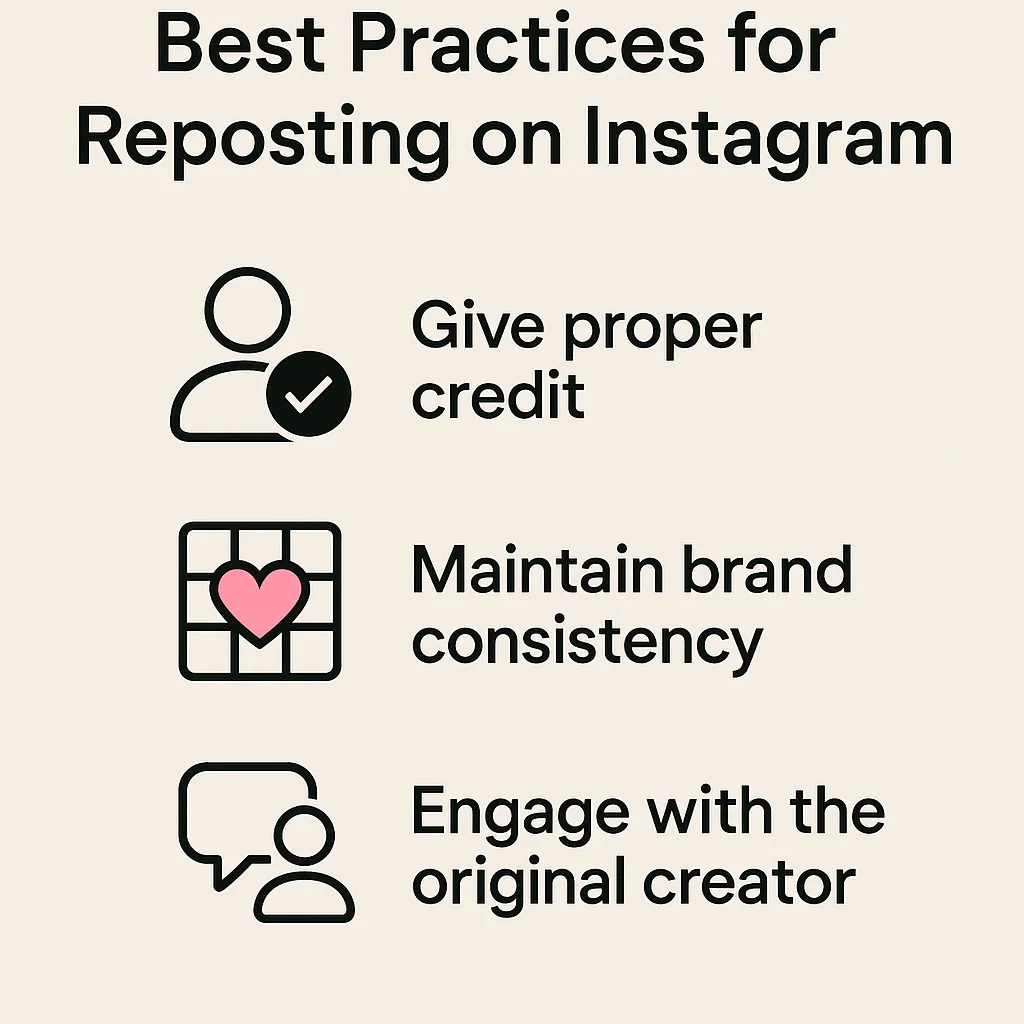
Giving Proper Credit
One of the most important best practices for Instagram reposts is giving proper credit to the original content creator. Always tag the user in your repost and mention them in your caption. This not only acknowledges their work but also fosters a sense of community. Moreover, giving credit can increase engagement, as the original creator is likely to share your repost with their followers.
Maintaining Brand Consistency
When reposting user-generated content on Instagram, it’s essential to maintain your brand’s aesthetic and voice. Ensure that the content you choose to repost aligns with your brand’s colors, themes, and overall message. Consistent branding helps in creating a cohesive Instagram feed, which can attract and retain followers. If you need inspiration for content that aligns with your brand, consider using TikTok Creator Search Insights to find trending ideas.
Engaging with the Original Content Creator
Engaging with the original content creator is another best practice. Before reposting, it’s a good idea to ask for permission. This not only shows respect but also opens up opportunities for collaboration. Once the post is live, engage with the creator by liking their posts, leaving comments, and sharing their stories. This interaction can lead to a stronger relationship and potentially more user-generated content in the future.
By following these best practices, you’ll not only enhance your Instagram presence but also build a community around your brand. For more insights on social media etiquette, check out this article on social media etiquette and best practices. Feel free to leave comments or questions below on how you implement these strategies in your own social media efforts.
Having covered the best practices for reposting, it’s essential to have the right tools at your disposal. Utilizing effective Instagram reposting tools can significantly streamline your workflow and ensure that you are reposting high-quality content efficiently. Below, we delve into some of the top reposting apps available, highlighting their features, pricing, and the pros and cons of each tool to help you find the best apps for reposting on Instagram for brands.
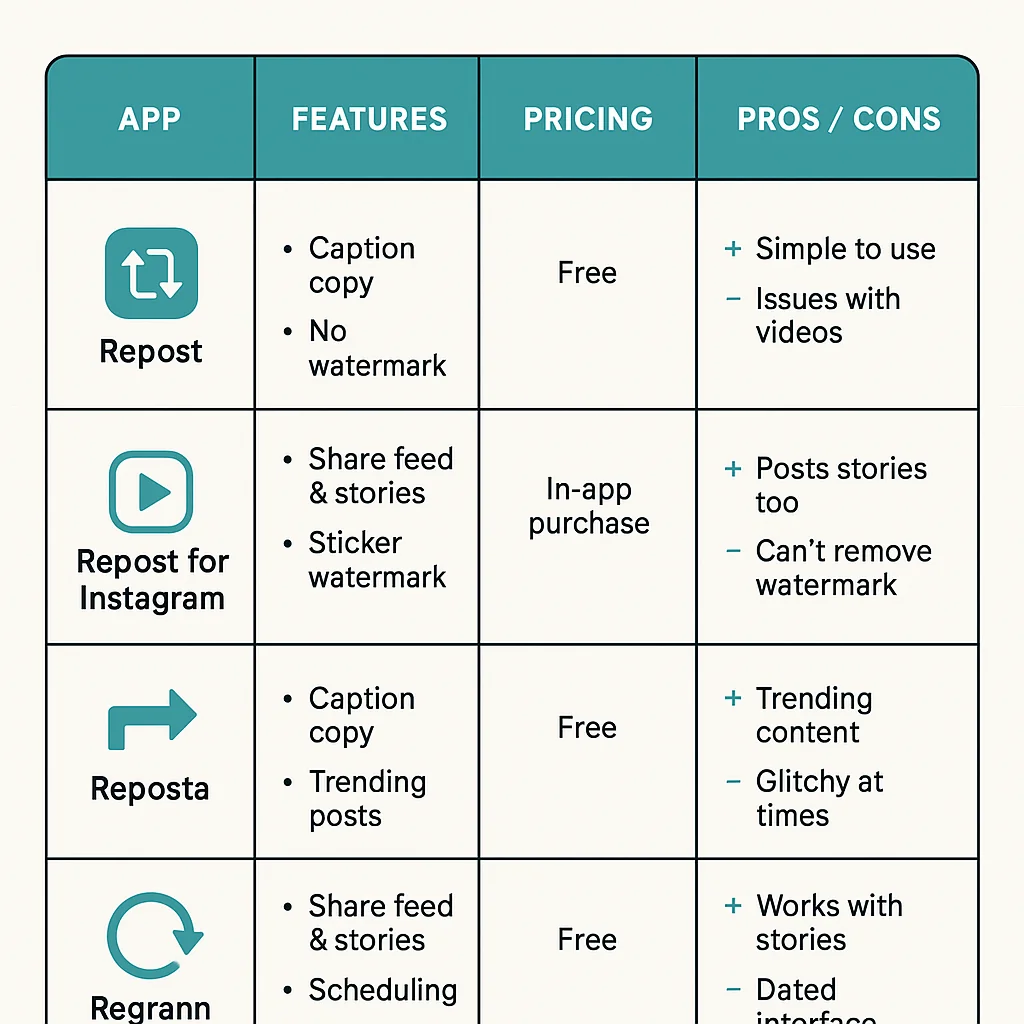
1. Repost for Instagram
Features: This app allows you to repost photos and videos while giving credit to the original content creator. It offers a simple interface and integrates directly with Instagram.
Pricing: Free with in-app purchases.
Pros:
- Easy to use.
- Allows for crediting the original poster.
- Supports both photos and videos.
Cons:
- Contains ads.
- Limited editing features.
2. Buffer
Features: Buffer is a comprehensive social media management tool that includes reposting capabilities. It allows you to schedule your reposts, analyze performance, and manage multiple social accounts.
Pricing: Free version available; premium plans start at $15/month.
Pros:
- Comprehensive social media management.
- Scheduling and analytics features.
- Supports multiple social platforms.
Cons:
- More expensive than single-purpose reposting apps.
- Learning curve due to extensive features.
For a complete review of the latest social media management tools, check out this comprehensive guide.
3. Hootsuite
Features: Hootsuite is another all-in-one social media management tool. It allows you to schedule posts, including reposts, and provides extensive analytics to track your performance.
Pricing: Free plan available; professional plans start at $19/month.
Pros:
- Robust scheduling capabilities.
- Detailed analytics and reports.
- Supports a wide range of social networks.
Cons:
- Higher cost for premium features.
- Can be overwhelming for beginners.
4. Later
Features: Later is well-known for its visual content calendar, making it easy to plan and schedule reposts. It also offers analytics and the ability to manage multiple accounts.
Pricing: Free plan available; paid plans start at $12.50/month.
Pros:
- User-friendly visual planner.
- Affordable pricing for small businesses.
- Good analytics features.
Cons:
- Limited features in the free plan.
- Fewer integrations compared to other tools.
Choosing the right tool depends on your brand’s specific needs and budget. For more tips on optimizing your social media strategy, you might find our guide on finding trending TikTok sounds useful as well.
By leveraging these tools, brands can efficiently manage their reposting strategy, ensuring they maintain a consistent and engaging presence on Instagram.
After exploring the various tools and apps available for reposting, it’s crucial to understand the legal and ethical considerations involved in sharing content on Instagram. Ensuring you comply with copyright laws and ethical practices will help maintain your brand’s integrity and foster positive relationships with original content creators.
Leave a Reply