Blog

  • TikTok Business vs Creator Account: Key Differences Explained

    TikTok Business vs Creator Account: Key Differences Explained

    Choosing the right type of TikTok account can be a game-changer for your social media strategy. Whether you’re a business looking to promote your products or a creator aiming to grow your personal brand, understanding the key differences between TikTok Business accounts and Creator accounts is crucial.

    Firstly, TikTok Business accounts are designed for companies and brands. They offer advanced features such as detailed analytics, access to TikTok’s advertising platform, and the ability to add a website link to your profile. These tools are invaluable for tracking performance and driving traffic to your business site.

    On the other hand, TikTok Creator accounts cater to influencers and content creators. These accounts provide access to the Creator Fund, which allows eligible users to earn money based on their content’s performance. Creators also benefit from enhanced audience engagement tools and a wider range of music options for their videos.

    Pros and Cons of Each Account Type:

    • Business Accounts: Great for detailed analytics and advertising but may have limitations on music use.
    • Creator Accounts: Perfect for monetization and creative freedom but lack some of the advanced business tools.

    Which account type is right for you? It largely depends on your goals and needs. Are you looking to promote a product or service? Or are you more focused on building a personal brand and engaging with your audience? Consider these factors carefully before making your choice.

    Now that we’ve outlined the key differences between TikTok Business and Creator accounts, let’s dive deeper into the specific types of accounts available on TikTok and their unique features and purposes.

    Illustration of TikTok Business and Creator account types with their respective icons and features.

    TikTok offers two primary types of accounts: Business and Creator. Each serves distinct purposes and caters to different audiences, making it crucial to understand their functionalities to choose the right one for your needs.

    TikTok Business Account

    A TikTok Business account is designed for brands, companies, and organizations aiming to leverage TikTok for marketing and promotional activities. This account type provides access to a suite of tools tailored for business growth, such as in-depth analytics, advertising options, and enhanced profile features. These tools help businesses to better understand their audience, track performance, and optimize their content strategy for maximum engagement and reach.

    TikTok Creator Account

    On the other hand, a TikTok Creator account is tailored for individual content creators, influencers, and public figures who focus on building a personal brand and engaging with their followers. This account type offers features that support content creation and audience interaction, such as advanced video editing tools, access to the Creator Fund, and detailed performance insights. Creators can use these tools to refine their content, grow their follower base, and potentially monetize their TikTok presence.

    Understanding the core differences between TikTok Business vs Creator Account can help you make an informed decision about which account type aligns best with your goals. Whether you’re a business looking to expand your reach or a creator aiming to build a community, TikTok has the right tools to support your journey.

    For more insights on UGC creators, check out our comprehensive guide.

    Additionally, to create engaging and effective social media content, you might find this high-quality study on social media account types particularly useful.

    After understanding the various TikTok account types, let’s delve into the specifics of the TikTok Business Account. This account type is designed to cater to the needs of brands, businesses, and organizations looking to establish a professional presence on the platform.

    Infographic detailing the features of TikTok Business accounts including advanced analytics, ads, and e-commerce.

    Advanced Analytics

    One of the standout TikTok Business features is access to advanced analytics. These analytics provide detailed insights into audience demographics, video performance, and engagement metrics. By analyzing this data, businesses can better understand their audience’s behavior and preferences, enabling them to craft more effective content strategies.

    Advertising Options

    TikTok Business Accounts come equipped with robust advertising options. These include official TikTok Business account guidelines for running ads, promoting posts, and leveraging various ad formats such as in-feed ads, branded hashtag challenges, and branded effects. These tools not only increase visibility but also drive traffic and conversions for businesses.

    E-commerce Integration

    An essential feature for businesses involved in online sales is the ecommerce on TikTok integration. This feature allows businesses to link their products directly within their TikTok videos, making it easier for viewers to purchase. By integrating e-commerce functionalities, brands can transform their TikTok presence into a direct sales channel.

    Brands can also leverage UGC creators effectively as part of their TikTok Business strategy. This collaboration not only enhances the authenticity of the brand but also increases engagement and reach.

    In summary, the TikTok Business Account offers a suite of features that empower businesses to analyze their performance, execute targeted advertising campaigns, and integrate e-commerce solutions seamlessly. These tools are invaluable for maximizing the potential of TikTok as a marketing and sales platform. Ready to explore the unique features of the TikTok Creator Account? Let’s dive into that next.

    While the TikTok Business Account offers robust tools for brands, the TikTok Creator Account is specifically designed to enhance the experience for individual content creators. Let’s dive into the core features that make the TikTok Creator Account a powerful choice for influencers and aspiring content creators alike.
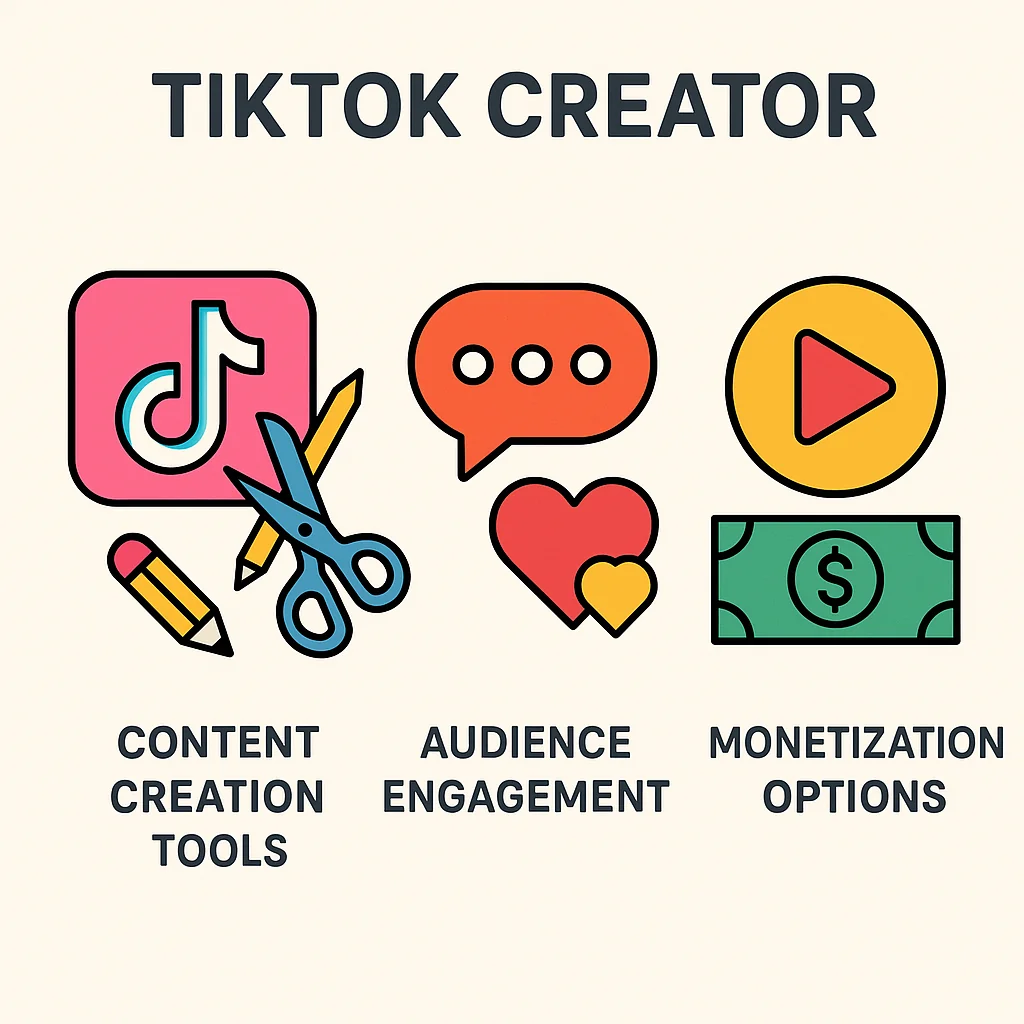
    Infographic highlighting the features of TikTok Creator accounts including content creation tools, engagement features, and monetization.

    Content Creation Tools

    One of the significant TikTok Creator benefits is the advanced content creation tools available. These tools include a range of editing features, filters, and effects that help you produce high-quality videos effortlessly. The Creator Account also provides access to TikTok’s extensive music library, allowing you to add popular tracks to your content, making it more engaging and shareable.

    Audience Engagement Features

    Engaging with your audience is crucial for growing your presence on TikTok. The Creator Account offers several features to help you connect with your followers. You can use analytics tools to understand your audience’s preferences and behaviors better. Additionally, features like Q&A stickers and live streaming options allow for real-time interaction, enhancing the bond between you and your audience.

    Monetization Options

    Monetization is a key aspect of the TikTok Creator Account. With this account type, you can join the TikTok Creator Fund, which rewards you based on the performance of your content. Moreover, you have the opportunity to collaborate with brands and earn through sponsored content. For those interested in growing their influence, exploring the benefits of being a UGC creator can enhance your TikTok Creator account experience.

    By leveraging these features, TikTok Creator Account holders can maximize their content creation potential and build a strong, engaged community. Whether you’re just starting or looking to refine your strategy, understanding these tools can significantly impact your success on the platform. For more insights into the power of influencer marketing, consider reviewing this high-quality study on influencer marketing.

    Now that we’ve explored the features of both TikTok Business and Creator accounts, it’s essential to weigh the pros and cons to determine which might be the best fit for you.

    Illustration of the pros and cons of TikTok Business and Creator accounts with a balanced scale.

    Pros of Business Accounts

    • Advanced Analytics: Business accounts offer detailed analytics, allowing you to track your performance and understand your audience better.
    • Access to Marketing Tools: With a Business account, you gain access to promotional tools and options like advertising, which can help boost your visibility on the platform.
    • Contact Information: Business accounts allow you to add contact information directly to your profile, making it easier for potential clients or customers to reach you.

    Cons of Business Accounts

    • Limited Music Library: One of the significant drawbacks is the restricted access to trending sounds and music, which can impact the creative aspect of your videos. Finding trending sounds is crucial for both Business and Creator accounts.
    • Perceived Commercial Intent: Sometimes, having a Business account could make your content appear more commercial, which might not resonate well with all audiences.

    Pros of Creator Accounts

    • Full Music Library: Creator accounts have complete access to TikTok’s extensive music library, allowing for more creative freedom in your videos.
    • Creator Fund Eligibility: If you have a Creator account, you are eligible to join the TikTok Creator Fund, which can provide additional income based on your content’s performance.
    • Engagement Features: Creator accounts come with features like Q&A, which can help foster a more interactive and engaged community.

    Cons of Creator Accounts

    • Limited Analytics: The analytics available for Creator accounts are not as comprehensive as those offered to Business accounts, which might make it harder to measure your success.
    • Less Promotional Tools: Creator accounts do not have access to the same level of promotional tools and advertising options as Business accounts.

    As we can see, there are distinct pros and cons to each account type. The choice between a TikTok Business vs Creator Account depends largely on your goals and how you plan to use the platform. For a broader comparison of social media account types, you can check out this comparison table.

    Having weighed the pros and cons of business versus creator accounts, the next step is to choose the right TikTok account type for your needs. This decision hinges on several critical factors, including your goals, audience, and available resources.

    Person at a crossroads deciding between TikTok Business and Creator accounts.

    Assessing Your Goals

    Start by clearly defining what you want to achieve with your TikTok presence. Are you aiming to promote a brand, sell products, or build a personal following? If your primary goal is to drive sales or enhance brand visibility, a TikTok Business Account may be the better choice due to its robust analytics and advertising features. Conversely, if your focus is on content creation, engagement, and personal branding, a TikTok Creator Account could be more suitable.

    Evaluating Your Audience

    Understanding your audience is crucial in selecting the right account type. Consider who your followers are and what they expect from your content. Business accounts often appeal to a more professional audience interested in products and services, while creator accounts attract followers who are looking for entertainment, tutorials, or personal insights. Reflect on your current audience and the type of content they engage with the most.

    Considering Your Resources

    Finally, assess the resources at your disposal. Business accounts may require more investment in terms of time, money, and tools to leverage features like ads and in-depth analytics effectively. On the other hand, creator accounts are typically less resource-intensive and more focused on organic growth and community engagement.

    It’s also worth noting that becoming a UGC creator can influence your decision on which TikTok account to choose. User-generated content can thrive under both account types, but knowing which features you’ll need can guide your choice.

    For more expert advice on crafting your social media strategy, check out this comprehensive guide. It offers valuable insights into planning and executing a successful strategy tailored to your specific goals.

    Which TikTok account type aligns best with your social media strategy? Take a moment to evaluate your goals, audience, and resources to make an informed decision. Your choice will set the foundation for your success on TikTok.

    Once you’ve decided on the best account type for your needs, it’s time to make the switch. Understanding the steps and addressing potential issues will make this process smoother. Here’s a comprehensive guide on how to switch TikTok account types.
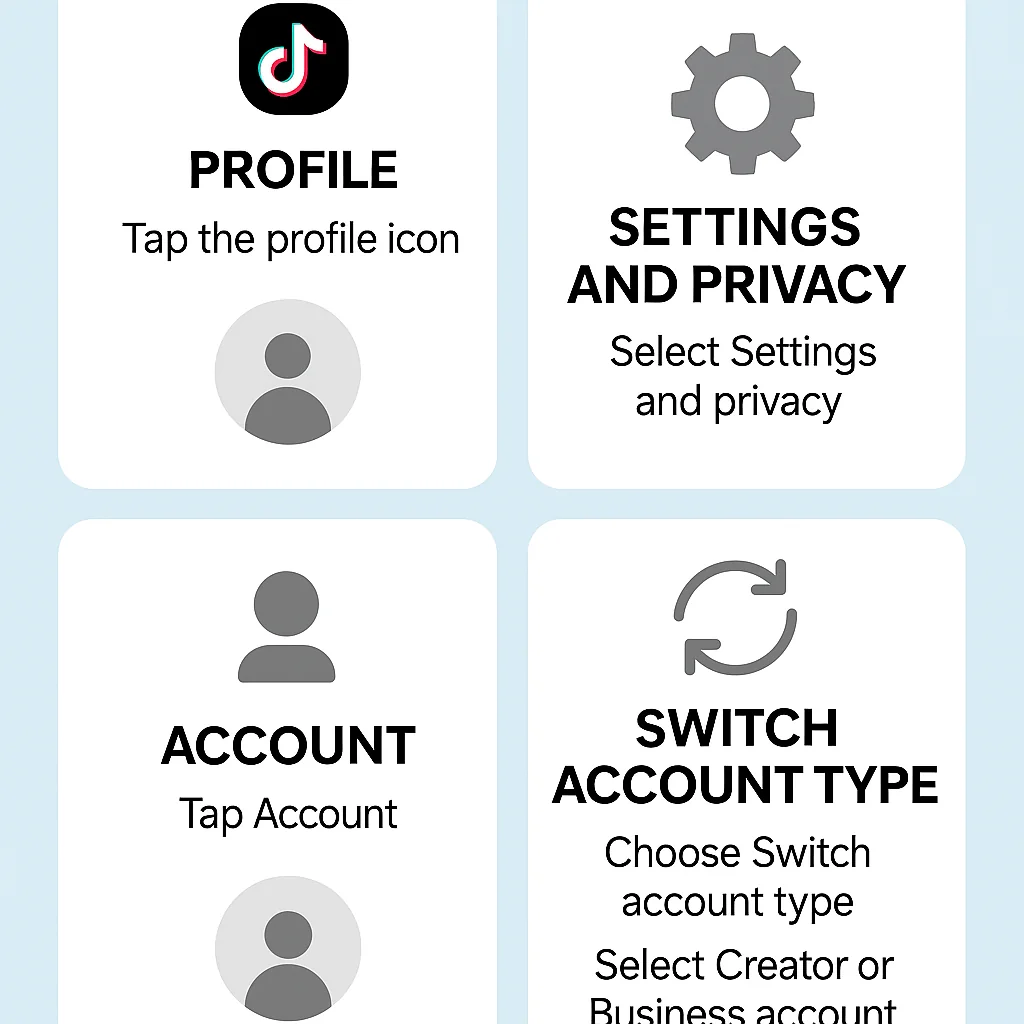
    Infographic showing the steps to switch between TikTok Creator and Business accounts.

    Steps to Switch from Creator to Business Account

    1. Open the TikTok app and go to your profile.
    2. Tap the three dots in the upper right corner to access the Settings and Privacy menu.
    3. Select Manage Account.
    4. Under Account Control, tap Switch to Business Account.
    5. Follow the prompts to complete the switch, including selecting your business category.

    Switching TikTok accounts like this can open up new features tailored for businesses, such as access to TikTok Ads and advanced analytics.

    Steps to Switch from Business to Creator Account

    1. Open your TikTok app and navigate to your profile.
    2. Tap on the three dots in the upper right corner to open Settings and Privacy.
    3. Go to Manage Account.
    4. Select Switch to Creator Account under Account Control.
    5. Follow the on-screen instructions to finalize the switch.

    Switching to a creator account is ideal if you’re focusing on content creation and personal branding.

    Troubleshooting Common Issues

    If you encounter issues while switching account types, here are some troubleshooting tips:

    • Ensure your app is updated to the latest version.
    • Check your internet connection, as poor connectivity can hinder the process.
    • If the option to switch is not visible, try restarting the app or your device.
    • Visit TikTok’s official resources on account management for more detailed guidance.

    For further insights, understanding UGC creators can help in deciding the right TikTok account type.

    Have you switched your TikTok account type before? Share your experience and tips in the comments below!

    Now that you understand how to switch between a TikTok Business and Creator account, let’s delve into some real-world examples that illustrate the practical differences and benefits of each account type. These case studies will provide you with insights and actionable tips to help you decide which account is the best fit for your needs.
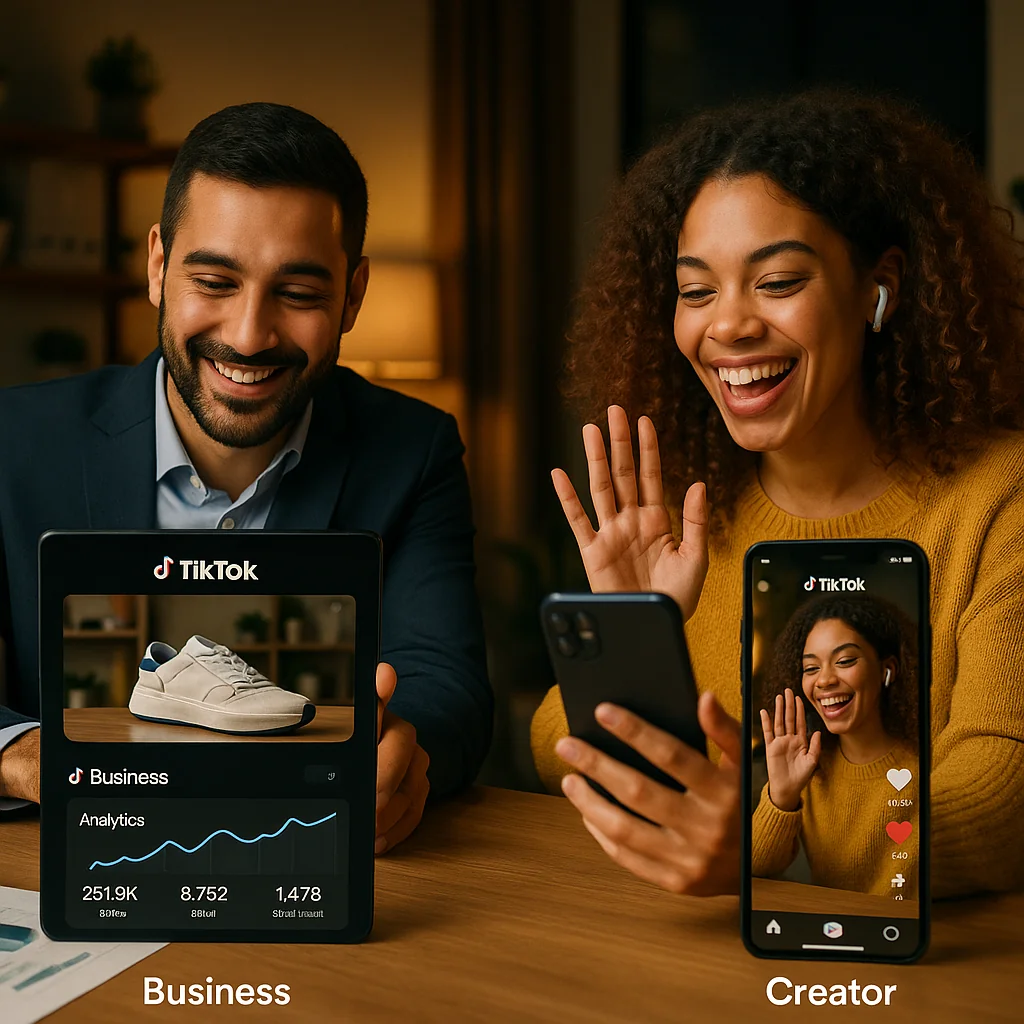
    Real-world examples of successful TikTok Business and Creator accounts.

    Case Study: Successful TikTok Business Account

    One notable example of a successful TikTok Business account is XYZ Clothing. By leveraging the advanced analytics and promotional tools available to business accounts, XYZ Clothing saw a 50% increase in their follower count within just three months. They utilized TikTok’s ad platform to target specific demographics, resulting in higher engagement and conversion rates.

    Additionally, XYZ Clothing collaborated with influencers to create branded content, which further boosted their visibility. By regularly analyzing their performance metrics, they were able to fine-tune their content strategy to maximize reach and engagement.
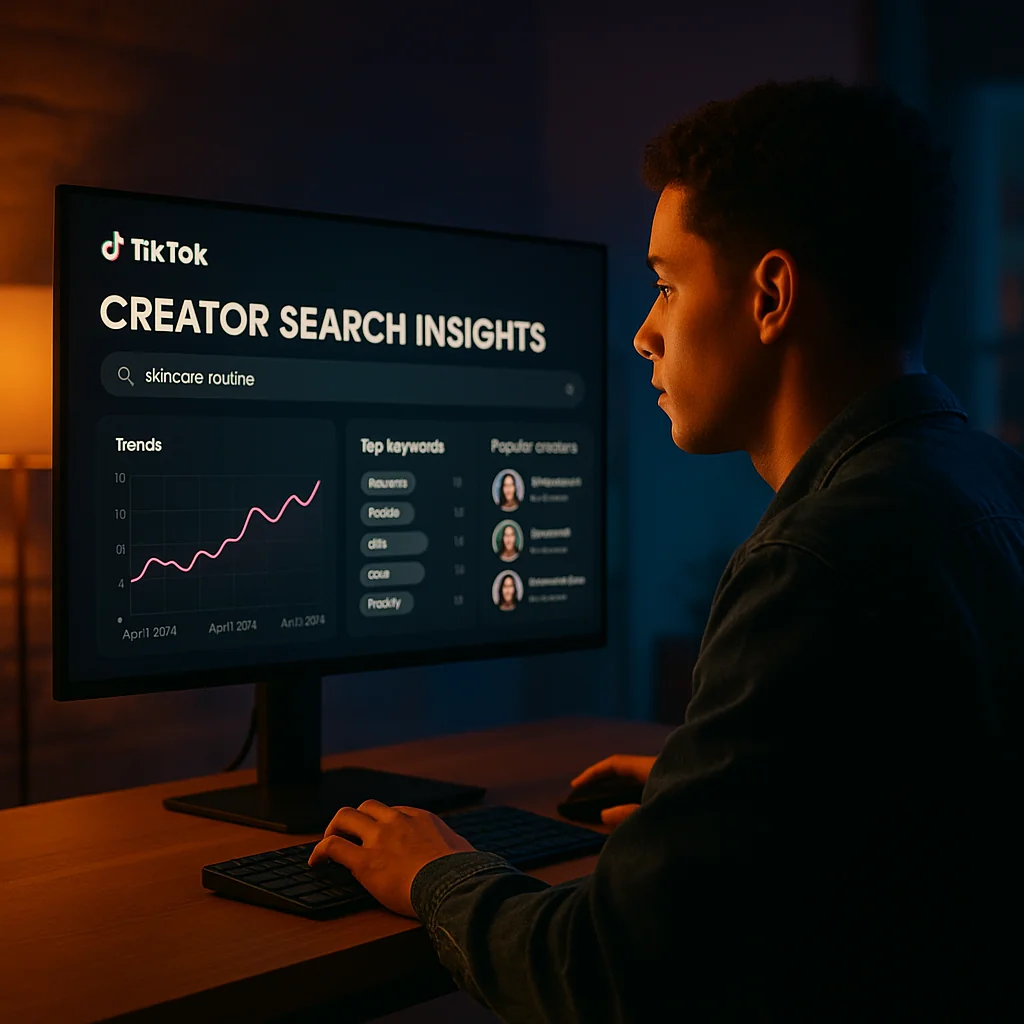
  • How to Get Your Next Idea Using TikTok’s Creator Search Insights

    How to Get Your Next Idea Using TikTok’s Creator Search Insights

    To get started with TikTok’s Creator Search Insights, you first need to understand its primary functionality. This powerful tool allows you to explore trending content, identify influential creators, and analyze the performance of various TikTok posts. By leveraging these insights, you can generate fresh and engaging content ideas tailored to your audience’s preferences.

    Begin by accessing the Creator Search Insights tool within the TikTok platform. Once there, you can search for specific creators or topics relevant to your niche. The tool will provide you with comprehensive data on engagement metrics, audience demographics, and content performance. This information is invaluable for shaping your content strategy and discovering new trends.

    For a more detailed guide on using this tool, refer to our upcoming section, “Step-by-Step Guide to Using TikTok’s Creator Search Insights,” where we will walk you through the process of navigating and utilizing the tool effectively.

    Additionally, our section on “Advanced Tips and Strategies” will offer expert advice on maximizing the potential of TikTok’s insights. We will also showcase “Case Studies and Real-World Examples” to illustrate successful implementations of these strategies. Stay tuned to learn how to integrate these insights into your overall marketing strategy and enhance your content creation process.

    As we delve into the specifics of TikTok’s Creator Search Insights, it’s essential to understand what this tool is and how it works. TikTok’s Creator Search Insights is a powerful feature designed to help content creators uncover trending topics, analyze audience engagement, and identify potential collaboration opportunities. This tool is a game-changer for anyone looking to enhance their TikTok content ideas and stay ahead of the competition.

    Infographic showing the interface and key features of TikTok’s Creator Search Insights tool.

    The core functionality of TikTok’s Creator Search Insights revolves around its ability to provide in-depth analytics and data-driven insights. These insights include metrics such as audience demographics, engagement rates, and content performance. By leveraging this data, creators can tailor their content strategies to better resonate with their target audience.

    Key Features and Benefits

    • Trend Analysis: Discover emerging trends and popular content themes within your niche.
    • Audience Insights: Gain a deeper understanding of your audience’s preferences and behaviors.
    • Performance Metrics: Track the success of your content with detailed performance analytics.
    • Collaboration Opportunities: Identify potential collaborators who align with your brand and audience.

    These features not only help in generating new TikTok content ideas but also ensure that your content is optimized for maximum engagement and reach.

    Why It’s Essential for Content Creators

    For content creators, staying relevant and engaging is crucial. TikTok’s Creator Search Insights provides the necessary tools to achieve this by offering actionable data and trends that can significantly influence your content strategy. By understanding what works and what doesn’t, creators can make informed decisions that drive growth and engagement.

    When discussing core concepts, we can reference our guide to finding trending TikTok sounds. This guide complements the insights provided by TikTok’s Creator Search Insights, allowing for a more comprehensive approach to content creation.

    Moreover, understanding TikTok’s algorithm is vital for maximizing the benefits of this tool. For a deeper dive into the algorithm, consider exploring this high-quality study on TikTok’s algorithm.

    By utilizing TikTok’s Creator Search Insights, content creators can consistently produce compelling content that resonates with their audience, ultimately leading to increased visibility and growth.

    Now that you have a clear understanding of what TikTok’s Creator Search Insights is and its benefits, let’s dive into the practical steps of using this powerful tool for your TikTok marketing strategy.

    Illustration of a step-by-step guide on using TikTok’s Creator Search Insights tool.

    How to Access the Tool

    To get started with TikTok’s Creator Search Insights, you first need to access the tool. Simply log into your TikTok for Business account. If you don’t have one yet, here is a helpful video tutorial on using TikTok’s Creator Search Insights that walks you through the setup process.

    Navigating the Interface

    Once you have access, you’ll find the interface user-friendly and intuitive. The main dashboard provides an overview of various metrics and search functionalities. Key sections include:

    • Search Bar: Where you can input keywords related to your niche or specific creators.
    • Filters: Options to narrow down search results by region, follower count, engagement rate, and more.
    • Analytics Overview: Quick insights into trending creators and content within your specified criteria.

    Using Filters and Search Options

    Filters are essential for refining your searches and finding the most relevant creators. Here are some tips for using them effectively:

    • Region: Focus on creators in specific geographical areas to target local audiences.
    • Follower Count: Choose creators with a follower base that aligns with your campaign goals.
    • Engagement Rate: Identify creators who have a high level of interaction with their audience.
    • Content Type: Filter by content formats such as videos, challenges, or hashtags to find creators who excel in those areas.

    Examples of Searches

    To give you a practical example, imagine you are launching a new skincare product. You could use TikTok’s Creator Search Insights to find beauty influencers with high engagement rates and a significant following in your target region. Use keywords like “skincare routines” or “beauty tips” to narrow down your search. By applying filters for follower count and engagement, you can pinpoint influencers who are not only popular but also highly interactive with their audience.

    For more on leveraging user-generated content, check out our article on UGC creators.

    By effectively using TikTok marketing tools like Creator Search Insights, you can optimize your TikTok SEO strategies and connect with the right influencers to elevate your brand’s presence on the platform.

    In the next section, we’ll explore advanced tips and strategies to further refine your approach using TikTok’s Creator Search Insights.

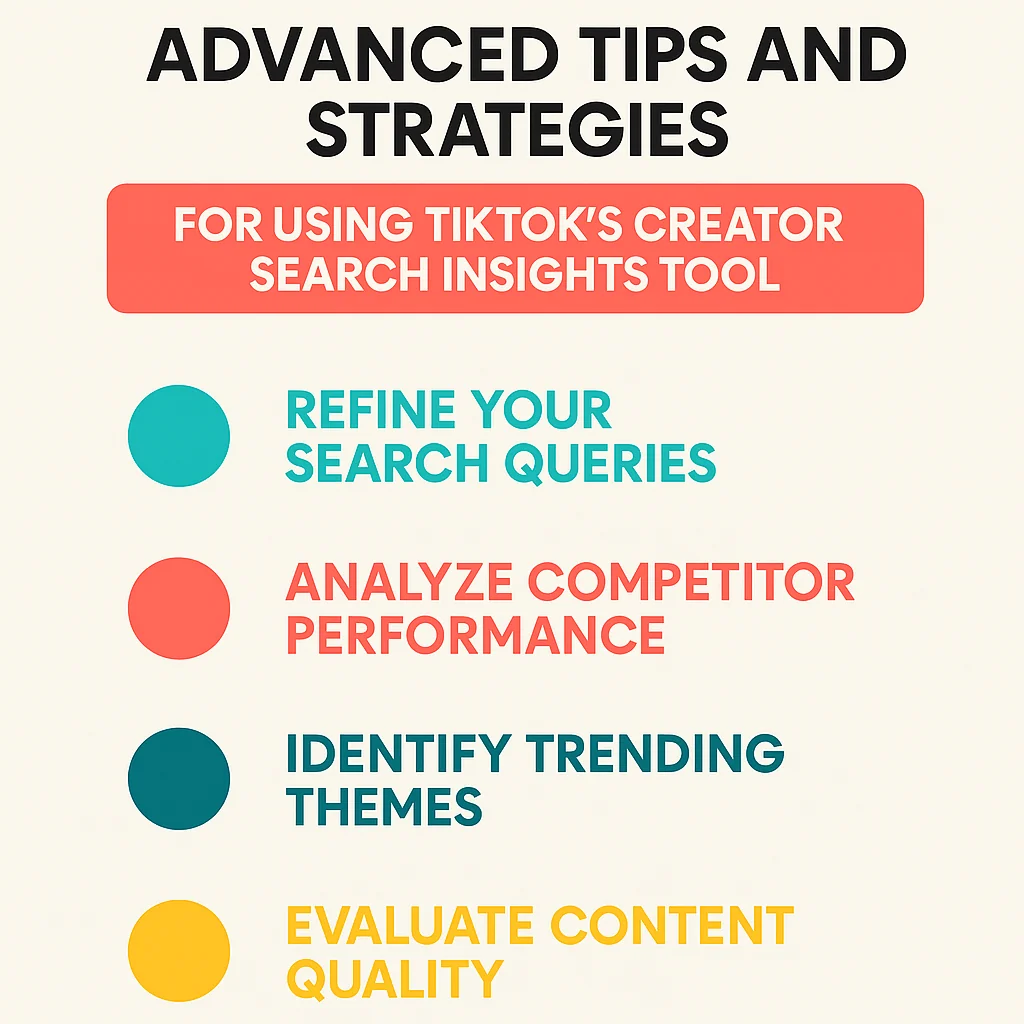
    Now that you have a solid understanding of the step-by-step process, let’s delve into some advanced tips and strategies to elevate your use of TikTok’s Creator Search Insights. These techniques will help you leverage the platform more effectively and stay ahead of the competition.

    Infographic detailing advanced tips and strategies for maximizing TikTok’s Creator Search Insights tool.

    Advanced Search Techniques

    To get the most out of TikTok’s Creator Search Insights, it’s crucial to master advanced search techniques. Start by using specific keywords and filters to narrow down your search. This can include filtering by engagement rates, follower counts, or content type to find the most relevant creators for your niche. Additionally, consider using Boolean operators to combine multiple search terms and get more refined results.

    Integrating Insights with Other Marketing Tools

    Integrating TikTok insights with your other marketing tools can significantly enhance your overall strategy. For instance, you can sync TikTok data with your CRM system to track creator performance and audience engagement more effectively. Tools like Google Analytics can also be invaluable in measuring the impact of TikTok campaigns on your website traffic. By combining these insights, you can create a more cohesive and informed marketing approach.

    Optimizing Content for TikTok SEO

    Optimizing your content for TikTok SEO is essential for maximizing visibility. Start by incorporating relevant keywords naturally into your content titles, descriptions, and hashtags. For instance, using phrases like “How to Get Your Next Idea Using TikTok’s Creator Search Insights” can improve your content’s discoverability. Additionally, focus on creating high-quality, engaging videos that encourage shares and comments, as these are key factors in TikTok’s algorithm.

    For a deeper understanding of TikTok SEO, this high-quality study offers valuable insights and strategies.

    Looking to enhance your TikTok strategy further? Learn why brands are flocking to UGC creators and how it can complement your TikTok strategy.

    By mastering these advanced techniques, you can leverage TikTok’s Creator Search Insights to its fullest potential, driving more engagement and achieving your marketing goals. Don’t hesitate to experiment with these strategies and see what works best for your brand.

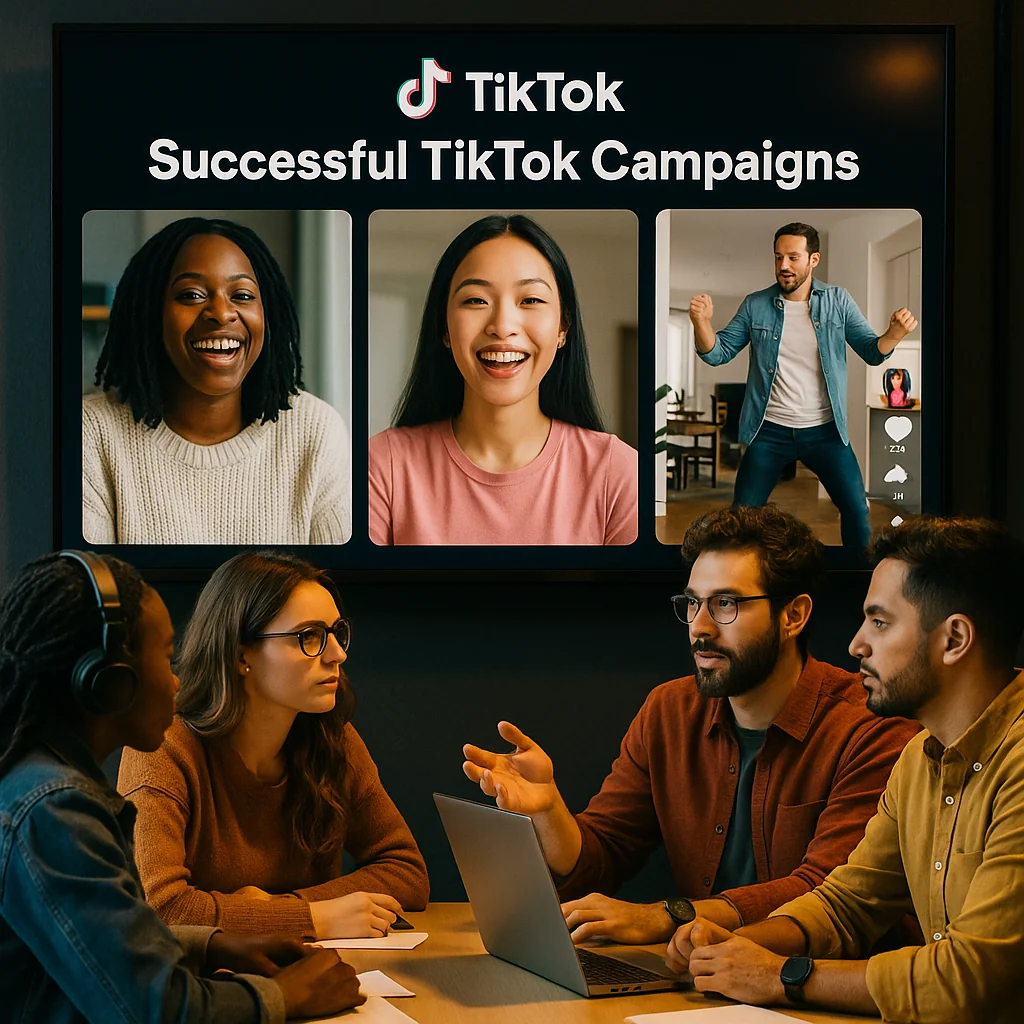
    Having explored advanced tips and strategies, let’s dive into some practical applications of TikTok’s Creator Search Insights through case studies and real-world examples. These success stories will illustrate how leveraging these insights can lead to remarkable results in your social media marketing efforts.

    Content creators analyzing successful TikTok campaigns using real-world examples and case studies.

    Case Study 1: Successful Content Campaign

    A leading fashion brand aimed to boost its presence on TikTok by launching a new clothing line. Utilizing TikTok’s Creator Search Insights, the brand identified influencers who resonated with their target audience. By partnering with these creators, they crafted a series of engaging and authentic videos that showcased the new collection in a relatable context.

    The campaign achieved impressive results, including a 30% increase in website traffic and a significant rise in sales. The insights provided by TikTok enabled the brand to tailor their content strategy effectively, ensuring their message reached the right audience at the right time.

    Case Study 2: Increased Engagement Using Insights

    A fitness app company wanted to enhance user engagement and attract new subscribers. By leveraging TikTok’s Creator Search Insights, the company identified fitness influencers whose followers matched their target demographic. They collaborated with these influencers to create a series of workout challenges and tips, which were highly relevant and engaging for their audience.

    The result was a dramatic increase in app downloads and user interaction. Engagement rates soared by 50%, and the app saw a 20% increase in active users. This case study highlights how using TikTok insights can lead to creating TikTok content ideas that resonate deeply with your audience.

    Lessons Learned and Best Practices

    From these case studies, several key takeaways and best practices emerge:

    • Identify the right influencers: Use TikTok’s insights to find influencers who align with your brand values and audience preferences.
    • Craft authentic content: Collaborate with creators to develop content that feels genuine and relatable to their followers.
    • Measure and adapt: Continuously monitor the performance of your campaigns and adjust strategies based on the insights gathered.

    For more insights into UGC creators, read our comprehensive guide.

    Additionally, you can explore a high-quality case study on TikTok marketing here for further inspiration.

    Having delved into various case studies and real-world examples, it’s time to explore how you can integrate TikTok Insights with your overall marketing strategy. By combining these insights with other social media data, creating a cohesive content plan, and measuring and analyzing results, you can elevate your digital marketing efforts.

    Illustration of a marketer integrating TikTok insights with a broader marketing strategy.

    Combining Insights with Other Social Media Data

    To maximize the value of TikTok’s insights, it’s crucial to blend them with data from other social media platforms. This holistic approach allows you to spot trends, understand audience behavior, and create more impactful campaigns. By leveraging high-quality guides on integrating social media insights, you can develop a well-rounded view of your audience’s preferences and habits.

    Creating a Cohesive Content Plan

    With a comprehensive understanding of your audience, the next step is to create a cohesive content plan. Use the insights gathered from TikTok to inform your broader content creation strategy. This can include aligning your TikTok content themes with those on Instagram, Facebook, and other platforms to ensure a consistent brand voice. For a step-by-step plan to becoming a UGC creator, check out our 30-day guide.

    Measuring and Analyzing Results

    The final piece of the puzzle is measuring and analyzing the results of your integrated strategy. Utilize digital marketing tools to track key performance indicators (KPIs) such as engagement rates, follower growth, and conversion metrics across all platforms. This data will help you refine your approach, ensuring that your content remains relevant and effective.

    By integrating TikTok Insights with your marketing strategy, you can create a more cohesive, data-driven approach that enhances your overall digital presence. Don’t forget to encourage your audience to share their thoughts and engage with your content, as this feedback can provide valuable insights for future campaigns.

    Wrapping up, TikTok’s Creator Search Insights is undeniably a powerful tool for generating fresh and engaging content ideas. Leveraging the advanced tips and strategies discussed can significantly maximize its potential, helping you stay ahead in the competitive content creation landscape.

    We encourage you to dive into TikTok’s Creator Search Insights, experiment with the various features, and share your experiences. Feel free to leave comments below or share this guide with fellow creators who might benefit. Happy creating!

    Frequently Asked Questions

    Now that you understand how to integrate TikTok Insights into your marketing strategy, let’s address some common queries that users have about this powerful tool.

    What is TikTok’s Creator Search Insights tool? It is a robust resource designed for discovering content ideas by analyzing creator performance and trends. This tool provides valuable insights that help marketers and content creators stay ahead of the curve by understanding what works best on the platform. By leveraging this information, you can refine your content strategy to better align with current trends and audience preferences.

    Now that you understand what TikTok’s Creator Search Insights tool is, let’s discuss how to access it. This powerful feature is available through TikTok’s analytics dashboard. However, to utilize it, you must have a TikTok Pro account, which unlocks advanced analytics and insights.

    To upgrade to a Pro account, simply navigate to your profile settings, select “Manage account,” and then switch to a Pro account. Once the upgrade is complete, you can access the analytics dashboard and start leveraging the Creator Search Insights tool to discover new ideas and optimize your content strategy.

    Once you have accessed TikTok’s Creator Search Insights tool, it’s essential to understand its key features to make the most out of it. This tool is designed to provide comprehensive data that helps you identify and collaborate with the right influencers for your brand.

    • Search filters: The tool offers a variety of search filters, allowing you to narrow down creators based on criteria such as location, follower count, and engagement rate. This ensures you find influencers who align perfectly with your brand’s needs.
    • Trending content insights: Gain insights into trending content within your niche. This feature helps you understand what type of content is currently resonating with audiences, enabling you to craft more effective campaigns.
    • Performance metrics: Evaluate performance metrics like views, likes, and shares directly within the tool. These metrics provide a clear picture of a creator’s impact and potential ROI, helping you make informed decisions.

    These features are designed to provide you with a strategic advantage in your influencer marketing efforts, ensuring your campaigns are both effective and efficient.

    Building on the key features of TikTok’s Creator Search Insights, you can leverage this tool to discover trending content ideas effectively. Start by using the search filters to narrow down trends relevant to your niche. These filters help you focus on specific hashtags, keywords, or topics that are currently gaining traction.

    Additionally, analyze the top-performing creators and their content within these trends. By observing what works for successful creators, you can gain insights into audience preferences and the types of content that resonate well. This approach not only helps in generating fresh ideas but also in understanding the dynamics of trending content on TikTok.

  • How to Find Trending TikTok Sounds: Ultimate Guide

    How to Find Trending TikTok Sounds: Ultimate Guide

    Understanding how to find trending TikTok sounds is crucial for anyone looking to increase their visibility and engagement on the platform. Trending sounds can significantly influence the reach of your content, making it more likely to appear on the For You Page (FYP) and attract a wider audience.

    There are several effective methods to discover these popular sounds. First, you can use TikTok’s search function to look up trending hashtags and see which sounds are frequently used in popular videos. Additionally, exploring the For You Page is an excellent way to identify current trends, as it showcases a variety of content that is already gaining traction.

    Another valuable resource is TikTok’s sound library, which categorizes sounds and music, making it easy to find what’s trending. For a more in-depth approach, leveraging external tools like Spotify and YouTube can provide insights into popular music and sounds that are gaining momentum on TikTok. These platforms often feature playlists and charts that highlight trending tracks.

    Advanced tips for staying ahead of trends include following key influencers and creators who are often early adopters of new sounds. Engaging with TikTok communities and participating in challenges can also keep you in the loop with the latest trends.

    By utilizing these methods and tools, you can effectively find and use trending TikTok sounds to enhance your content and boost your presence on the platform.

    Transitioning from understanding how to find trending TikTok sounds, it’s essential to grasp why these sounds hold such power on the platform.

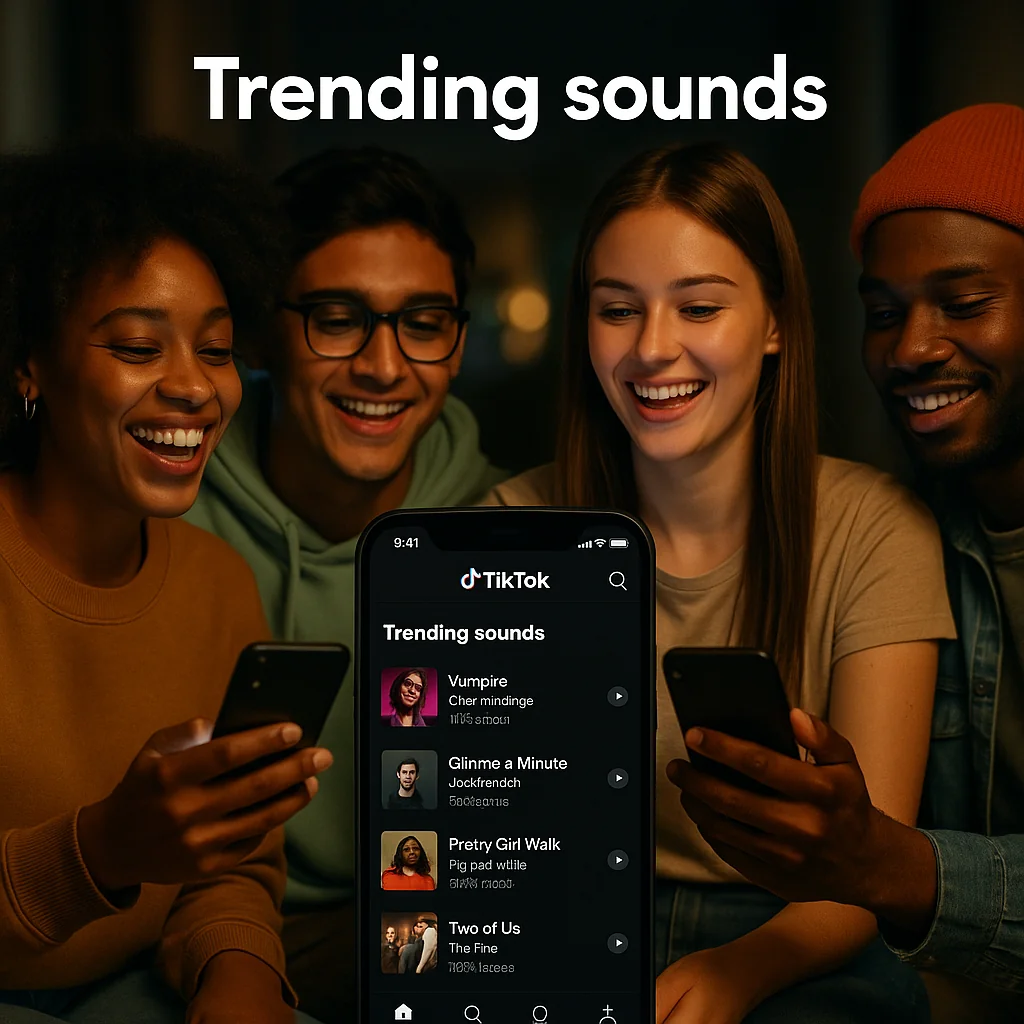
    Trending sounds on TikTok play a pivotal role in the virality of content. When a sound gains traction, it becomes a shared cultural touchpoint that users can leverage to enhance their videos’ reach and engagement.

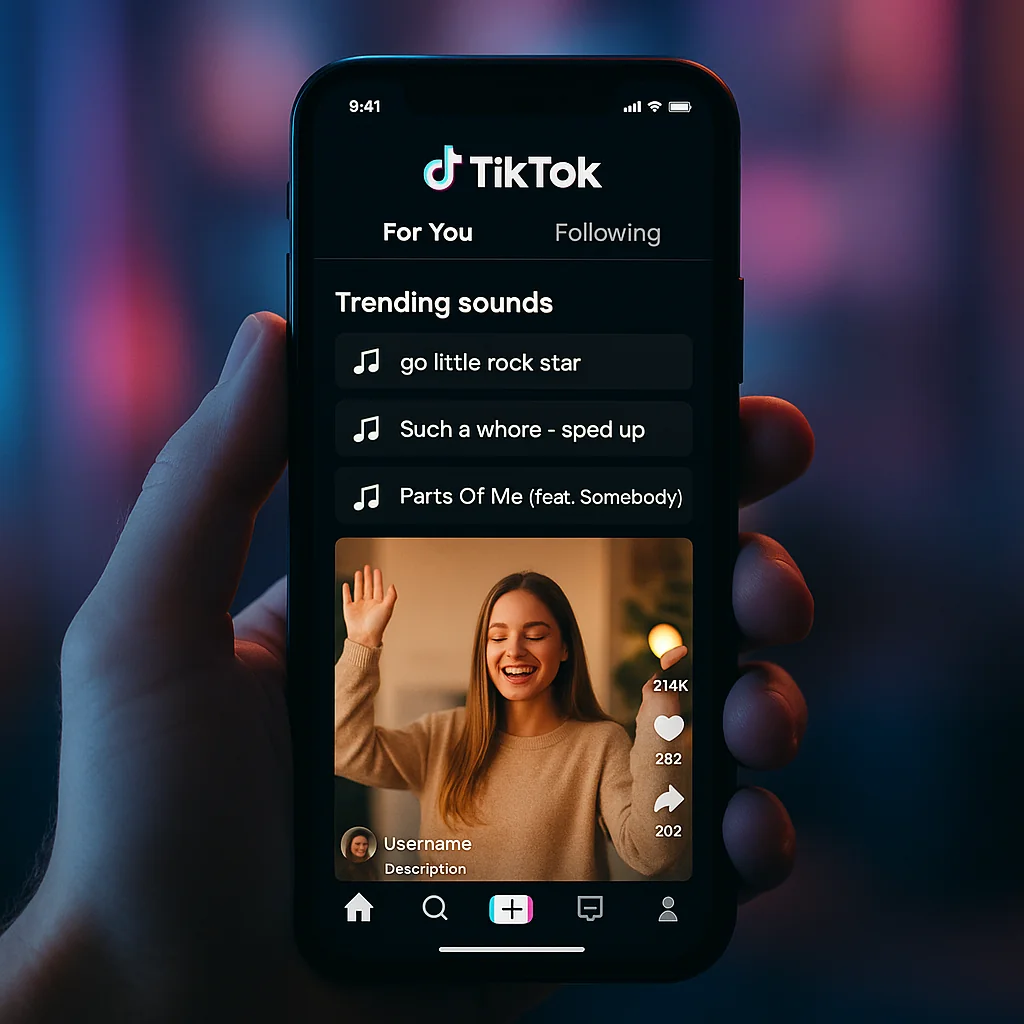
    Illustration of a TikTok app with sound waves representing the impact of trending sounds on engagement.

    Role of Trending Sounds in Virality

    Trending sounds act as a catalyst for virality on TikTok. When users incorporate popular sounds into their content, they tap into a larger community conversation, increasing the likelihood that their videos will be shared and viewed by a wider audience. This phenomenon is a key aspect of how trending sounds impact social media engagement.

    Impact on Engagement and Reach

    The use of trending sounds directly influences engagement metrics such as likes, comments, and shares. Videos that feature popular audio are more likely to appear on the For You Page (FYP), TikTok’s algorithm-driven feed that showcases content to users based on their interactions. By appearing on the FYP, videos gain exponential exposure, significantly boosting their reach.

    For instance, brands often capitalize on trending sounds to create relatable and shareable content. This strategy not only increases their visibility but also fosters a sense of community and relevance. Brands leveraging UGC creators often see a dramatic increase in user interaction and brand loyalty.

    Examples of Popular Trends

    Examples of trending sounds can range from catchy songs to snippets of dialogue from movies or TV shows. For instance, the viral success of sounds like “Savage Love” by Jawsh 685 and Jason Derulo, or the widespread use of the “Oh No” sound from The Shangri-Las, demonstrate how these audios can dominate the platform and drive massive engagement.

    Understanding how to find trending TikTok sounds and effectively using them is crucial for anyone looking to make a mark on the platform. Whether you’re a budding creator or a brand aiming to enhance your social media strategy, tapping into these audio trends is a powerful tool in your TikTok arsenal.

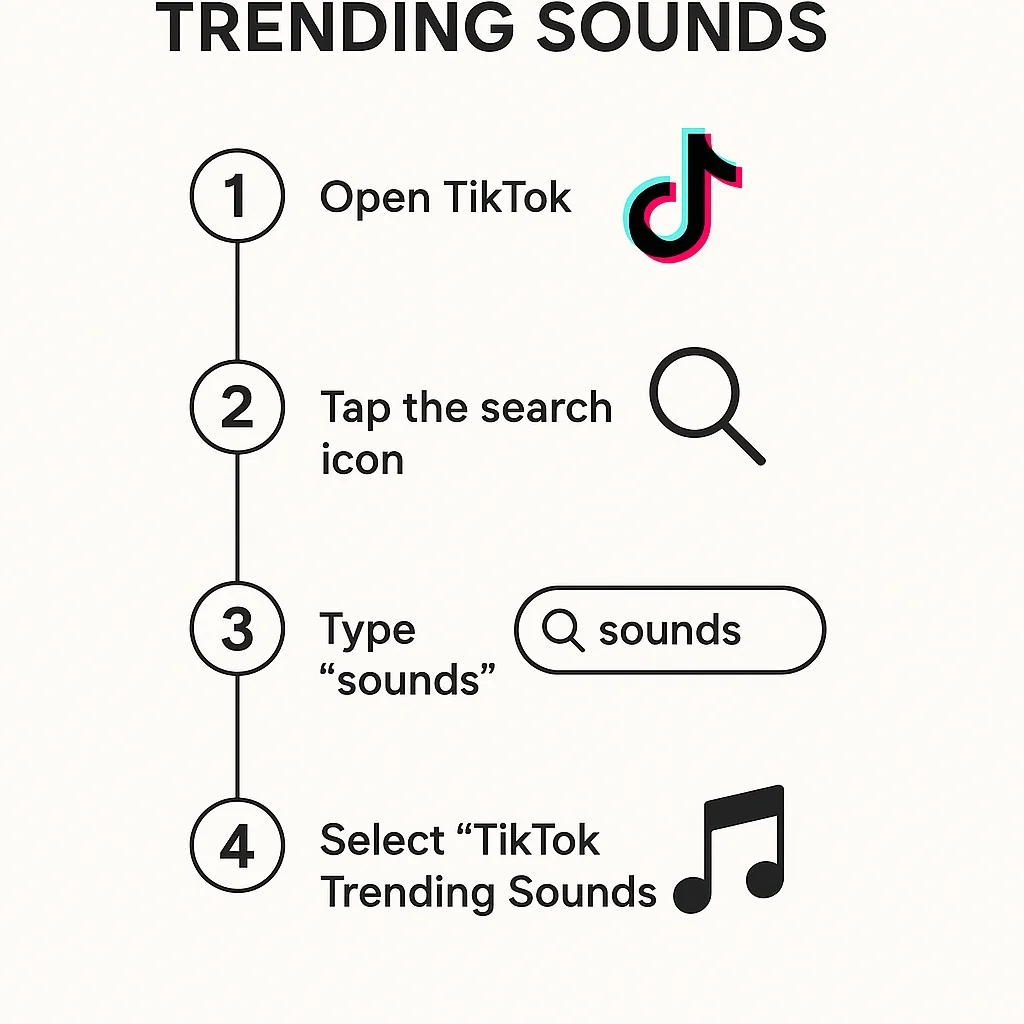
    After understanding the importance of trending sounds on TikTok, the next step is to learn how to effectively use TikTok’s search function to find these sounds.

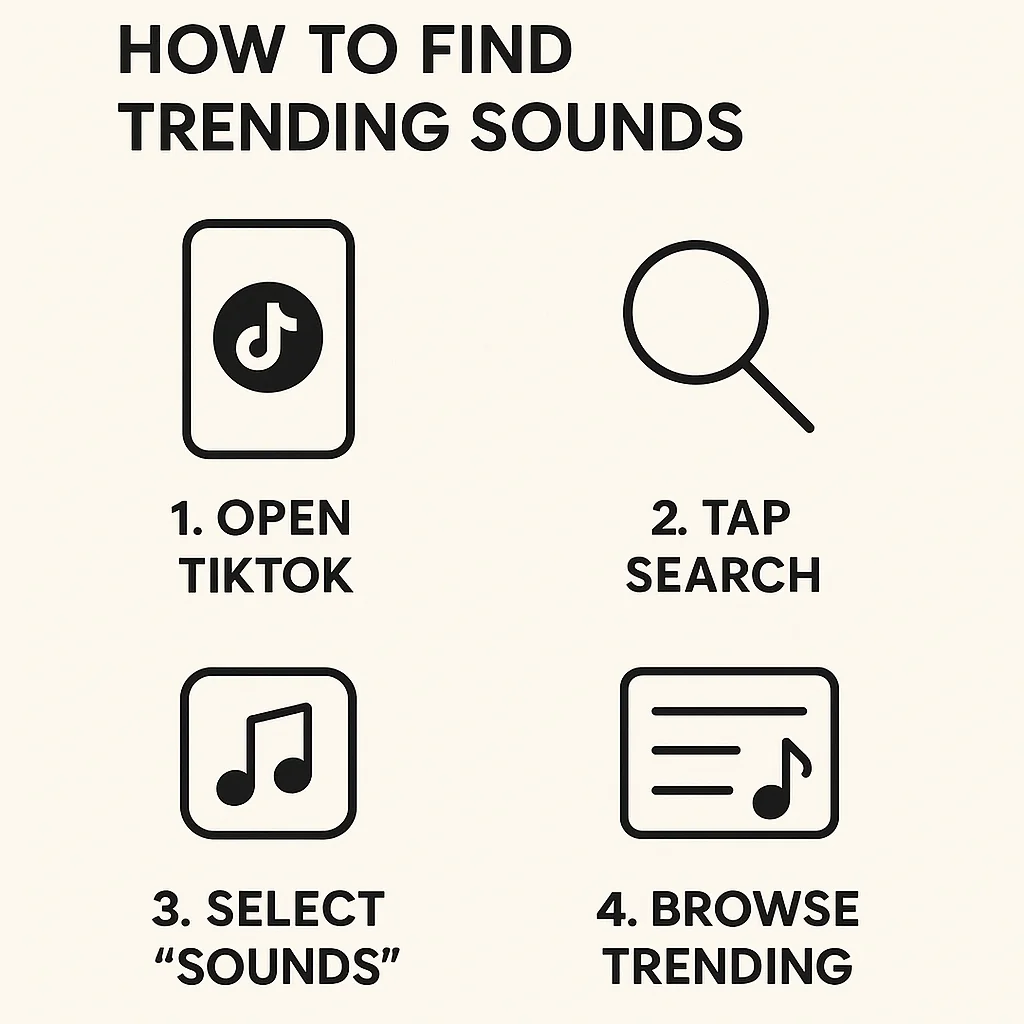
    Infographic showing a step-by-step guide on using TikTok’s search function to find trending sounds.

    Navigating the Search Function

    The search function on TikTok is a powerful tool that can help you discover the best TikTok sounds. To start, tap on the magnifying glass icon at the bottom of the screen. This will take you to the Discover page, where you can enter keywords related to the type of sound you are looking for.

    Identifying Trending Sounds

    Once on the Discover page, you can type in terms like “trending sounds” or “viral TikTok sounds.” The results will often show a mix of user-generated content and popular sounds. Look for sounds that have a high number of uses, as this indicates a trend. Additionally, pay attention to the hashtags and captions used in these videos to gain insights into how these sounds are being utilized.

    Tips for Effective Searches

    • Use Specific Keywords: When searching, be as specific as possible. Instead of just searching for “sounds,” try “dance challenge sounds” or “funny TikTok sounds.”
    • Explore Hashtags: Hashtags are a great way to find trending sounds. Search for popular hashtags like #trendingsounds or #viralsounds to see what’s currently popular.
    • Engage with Content: Watch and engage with videos using trending sounds. This not only helps TikTok’s algorithm understand your preferences but also keeps you updated on the latest trends.

    For more insights on how creators can use search functions to enhance their content, check out this guide.

    Building on your understanding of using TikTok’s search function, another powerful way to discover trending sounds is by exploring the For You page. This personalized feed plays a crucial role in content discovery on TikTok.

    A TikTok For You page showcasing trending sounds with users interacting with the content.

    Understanding the For You Page Algorithm

    The For You page (FYP) is a treasure trove of trending content, curated based on an intricate algorithm that takes into account user interactions, video information, and device/account settings. By understanding this algorithm, you can better grasp how to find trending TikTok sounds. Essentially, the more you interact with specific types of content, the more likely you are to see similar content, including popular and trending sounds.

    For a deeper dive into how the For You page influences content discovery, you can read more here.

    Spotting Trending Sounds

    When scrolling through the FYP, pay close attention to the sounds used in multiple videos. If you notice a particular sound or song recurring, it’s a sign that it is trending. TikTok’s sound library is vast, but the FYP will often highlight the most popular sounds at any given time. Additionally, look for videos that have high engagement rates—likes, shares, and comments—as these are often indicators of trending content.

    Examples of Successful Trends

    Consider the viral success of the “Savage Love” dance trend, which was propelled to fame through the For You page. Creators who used the song in their videos saw significant engagement, demonstrating the power of leveraging trending sounds. Another example is the “Blinding Lights” challenge, which gained massive popularity due to its frequent appearance on the FYP, showcasing the potential reach of trending sounds.

    For those interested in the technical aspects of TikTok’s algorithms, a study on TikTok’s For You page algorithm provides valuable insights.

    Exploring the For You page is an essential strategy for staying updated with the latest trends and understanding how to find trending TikTok sounds effectively. Next, we’ll delve into how you can leverage TikTok’s sound library to further enhance your content.

    After exploring the For You Page to discover popular sounds, another effective method to find trending TikTok sounds is by leveraging TikTok’s sound library. This feature is a goldmine for creators looking to stay ahead in the dynamic world of TikTok trends.

    Infographic illustrating how to navigate and use TikTok’s sound library to find trending sounds.

    Navigating the Sound Library

    The TikTok sound library is accessible directly from the app. To access it, simply tap the ‘+’ icon to create a new video, then tap on “Sounds” at the top of the screen. Here, you will find a vast collection of sounds categorized under various genres and moods. This interface is user-friendly, making it easy even for beginners to navigate and find the perfect sound for their content.

    Filtering for Trending Sounds

    One of the most valuable features of the TikTok sound library is the ability to filter and search for trending sounds. By tapping on the “Discover” tab within the sound library, you can see a list of sounds that are currently trending. This section gets updated regularly, ensuring that you have access to the latest popular sounds. Additionally, using keywords and hashtags in the search bar can help you find specific trending sounds more efficiently.

    Using Sounds in Your Content

    Once you have found a trending sound, using it in your content is straightforward. Simply select the sound, and it will be added to your video creation screen. This integration is seamless, allowing you to adjust the sound’s volume and sync it perfectly with your video. Remember, utilizing trending sounds effectively can significantly boost your video’s visibility and engagement.

    For a more in-depth tutorial on using TikTok’s sound library, you can visit this comprehensive guide. Additionally, understanding the importance of using the right tools efficiently can further enhance your TikTok strategy. Learn more about this in our article on how to cancel sticky keys.

    By mastering the TikTok sound library, you’ll be well on your way to creating content that resonates with the platform’s vibrant community. Stay tuned for more advanced tips on how to find trending TikTok sounds and staying ahead of trends in the next sections.

    Transitioning from the extensive features of TikTok’s Sound Library, let’s delve into how external tools can further enhance your quest for the perfect trending sounds.

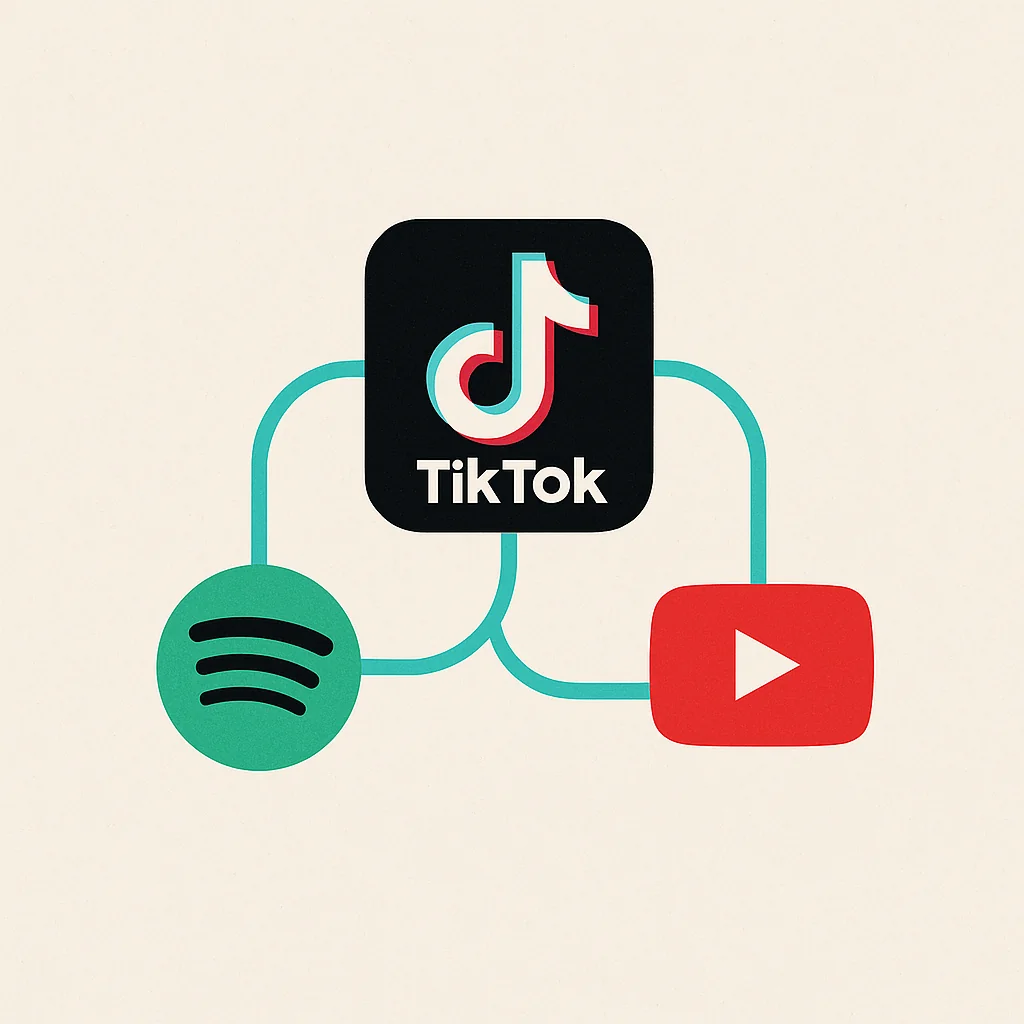
    While TikTok offers a robust set of internal features, external platforms like Spotify and YouTube also play a pivotal role in discovering how to find trending TikTok sounds. These tools can provide a broader perspective on what’s gaining traction in the music world, which can then be leveraged on TikTok.

    Illustration of a TikTok app connected to Spotify and YouTube for discovering trending sounds.

    Overview of Useful Tools

    Two of the most popular external platforms for identifying TikTok trending sounds are Spotify and YouTube. Both platforms have massive user bases and sophisticated algorithms that highlight what’s currently popular.

    Additionally, there are specialized tools highlighted in this list that can further aid in your search. These tools can help you stay ahead of trends by providing real-time data and insights.

    How to Use Spotify for Trends

    Spotify offers various playlists that can be goldmines for finding trending sounds. Playlists like “Viral Hits” or “Top 50” in different countries often feature songs that are gaining popularity rapidly. By regularly checking these playlists, you can get a sense of what might soon trend on TikTok.

    Moreover, Spotify’s algorithmic recommendations based on your listening habits can surface emerging tracks before they blow up on TikTok. This proactive approach can give you an edge in being one of the first to use a trending sound.

    Leveraging YouTube for Trending Sounds

    YouTube is another excellent resource for discovering trending sounds. The platform’s Trending page showcases the latest viral videos, many of which feature music that could become the next big TikTok sound. Additionally, channels and creators often curate their own playlists of trending songs, providing another layer of potential sound discovery.

    By combining insights from YouTube and TikTok, you can create a synergy between different platforms for content creation, as discussed in our detailed guide.

    Using these external tools in conjunction with TikTok’s own resources maximizes your ability to stay on top of the latest trends. Up next, we’ll dive into some advanced tips for staying ahead of the curve in the ever-evolving world of TikTok sounds.

    Building on the insights from using external tools like Spotify and YouTube, let’s explore some advanced tips for staying ahead of trends on TikTok. These strategies will help you consistently find how to find trending TikTok sounds and leverage them effectively.

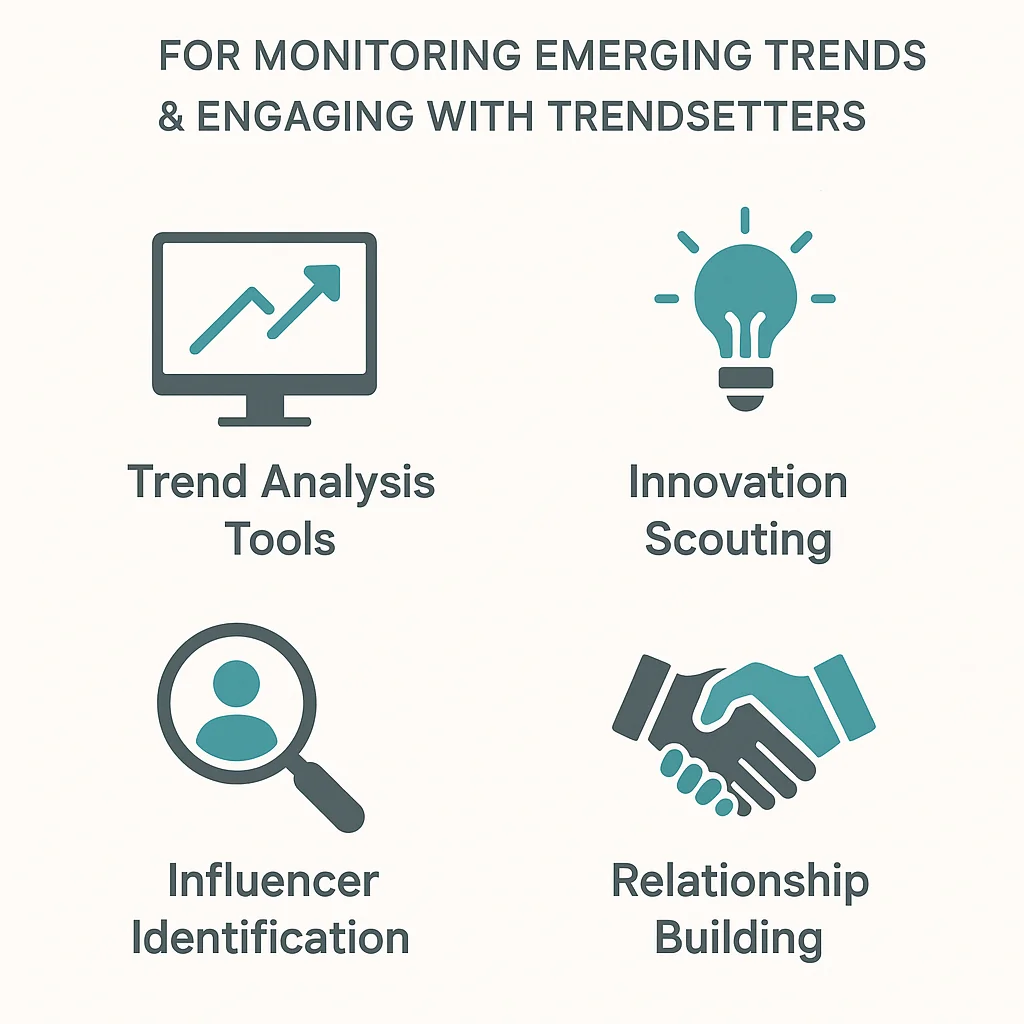
    Infographic showing advanced strategies for monitoring emerging trends and engaging with trendsetters.

    Monitoring Emerging Trends

    One of the most effective ways to stay ahead is by actively monitoring emerging trends. This involves keeping a close eye on the types of content that are gaining traction. Follow popular TikTok accounts and observe which viral TikTok audio they use. You can also use trend forecasting tools, such as those discussed in this research, to get a sense of what’s next on the horizon.

    Engaging with Trendsetters

    Engaging with trendsetters on TikTok is another crucial strategy. These are users who often set the tone for what becomes popular on the platform. By interacting with their content, you can gain insights into upcoming trends. Comment on their videos, share their content, and even collaborate with them if possible. This not only keeps you informed but also increases your visibility in the TikTok community.

    Using Analytics Tools

    Analytics tools are invaluable for understanding which trends are gaining momentum. TikTok’s own analytics provide detailed insights into your content’s performance, helping you identify patterns and preferences among your audience. Additionally, third-party tools can offer deeper dives into trending sounds and hashtags. By leveraging these analytics, you can tailor your content strategy to align with what’s currently popular.

    For more advanced strategies used by brands, you can check out how they highlight these techniques in this article.

    Utilizing these advanced tips will keep you ahead in the ever-evolving landscape of TikTok trends, ensuring your content remains fresh and engaging.

    Building on the advanced tips for staying ahead of trends, let’s delve into some real-life examples that illustrate how effective trend tracking can significantly boost your TikTok marketing strategy. By examining these case studies, you can glean valuable insights on how to find trending TikTok sounds and apply these lessons to your own content.

  • You’re Probably a UGC Creator Without Even Knowing It

    You’re Probably a UGC Creator Without Even Knowing It

    As social media continues to dominate our daily lives, it’s highly likely that you’re already a UGC creator without even realizing it. User-generated content (UGC) refers to any form of content created by users rather than brands. This can include social media posts, reviews, blog comments, videos, and more.

    Think about your activities online. Do you share photos of your meals on Instagram? Post book reviews on Goodreads? Maybe you leave detailed reviews on Amazon or upload unboxing videos on YouTube. All of these are prime examples of UGC. By identifying these activities, you can begin to leverage your content for personal growth or even monetize it.

    Understanding the role of UGC can open up numerous opportunities. Brands are constantly on the lookout for authentic content from real users to enhance their marketing efforts. By recognizing your contributions as valuable UGC, you can collaborate with brands, build an audience, and even generate income. Embrace your role as a UGC creator and explore the potential it holds for you.

    Following our exploration of how you might already be engaging in user-generated content without realizing it, let’s dive into understanding What is UGC?

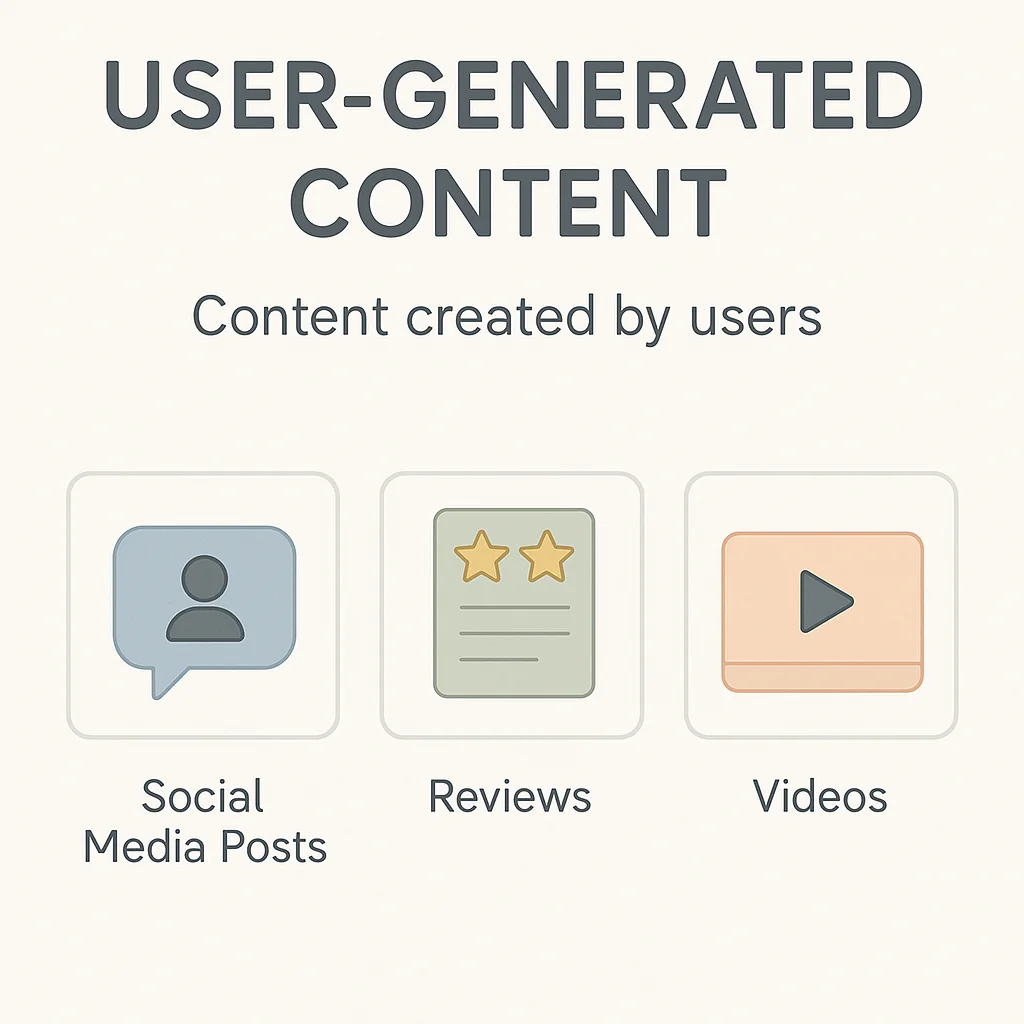
    Infographic explaining the definition of user-generated content with examples such as social media posts, reviews, and videos.

    User-generated content (UGC) refers to any form of content—text, videos, images, reviews, etc.—created by individuals rather than brands. This content is typically shared on social media platforms, websites, and other online communities. Unlike traditional marketing materials, UGC comes directly from users, making it more authentic and relatable.

    Examples of UGC in everyday life include:

    • Posting a photo of your meal at a new restaurant on Instagram.
    • Writing a review for a product you purchased on Amazon.
    • Creating a tutorial video on YouTube about how to use a software tool.
    • Sharing your travel experiences on a blog or social media.

    UGC plays a crucial role in digital marketing. It helps brands build trust and authenticity with their audience. When potential customers see real people talking about a product or service, they are more likely to trust those opinions over traditional advertisements. This trust can significantly enhance brand engagement and loyalty. According to a high-quality study on the impact of UGC on brand engagement, user-generated content can mediate both functional and emotional values, making it a powerful tool for marketers.

    For more on the importance of UGC, check out our guide on UGC creators.

    Now that you have a clearer understanding of what User-Generated Content (UGC) is, let’s explore how to recognize the UGC activities you might already be engaging in. Many people create UGC without even realizing it, and you might be one of them!

    Common UGC Activities

    UGC isn’t limited to just a few types of content. Here are some common activities that you might already be participating in:

    • Social Media Posts: Sharing photos, videos, or status updates on platforms like Instagram, Facebook, or Twitter.
    • Reviews and Testimonials: Writing reviews for products or services on websites like Amazon, Yelp, or Google Reviews.
    • Blog Comments: Engaging with blog posts by leaving comments or participating in discussions.
    • Video Content: Uploading videos to YouTube, TikTok, or other video-sharing platforms.
    • Forum Participation: Contributing to discussions on forums such as Reddit or specialized community sites.

    Interactive Quiz to Identify Your UGC Activities

    Not sure if you’re a UGC creator? Take this interactive quiz to identify your UGC activities. It’s designed to help you pinpoint the types of content you might be creating without even knowing it. The quiz is fun and quick, giving you instant insights into your UGC potential.

    Real-Life Examples

    To illustrate, here are a few real-life examples of how everyday users contribute to UGC:

    • Jane’s Travel Blog: Jane shares her travel experiences and photos on her blog and social media, providing valuable content for travel enthusiasts.
    • Mike’s Tech Reviews: Mike loves technology and frequently writes detailed reviews on tech products, helping others make informed purchasing decisions.
    • Lisa’s Fitness Journey: Lisa documents her fitness progress on Instagram, inspiring her followers and engaging with a community of fitness enthusiasts.

    Recognizing your UGC activities is the first step in understanding how to leverage UGC effectively. By knowing what types of content you create, you can better strategize and enhance your contributions. Learn about the top platforms where UGC thrives to maximize your reach and impact.

    Now that you’ve identified your user-generated content (UGC) activities, let’s explore the benefits of UGC and why embracing this role can be incredibly rewarding.

    Increased Engagement

    One of the most significant benefits of UGC is the boost in engagement it can generate. User-generated content often feels more authentic and relatable compared to traditional advertising, which can lead to higher levels of interaction from your audience. People are more likely to comment, share, and like content created by their peers, fostering a sense of community and connection. This increased engagement not only helps in building a loyal audience but also enhances your visibility across various platforms.

    Building a Personal Brand

    Another advantage is the opportunity to build and strengthen your personal brand. By consistently creating and sharing content, you establish yourself as an authority in your niche. This can open doors to numerous opportunities, such as speaking engagements, guest posts, and features on well-known platforms. For instance, you can optimize your UGC with the right image sizes for social media to ensure your content is visually appealing and professional, further enhancing your brand image.

    Opportunities for Collaboration

    Being a UGC creator also presents numerous collaboration opportunities. Brands and businesses are increasingly looking to partner with authentic voices that resonate with their target audience. As you build your presence and showcase your ability to engage your followers effectively, you become an attractive candidate for partnerships and sponsorships. These collaborations can provide additional income streams and further amplify your reach and influence.

    Moreover, successful UGC campaigns can offer valuable insights and inspiration. You can learn a lot from case studies on successful UGC campaigns and apply these learnings to your own content strategies.

    Embracing the role of a UGC creator not only enhances your engagement and personal brand but also opens up exciting collaboration opportunities. Next, we’ll delve into how you can monetize your UGC effectively.

    Now that you understand the benefits of being a UGC creator, let’s explore how you can turn your content into a revenue stream through various UGC monetization strategies.

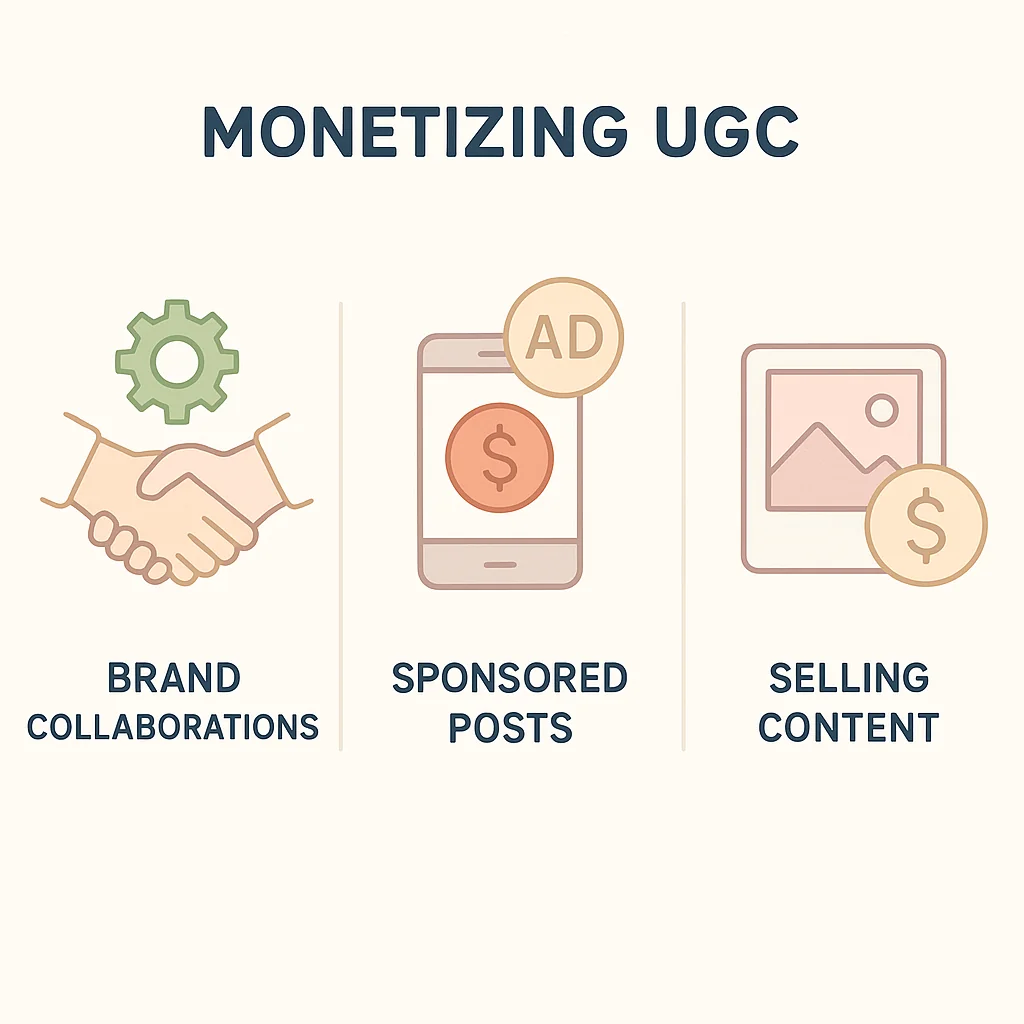
    Infographic showing different methods of monetizing user-generated content, including brand collaborations, sponsored posts, and selling content.

    Different Monetization Methods

    There are several ways you can monetize your UGC effectively:

    • Affiliate Marketing: Promote products or services and earn a commission on sales generated through your unique affiliate links.
    • Sponsorships and Brand Deals: Partner with brands to create sponsored content that promotes their products or services.
    • Ad Revenue: Platforms like YouTube and Instagram offer ad revenue sharing programs, allowing you to earn money based on the views and engagement your content receives.
    • Sell Your Content: Offer your high-quality content to brands or individuals who may need it for their marketing campaigns.
    • Membership and Subscription Services: Use platforms like Patreon to offer exclusive content to your subscribers for a fee.

    Examples of Successful Monetization

    Many creators have turned their passion for creating UGC into a profitable venture. For instance, YouTuber Casey Neistat has successfully monetized his content through ad revenue and brand deals, while Instagram influencer Huda Kattan has leveraged her beauty content to build a multi-million dollar brand. These examples show that with the right UGC monetization strategies, substantial earnings are achievable.

    Tips for Maximizing Earnings

    To maximize your earnings, follow these tips:

    • Build a Strong Personal Brand: Consistently produce high-quality content that resonates with your audience to attract more followers and potential sponsors.
    • Engage with Your Audience: Foster a strong community by interacting with your followers through comments, live streams, and social media posts.
    • Protect Your Content: Ensuring your content is protected from misuse is essential. Protecting your UGC is crucial; learn about using watermarks.
    • Stay Updated: Keep abreast of the latest trends and platform-specific monetization opportunities. For more detailed information, check out this platform-specific monetization guide.

    By implementing these strategies and tips, you can effectively leverage UGC to create a steady income stream.

    Now that you understand how to monetize your UGC, let’s explore some best practices for creating effective user-generated content. By following these tips, you can ensure that your content resonates with your audience and stands out in the crowded digital landscape.

    Illustration of a person posting high-quality content consistently and engaging with their audience using various multimedia elements.

    Consistency in Posting

    One of the most crucial best practices for UGC creators is maintaining a consistent posting schedule. Regular updates keep your audience engaged and coming back for more. Whether you choose to post daily, weekly, or bi-weekly, make sure to stick to your schedule. Consistency helps build trust and anticipation among your followers.

    Engagement with Your Audience

    Engaging with your audience is key to building a loyal community. Respond to comments, ask questions, and encourage your followers to share their thoughts and experiences. This interaction not only boosts your content’s visibility but also fosters a deeper connection with your audience. Remember, the more you engage, the more invested your audience will become.

    Utilizing Multimedia Elements

    Incorporating various multimedia elements can greatly enhance the appeal of your user-generated content. Use a mix of images, videos, and graphics to keep your content dynamic and engaging. For instance, creating engaging content can be as simple as a GRWM video. Additionally, consider exploring tutorials on UGC creation to diversify your content and keep it fresh.

    By following these best practices for UGC creators, you’ll be well on your way to producing content that not only captivates your audience but also strengthens your presence in the digital world.

    Now that you understand the best practices for creating effective user-generated content (UGC), it’s also crucial to be aware of common pitfalls that could hinder your success. By recognizing and avoiding these mistakes, you can enhance your UGC efforts and maintain a positive relationship with your audience.

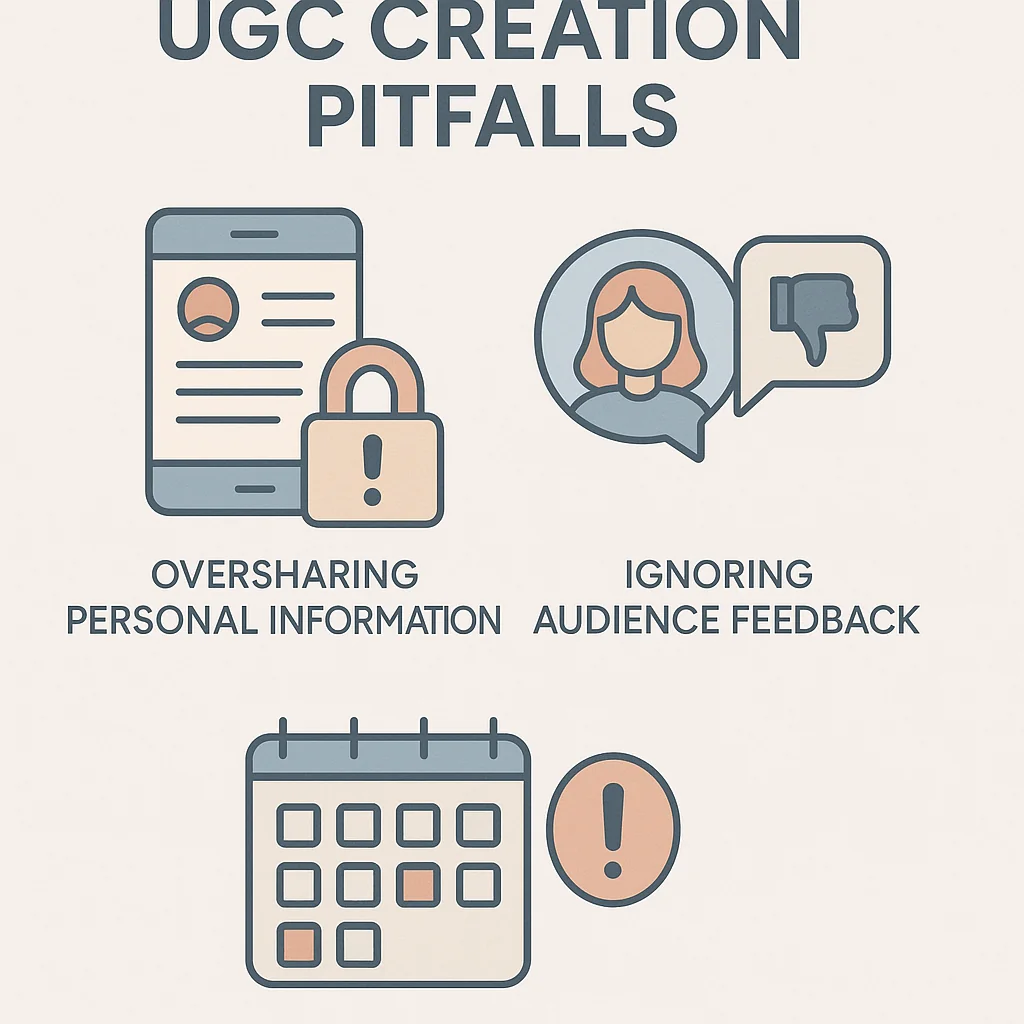
    Infographic highlighting common pitfalls in user-generated content creation, including oversharing personal information, ignoring audience feedback, and inconsistent posting.

    Oversharing Personal Information

    One of the biggest mistakes UGC creators make is oversharing personal information. While it’s important to be authentic and relatable, sharing too much can compromise your privacy and safety. Always be mindful of the details you disclose, and remember that once something is online, it’s there permanently. For guidance on creating engaging and safe content, check out this article on social media best practices.

    Ignoring Audience Feedback

    Another common pitfall is ignoring audience feedback. User-generated content thrives on interaction and engagement. If your audience takes the time to comment, like, or share your content, it’s essential to acknowledge their input. Responding to feedback not only fosters a community but also helps you understand what your audience values. This can guide you in producing more relevant and appreciated content. Understand the value of UGC creators and avoid common mistakes to keep your audience engaged and loyal.

    Inconsistent Posting

    Consistency is key when it comes to maintaining your audience’s interest. Inconsistent posting can lead to a loss of followers and decreased engagement. Develop a content calendar to help plan your posts and ensure regular updates. This not only keeps your audience engaged but also helps you stay organized and focused on your content strategy.

    By steering clear of these common pitfalls, you can effectively manage your user-generated content and build a robust, engaged community. Remember, you’re probably a UGC creator without even knowing it, so take these tips to heart and continue to refine your approach.

    Having navigated the common pitfalls of user-generated content (UGC) creation, let’s now delve into some inspiring success stories that demonstrate the potential of UGC. These profiles of successful UGC creators will provide valuable lessons and actionable takeaways to help you on your journey.

    Collage of successful user-generated content creators with brief descriptions of their achievements.

    Profile: Sarah, The Crafty Mom

    Sarah, a stay-at-home mom with a passion for crafting, began sharing her DIY projects on Instagram. Initially, she had no intention of monetizing her hobby. However, her creative tutorials quickly gained traction, and she became a beloved figure in the crafting community. Brands soon noticed her influence and began offering collaborations.

    Lessons Learned:

    • Be authentic: Sarah’s genuine passion for crafting resonated with her audience, creating a loyal following.
    • Engage consistently: Regular posting and interaction with followers helped her build a strong community.

    Actionable Takeaway: Find your niche and be authentic. Consistency and genuine engagement are key to building a dedicated audience.

    Profile: John, The Fitness Enthusiast

    John started his fitness journey by sharing workout videos and nutrition tips on YouTube. His practical advice and easy-to-follow routines attracted a broad audience. As his channel grew, he leveraged his influence to launch a fitness app, securing sponsorships from health brands.

    Lessons Learned:

    • Provide value: John’s content was informative and actionable, which helped him gain credibility and trust.
    • Adapt and evolve: He continually updated his content based on audience feedback and fitness trends.

    Actionable Takeaway: Focus on delivering valuable content. Listening to your audience and adapting to their needs can lead to new opportunities.

    These stories highlight that you’re probably a UGC creator without even knowing it. By leveraging your passions and engaging with your audience, you can transform your hobbies into successful ventures.

    For more inspiration, explore more success stories of UGC creators. Additionally, check out these interviews with UGC creators to gain further insights.

    As we’ve explored, UGC is a powerful.

  • Why Brands Are Flocking to UGC Creators and Leaving Influencers Behind

    Why Brands Are Flocking to UGC Creators and Leaving Influencers Behind

    As the digital marketing landscape evolves, brands are increasingly turning to user-generated content (UGC) creators instead of traditional influencers. Understanding the key differences between UGC creators and influencers is essential to grasp the reasons behind this shift.

    UGC creators are everyday consumers who share authentic, unpaid content about products they love. Unlike influencers, who often receive compensation to promote products, UGC creators produce content based on genuine experiences and personal endorsements. This authenticity tends to resonate more with consumers, fostering trust and credibility.

    Several factors contribute to brands’ preference for UGC. Firstly, UGC is often perceived as more trustworthy and relatable compared to influencer-generated content, which can sometimes appear staged or overly commercialized. Additionally, UGC tends to generate higher engagement rates, as audiences connect more deeply with real-life experiences shared by fellow consumers.

    To effectively leverage UGC, brands should encourage their customers to share their experiences online, often through hashtags, contests, or social media campaigns. Highlighting this content on their own channels can amplify its impact, creating a sense of community and loyalty among consumers.

    By embracing UGC, brands can build a more authentic connection with their audience, fostering long-term loyalty and driving better marketing outcomes.

    As we explore why brands are flocking to UGC creators and leaving influencers behind, it’s essential to understand the foundations of both UGC and influencer marketing. These two concepts, although intertwined, have distinct characteristics and have evolved differently over time.

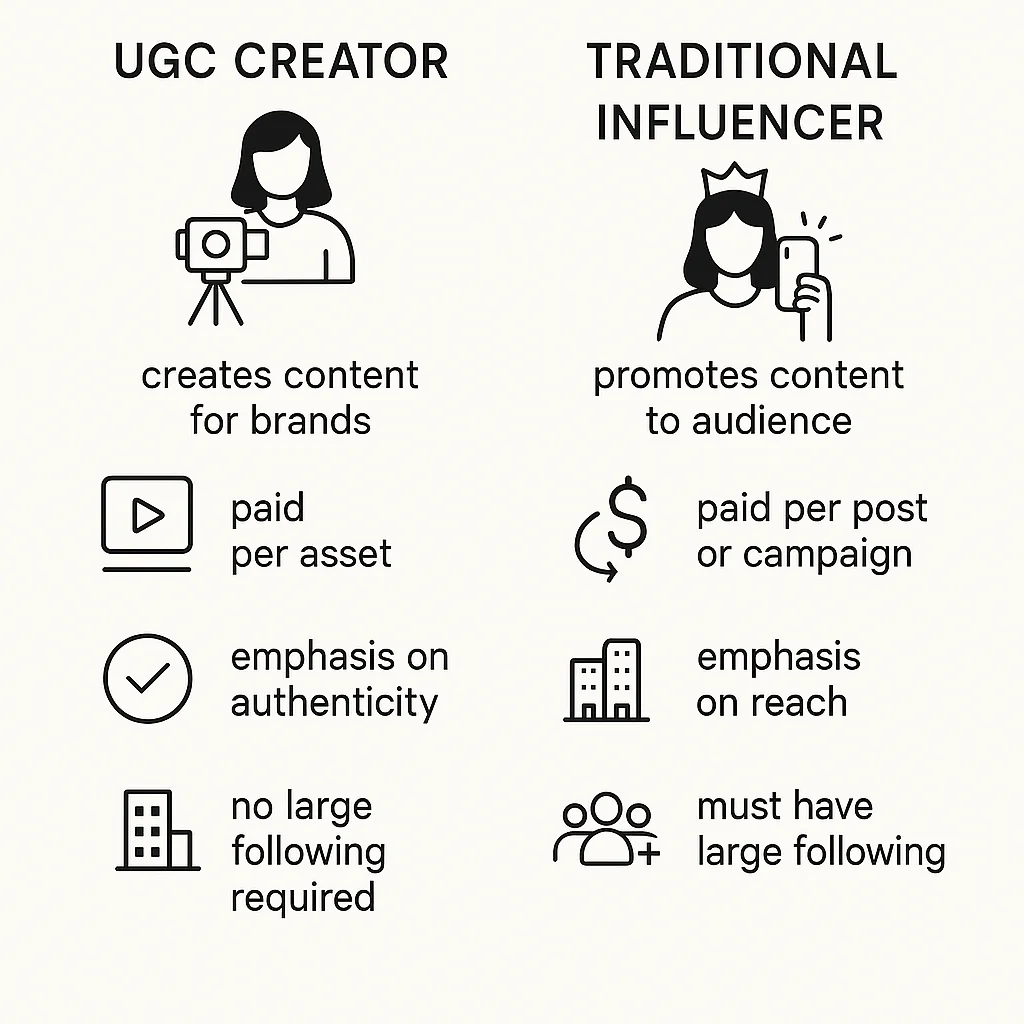
    Infographic comparing UGC creators and traditional influencers, highlighting key differences.

    Definition of UGC Creators

    User-generated content (UGC) creators are everyday consumers who create and share content that promotes a brand, often without any formal partnership. This content can range from social media posts, reviews, and videos to blogs. The authenticity and relatability of UGC creators make their content highly valuable for brands. They offer a grassroots perspective that resonates deeply with audiences, leading to increased trust and engagement.

    Definition of Traditional Influencers

    In contrast, traditional influencers are individuals with a substantial following on social media platforms who collaborate with brands to promote their products or services. These influencers can range from celebrities to niche experts and are often compensated for their endorsements. The influencer marketing landscape has grown significantly in recent years, with influencers becoming key players in digital marketing strategies.

    Historical Context and Evolution

    The journey from influencer marketing to UGC has been shaped by the changing dynamics of consumer behavior and digital interaction. In the early 2010s, influencer marketing gained momentum as social media platforms like Instagram and YouTube became popular. Influencers were seen as authentic voices with the power to sway consumer decisions. However, as the market became saturated, audiences started craving more genuine and relatable content, leading to the rise of UGC creators.

    This shift has highlighted the UGC marketing benefits, as brands recognize the power of real consumer experiences in building trust and driving engagement. For a deeper dive into UGC creators, check out our detailed guide.

    Similarly, comprehensive studies like this one on the evolution of influencer marketing provide valuable insights into how the industry has transformed over the years.

    As we move forward, we’ll delve into why brands are increasingly shifting their focus to UGC and the comparative ROI between UGC and influencer marketing. Stay tuned!

    Following our introduction to UGC and influencer marketing, it’s clear that the landscape of digital marketing is rapidly evolving. One of the pivotal shifts we’re witnessing is the move from traditional influencer marketing to User-Generated Content (UGC). This transition is driven by several factors that underscore the unique advantages of UGC.

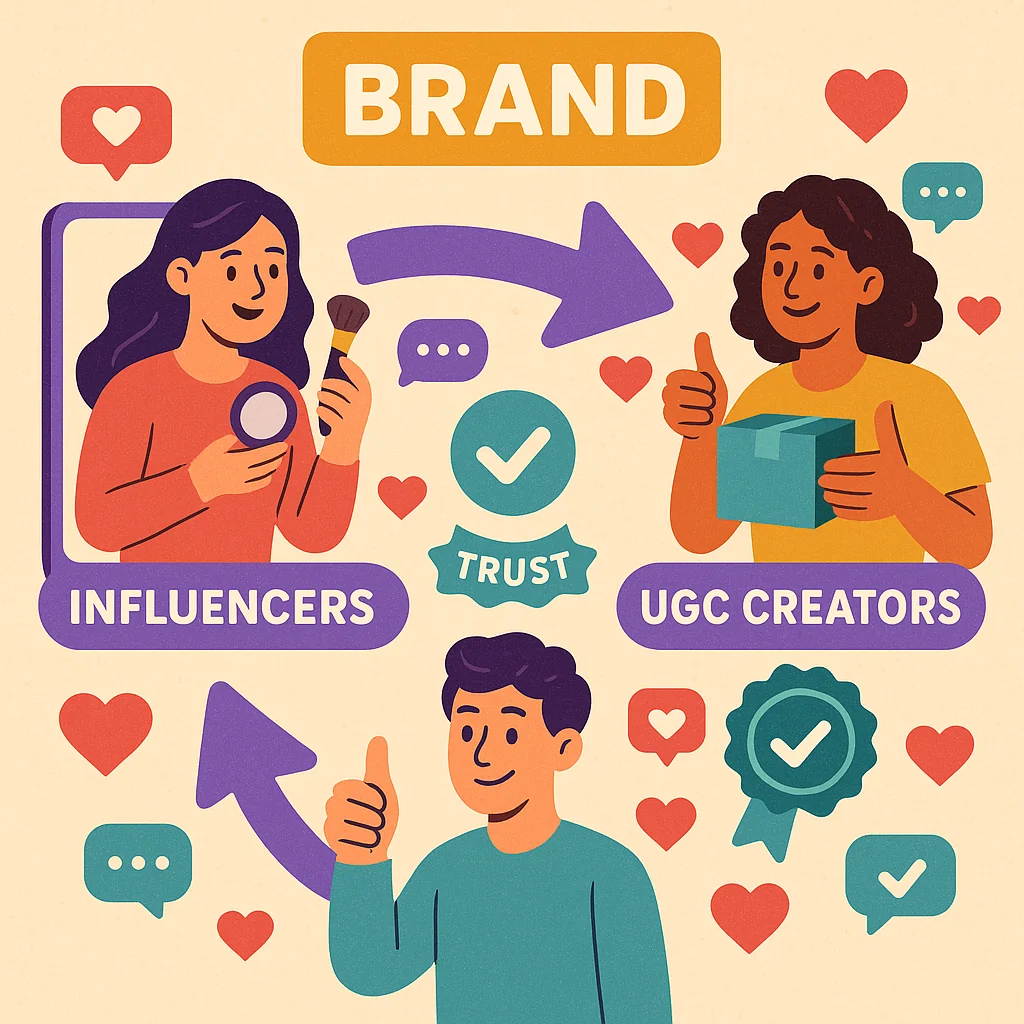
    Illustration showing a brand's transition from influencer marketing to UGC, highlighting authenticity, engagement, and consumer trust.

    Authenticity and Engagement

    Consumers today crave authenticity. Unlike influencer marketing, which can sometimes feel scripted and commercial, UGC is created by real users who genuinely enjoy the products or services. This authenticity resonates with audiences, leading to higher engagement rates. People trust content created by their peers more than polished influencer posts. For instance, a friend’s photo of a new gadget feels more relatable and trustworthy than a staged photo from a celebrity.

    Cost-Effectiveness

    Another reason why brands are flocking to UGC creators and leaving influencers behind is the cost-effectiveness of UGC. Collaborating with top influencers can be expensive, often requiring substantial budgets for a single campaign. In contrast, UGC can be sourced at a fraction of the cost, offering a higher volume of content for less money. This allows brands to allocate resources more efficiently and maximize their marketing investments.

    Consumer Trust and Relatability

    Trust is a crucial component of any marketing strategy. Recent studies highlight that consumer trust in UGC is significantly higher compared to traditional advertising and even influencer endorsements. UGC is inherently relatable because it’s created by everyday consumers who share genuine experiences. This relatability fosters a deeper connection between the brand and its audience, leading to increased loyalty and advocacy.

    In conclusion, the shift towards UGC is driven by the demand for authenticity, cost-efficiency, and consumer trust. Brands that embrace UGC are more likely to build stronger, more genuine relationships with their audiences. To stay ahead, it’s essential to understand the top social media platforms for UGC content. As we continue, we’ll delve into a detailed comparison of ROI between UGC and influencer marketing, providing further insights into this transformative trend.

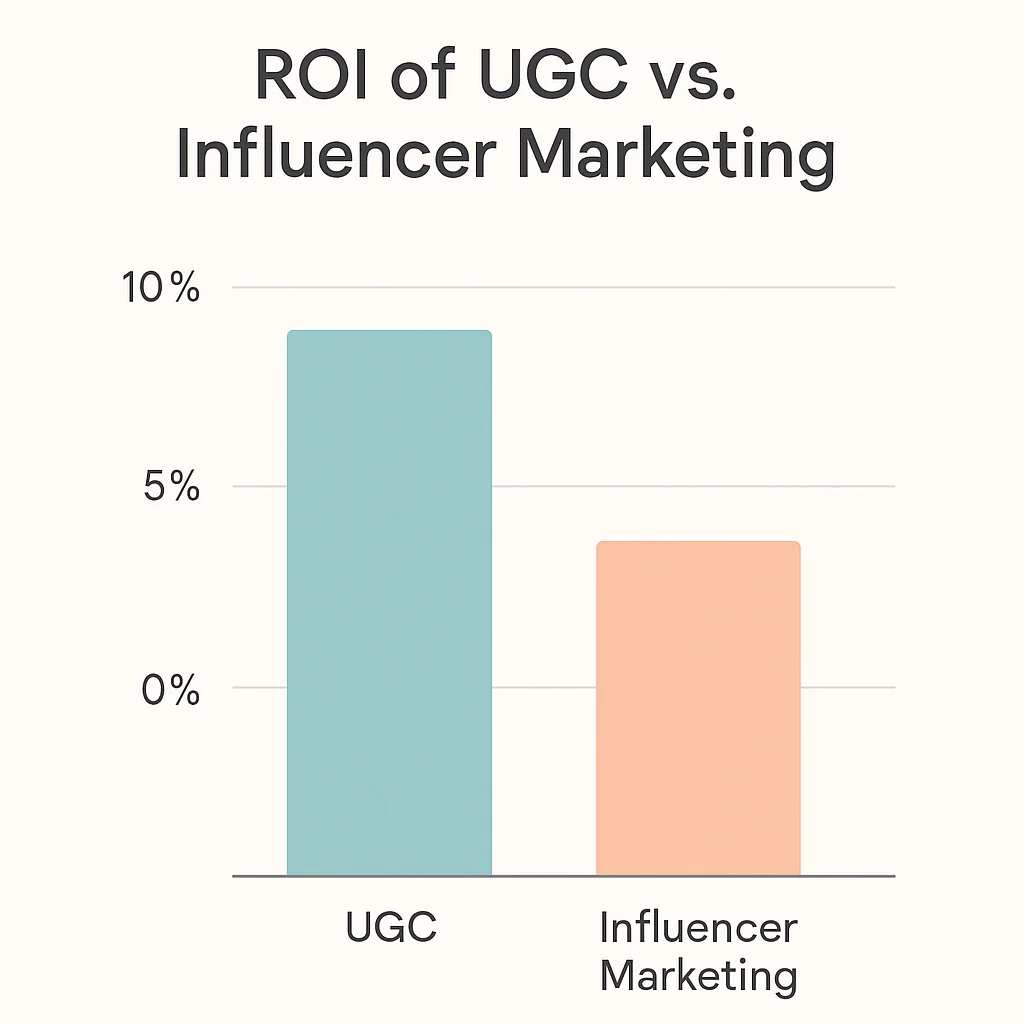
    As brands increasingly recognize the value of user-generated content, it’s crucial to understand how the return on investment (ROI) from UGC compares to traditional influencer marketing.

    Chart comparing the ROI of UGC and influencer marketing, highlighting cost comparison, engagement metrics, and long-term brand loyalty.

    Cost Comparison

    One of the primary UGC marketing benefits is cost efficiency. Unlike influencer marketing, where brands often pay hefty fees for endorsements, UGC typically involves lower costs. Brands can leverage content created by genuine customers who are already passionate about their products. This not only reduces expenses but also often leads to more authentic and relatable content. In contrast, influencer marketing campaigns can be expensive and may not always guarantee authentic engagement.

    Engagement Metrics

    When it comes to engagement, user-generated content often outperforms influencer posts. Consumers tend to trust content created by their peers more than paid advertisements. This trust translates into higher engagement rates, with users more likely to like, comment, and share UGC. Additionally, UGC can be repurposed across various platforms, amplifying its reach. To ensure your UGC content is optimized for all platforms, follow our image size guide.

    Long-Term Brand Loyalty

    UGC also contributes significantly to long-term brand loyalty. When customers see their content featured by a brand, they feel more valued and connected. This sense of community fosters deeper loyalty and encourages repeat purchases. On the other hand, influencer marketing can sometimes feel transactional, lacking the personal touch that builds lasting customer relationships.

    For a deeper understanding of the ROI from UGC campaigns, consider reviewing some case studies on ROI from UGC campaigns. These insights can help you refine your user-generated content strategies and maximize your marketing efforts.

    Having explored the comparative ROI between UGC and influencer marketing, it’s clear that user-generated content offers a unique value proposition. Now, let’s delve into some best practices for leveraging UGC effectively.

    Infographic illustrating best practices for leveraging UGC, including identifying the right creators, creating authentic campaigns, and measuring success.

    Identifying the Right UGC Creators

    Finding the right UGC creators is crucial to the success of your campaign. Look for individuals who genuinely love and use your products. Their passion will shine through in their content, making it more authentic and relatable. Utilize social listening tools to identify potential creators who are already talking about your brand. Additionally, platforms like Instagram and TikTok have become fertile grounds for discovering emerging UGC creators.

    Creating Authentic Campaigns

    Authenticity is at the heart of successful user-generated content strategies. Encourage your creators to share their personal stories and experiences with your products. Avoid overly scripted content; instead, give creators the freedom to express themselves naturally. This approach not only enhances the authenticity of the content but also resonates better with the audience, fostering a deeper connection with your brand.

    Measuring Success

    It’s essential to measure the success of your UGC campaigns to understand their impact and optimize future efforts. Metrics such as engagement rates, conversion rates, and user sentiment are key indicators of success. Utilize tools like Google Analytics and social media insights to track these metrics. For a more comprehensive analysis, consider using specialized UGC measurement tools. For example, Billo offers detailed insights into the performance of your UGC campaigns.

    Additionally, always ensure that you protect your UGC content. Learn how to protect your UGC content with watermarks to maintain its integrity and ownership.

    By following these best practices, you’ll be well on your way to creating impactful and authentic UGC campaigns that drive engagement and foster genuine connections with your audience.

    Building on the best practices for leveraging UGC, let’s explore some real-world case studies of successful UGC campaigns that highlight the potential and effectiveness of this strategy.

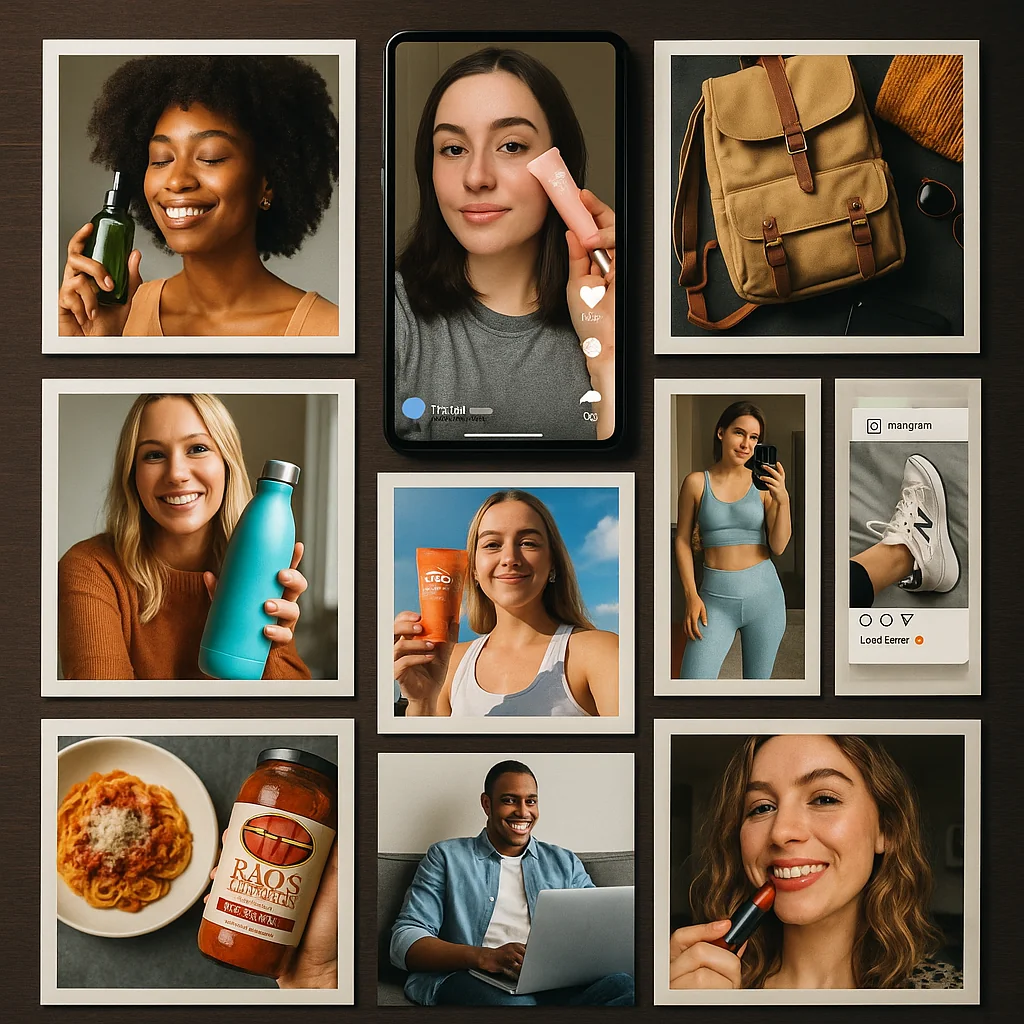
    Collage of successful UGC campaigns from various brands, showcasing user-generated photos, videos, and social media posts.

    Brand A’s Successful Campaign

    Brand A, a leading fashion retailer, recently launched a UGC campaign that significantly boosted their brand engagement. By encouraging customers to share their outfits on social media with a specific hashtag, they created a buzz that extended far beyond their immediate audience. This strategy not only increased their social media following but also resulted in a 30% rise in sales over the campaign period. The authenticity and relatability of real customers wearing their products resonated more deeply with potential buyers compared to traditional influencer posts.

    Brand B’s Approach

    Brand B, a skincare company, took a slightly different route by collaborating directly with their customers to create content. They sent free samples to selected customers and asked them to document their experience. This approach not only generated a wealth of authentic content but also built a community around their brand. The campaign’s success is evident from the 40% increase in website traffic and the significant rise in user-generated reviews. For more insights, see how makeup brands have successfully leveraged UGC in their campaigns.

    Lessons Learned

    These case studies highlight several key lessons:

    • Authenticity is key: UGC resonates more with audiences because it feels genuine and relatable.
    • Engage your audience: Inviting customers to participate in your campaign can amplify your reach and build a community.
    • Leverage diverse content: Different approaches, from social media hashtags to direct collaborations, can yield impressive results.

    For an in-depth look at various UGC campaigns, check out these detailed case studies on UGC campaigns.

    After exploring several successful UGC campaigns, it’s essential to know the tools and platforms that can help you find the right UGC creators to boost your brand’s user-generated content strategies. Here are some of the top platforms and features to consider when searching for UGC creators, along with tips for effective collaboration.

    Top Platforms for UGC Creators

    • Instagram: A goldmine for UGC, Instagram allows brands to tap into a vast pool of creative users who can produce authentic content. Utilize hashtags and explore pages to find potential creators.
    • TikTok: Known for its viral content, TikTok is ideal for brands looking to engage with a younger audience. Use trends and challenges to identify active UGC creators.
    • Facebook Groups: These groups can be a hidden gem for discovering niche communities and passionate creators who can provide valuable content.
    • Reddit: With its diverse communities, Reddit is an excellent platform for sourcing honest and creative UGC. Check out reviews of top UGC platforms to get started.

    Features to Look For

    • Engagement Metrics: Look for creators with high engagement rates, as this often translates to more authentic and impactful content.
    • Content Quality: Assess the quality of the content they produce. High-quality visuals and storytelling can significantly enhance your brand’s image.
    • Audience Demographics: Ensure the creator’s audience aligns with your target demographic to maximize the relevance and impact of the content.
    • Platform Compatibility: Choose creators who are active on platforms where your brand has a strong presence.

    Tips for Effective Collaboration

    • Clear Communication: Establish clear guidelines and expectations to ensure the content aligns with your brand’s vision.
    • Authenticity: Allow creators the creative freedom to produce content that feels genuine and resonates with their audience.
    • Incentives: Offer fair compensation or incentives to motivate creators and foster long-term relationships.
    • Feedback: Provide constructive feedback to help creators improve and align better with your brand’s goals.

    By leveraging these tools for finding UGC creators and following best practices for collaboration, brands can enhance their user-generated content strategies effectively. Discover more about the platforms where UGC creators thrive.

    As we look ahead, it’s essential to anticipate and adapt to the future trends in UGC and influencer marketing. Having explored the tools and platforms for finding UGC creators, let’s delve into what lies ahead in this dynamic landscape.

    Infographic illustrating future trends and predictions for UGC and influencer marketing, highlighting emerging trends and predictions for the next 5 years.

    Emerging Trends

    The world of UGC and influencer marketing is rapidly evolving. One of the most notable emerging trends is the shift towards micro-influencers and nano-influencers. These creators, with smaller but highly engaged audiences, are becoming more valuable to brands seeking authentic connections. Additionally, the integration of artificial intelligence and machine learning in analyzing and curating UGC will streamline the process, making it more efficient and targeted.

    Predictions for the Next 5 Years

    Over the next five years, we can expect UGC to become even more central to marketing strategies. As consumers continue to seek authentic and relatable content, brands will increasingly prioritize UGC over traditional influencer partnerships. Video content will dominate, with short-form videos on platforms like TikTok and Instagram Reels leading the charge. Moreover, interactive content, such as polls and quizzes, will become a staple in engaging audiences. For a comprehensive understanding, refer to industry reports on future marketing trends available here.

  • What is UGC Creator REALLY: Ultimate Guide

    What is UGC Creator REALLY: Ultimate Guide

    User-Generated Content (UGC) creators have become a pivotal element in the marketing landscape, transforming how brands engage with their audiences. But what exactly is a UGC creator? Simply put, UGC creators are individuals who produce content—such as reviews, testimonials, pictures, videos, and social media posts—about a brand or product, often sharing their genuine experiences and opinions.

    For businesses, leveraging UGC creators can offer numerous benefits. One significant advantage is the authenticity and trust they bring. Consumers are more likely to trust content created by their peers rather than traditional advertisements. This authenticity can lead to higher engagement rates and increased credibility for the brand.

    However, to maximize the effectiveness of UGC, it’s crucial to follow best practices for maintaining authenticity. Encourage creators to share honest and transparent content. Avoid overly controlling the narrative, as this can come off as insincere. Instead, empower UGC creators to tell their stories in their unique voices, ensuring the content remains relatable and trustworthy.

    Following our comprehensive guide on What is UGC Creator REALLY, it’s essential to delve into the core of user-generated content (UGC) and understand its significance in today’s marketing landscape.

    Infographic showing the evolution of user-generated content from early internet forums to modern social media platforms.

    Definition of UGC

    User-generated content refers to any form of content—such as images, videos, text, and audio—created by consumers rather than brands. This content is typically shared on social media platforms, forums, and other online communities. UGC is characterized by its authentic and relatable nature, making it a powerful tool for brands looking to connect with their audience on a more personal level.

    Historical Context

    The concept of UGC isn’t entirely new. Before the digital age, word-of-mouth and customer testimonials were early forms of user-generated content. However, with the rise of social media and digital platforms, UGC has evolved and gained unprecedented importance. Platforms like YouTube, Instagram, and TikTok have become hotbeds for creative expression, allowing everyday users to generate content that can reach millions.

    Importance in Current Marketing Landscape

    In today’s marketing environment, UGC plays a crucial role. Brands are increasingly shifting their strategies to leverage user-generated content for several reasons:

    • Authenticity: Consumers trust UGC more than traditional advertising because it comes from real people sharing real experiences.
    • Engagement: UGC encourages active participation from the audience, fostering a sense of community and loyalty.
    • Cost-Effectiveness: Utilizing UGC can be more affordable than producing branded content, as it often requires minimal investment.

    For a deeper dive into the shift from influencers to UGC creators, check out our detailed analysis.

    Moreover, high-quality studies have shown that UGC significantly impacts consumer behavior and brand perception. You can explore more about this in the comprehensive research on UGC’s impact.

    Understanding the concept and importance of UGC sets the stage for exploring how UGC creators are revolutionizing modern marketing, which we will discuss next.

    After understanding the importance of User-Generated Content (UGC), it’s crucial to delve into the specific role that UGC creators play in modern marketing. These individuals are pivotal in crafting a brand’s narrative through their authentic and relatable content.

    Illustration of a UGC creator capturing content with a smartphone, surrounded by social media platform icons.

    Roles and Responsibilities

    UGC creators are responsible for producing content that resonates with a brand’s audience. Unlike traditional influencers, who often have a large following and focus on endorsements, UGC creators prioritize authenticity and genuine engagement. Their responsibilities include:

    • Creating relatable and engaging content that aligns with the brand’s voice.
    • Collaborating with brands to ensure that the content meets marketing goals.
    • Maintaining transparency with their audience to build trust and credibility.
    • Utilizing various UGC strategies to enhance brand visibility and engagement.

    Comparison with Influencers

    While influencers and UGC creators both play significant roles in content marketing, their approaches and impacts differ. Influencers typically leverage their large followings to promote products, often through paid partnerships. In contrast, UGC creators focus on crafting genuine, user-centric content that feels organic and trustworthy.

    This authenticity is a game-changer in marketing, as it leads to higher engagement rates and a more loyal customer base. Explore the top social media platforms where UGC creators thrive to see where these creators can make the most impact.

    Impact on Brand Authenticity

    The influence of UGC creators on brand authenticity cannot be overstated. By sharing real experiences and honest opinions, they help humanize brands and foster deeper connections with the audience. This approach not only enhances trust but also encourages more organic user participation in UGC strategies.

    For a concrete understanding of their impact, consider reviewing case studies of successful UGC campaigns. These examples illustrate how UGC creators can transform brand perception and drive significant marketing success.

    Having understood the pivotal role that UGC creators play in modern marketing, it’s essential to dive into the specific benefits of using UGC creators for your brand. Here are some key advantages:

    Infographic highlighting the benefits of using UGC creators, including increased engagement, cost-effectiveness, and enhanced brand trust.

    Increased Engagement

    One of the primary benefits of UGC is the heightened engagement it fosters. Content created by users often resonates more with audiences because it comes across as authentic and relatable. When customers see real people using and enjoying a product, they are more likely to engage with that content themselves. This increased engagement can lead to more likes, shares, and comments, amplifying your brand’s reach and visibility across social media platforms.

    Cost-Effectiveness

    Investing in professional content creation can be expensive. However, leveraging UGC can significantly reduce these costs. By encouraging your customers to create content, you can access a wealth of high-quality material without the hefty price tag. This cost-effectiveness is one of the main reasons why many brands are turning to UGC. Moreover, the ROI of UGC is often higher compared to traditional marketing methods, making it a smart financial choice for businesses of all sizes.

    Enhanced Brand Trust

    Trust is a crucial factor in consumer decision-making. When potential customers see real-life testimonials and experiences shared by their peers, it builds credibility and trust in the brand. UGC serves as social proof, demonstrating that others have had positive experiences with your products or services. This enhanced brand trust can lead to increased conversions and customer loyalty.

    To maximize the benefits of UGC, it’s important to integrate it seamlessly into your overall content strategy. Learn how to optimize your social media visuals to complement UGC and create a cohesive and engaging online presence.

    With the benefits of using UGC creators clearly outlined, the next step is to understand how to identify the right creators for your brand and collaborate with them effectively. This process involves a few strategic steps and the use of specific tools to ensure a successful partnership.

    A business team analyzing profiles of potential UGC creators on a large screen, showcasing collaboration strategies.

    Identifying the Right Creators

    When selecting UGC creators, it’s crucial to consider a few key factors to ensure they align with your brand values and target audience. Start by analyzing their content quality, engagement rates, and audience demographics. Creators who consistently produce high-quality content and have a loyal, engaged following are ideal candidates. Additionally, make sure their style and tone resonate with your brand’s voice.

    Collaboration Strategies

    Once you’ve identified potential creators, the next step is to establish a UGC collaboration strategy. Clear communication is essential; outline your expectations, goals, and any specific content guidelines. Encourage creative freedom to allow creators to produce authentic content that feels genuine to their audience. Offering incentives such as exclusive access, early product releases, or monetary compensation can also foster a more enthusiastic partnership.

    Tools and Platforms to Use

    Leveraging the right tools and platforms can streamline the process of identifying and collaborating with UGC creators. Platforms like AspireIQ and Upfluence can help you discover creators based on your specified criteria. Additionally, tools such as Hootsuite and Later can assist in managing your content calendar and tracking the performance of UGC campaigns.

    For more detailed guidance on collaboration tools for UGC, you can refer to this comprehensive guide.

    Lastly, always remember to protect your content. Understand the importance of protecting your content with watermarks to ensure your brand’s assets remain secure.

    After identifying and collaborating with UGC creators, it’s crucial to focus on best practices to ensure the content remains genuinely impactful. Maintaining authenticity is the cornerstone of successful UGC campaigns, and here are some essential guidelines:

    Infographic showing best practices for maintaining authenticity in UGC, including genuine content creation, monitoring, and feedback.

    Maintaining Authenticity

    Authentic UGC is all about preserving the genuine voice and perspective of the creators. Encourage UGC creators to share their real experiences and personal stories. Authenticity resonates more with audiences and fosters a deeper connection with your brand. To maintain UGC authenticity, provide creators with a clear brief but allow them the creative freedom to express themselves in their unique style.

    Avoiding Inauthentic Content

    It’s important to avoid overly polished or scripted content that feels forced. Audiences can easily detect inauthentic content, which can undermine trust and credibility. Instead, focus on natural and relatable content that aligns with your brand’s values. Engage with creators who genuinely use and enjoy your products or services. This approach helps in generating content that feels honest and relatable.

    Monitoring and Feedback

    Regularly monitoring the content produced by UGC creators ensures it aligns with your brand’s authenticity standards. Provide constructive feedback to help creators improve their content. This collaborative effort can lead to higher-quality UGC that effectively represents your brand. Utilize tools and platforms to track the performance and engagement of UGC, allowing you to make informed adjustments as needed.

    See how authentic UGC can be applied in different niches for more insights.

    For further understanding of the impact of authenticity in UGC, check out this research on authenticity in UGC.

    By adhering to these best practices, you can ensure that your UGC remains authentic, engaging, and effective in building a strong connection with your audience. In the next section, we will explore some case studies of successful UGC campaigns to provide real-world examples of these principles in action.

    After understanding the best practices for creating authentic UGC, it’s insightful to examine some real-world examples to see these practices in action. Let’s dive into a few UGC case studies that highlight the power of user-generated content and how it has driven success for various brands.

    Collage of successful UGC campaigns from different brands, showcasing diverse content types and their impact.

    Case Study 1: GoPro

    GoPro, the action camera company, has built a community of passionate users who love to share their adventures. By encouraging customers to post their videos and photos on social media with the hashtag #GoPro, the brand has amassed a vast library of authentic, engaging content. This UGC not only showcases the versatility and quality of their products but also fosters a sense of community among users.

    One notable campaign was the “Million Dollar Challenge,” where GoPro invited users to submit their best clips for a chance to be featured in a promotional video and share a million-dollar prize. This campaign generated a flood of high-quality, authentic content while boosting brand loyalty and engagement.

    Case Study 2: Starbucks

    Starbucks has effectively utilized UGC through its annual “Red Cup Contest,” where customers are encouraged to share photos of their festive red cups during the holiday season. By using the hashtag #RedCupContest, Starbucks fans eagerly participate, creating a wealth of seasonal content that the brand can leverage across its marketing channels.

    This campaign not only drives engagement and excitement around the brand during the holiday season but also provides Starbucks with a treasure trove of authentic, user-generated content that highlights the joy and tradition associated with their products.

    Key Takeaways

    • Encourage users to share their content with specific hashtags to easily track and curate UGC.
    • Incentivize participation through contests and rewards to boost engagement and content quality.
    • Leverage UGC to showcase the real-life applications and benefits of your products, enhancing authenticity and trust.

    These successful UGC campaigns demonstrate the immense potential of user-generated content to build community, increase engagement, and provide authentic marketing material. For more examples of successful UGC campaigns, check out this comprehensive list.

    Discover more about the impact of UGC creators in our comprehensive guide.

    Following the success stories of UGC campaigns, it’s essential to look ahead and understand where the industry is heading. The future trends in UGC are shaped by several emerging trends and technological advancements. Let’s explore what the future holds.

    Illustration depicting emerging trends in UGC, including new technologies and platforms, with a futuristic design.

    Emerging Trends in UGC

    One of the most significant UGC trends is the increasing use of short-form video content. Platforms like TikTok and Instagram Reels have shown how engaging and viral short videos can be. As audiences crave more bite-sized content, brands will need to adapt by encouraging users to create and share these quick, impactful videos.

    Another emerging trend is the rise of live streaming. Real-time interactions allow for a more authentic connection with audiences. Brands are leveraging live streams to showcase user-generated content, host Q&A sessions, and even live product launches.

    Technological Advancements

    Technological advancements are also playing a crucial role in shaping the future of UGC. Augmented Reality (AR) and Virtual Reality (VR) are becoming more accessible and are expected to revolutionize how users create and interact with content. For instance, AR filters on social media platforms enable users to create more engaging and creative posts.

  • How to Become a UGC Creator in 30 Days: Step-by-Step Guide

    How to Become a UGC Creator in 30 Days: Step-by-Step Guide

    Starting your journey as a User-Generated Content (UGC) creator can be an exciting and rewarding endeavor. To help you on this path, we’ve crafted a step-by-step guide that will take you from a beginner to a proficient UGC creator in just 30 days.

    First, let’s dive into the basics. User-Generated Content is any form of content—such as text, videos, images, reviews, etc.—created by users of a platform, rather than the company or organization itself. This type of content is highly valuable as it often reflects authentic and genuine experiences, making it incredibly engaging for audiences.

    Next, you’ll need to familiarize yourself with the essential tools and platforms that will facilitate your UGC creation. Platforms like Instagram, TikTok, and YouTube are pivotal for hosting and sharing your content. Additionally, tools for video editing, graphic design, and social media management will streamline your workflow and enhance the quality of your output.

    Now, let’s outline the daily tasks for the next 30 days. Consistency is key to building your skillset and audience. Each day, you’ll engage in activities such as brainstorming content ideas, creating and editing content, and interacting with your audience. These tasks will not only improve your craft but also help you understand what resonates most with your viewers.

    By following this structured approach, you’ll steadily grow your capabilities and audience, setting a strong foundation for a successful UGC creator career. Stay committed, be creative, and most importantly, enjoy the journey!

    Now that we’ve laid out the roadmap on How to Become a UGC Creator in 30 Days, let’s dive deeper into understanding user-generated content (UGC) and why it holds such significance in today’s digital landscape.

    Infographic explaining the definition and benefits of user-generated content with examples of successful campaigns.

    Definition of UGC

    User-generated content (UGC) refers to any form of content—such as videos, photos, reviews, and blog posts—created by users, rather than brands. This type of content is often shared on social media platforms and can significantly impact brand perception and engagement.

    Benefits of UGC for Brands and Creators

    For brands, UGC provides numerous benefits:

    • Authenticity: Content created by real users tends to be more authentic and trustworthy, which can enhance brand credibility.
    • Cost-Effective: UGC is often less expensive than professionally produced content, making it a cost-effective marketing strategy.
    • Engagement: User-generated content typically drives higher engagement rates as it resonates more with audiences.

    For creators, the advantages are equally compelling:

    • Exposure: UGC allows creators to showcase their work to a broader audience, potentially attracting more followers.
    • Influence: Successful UGC creators can become influential figures, opening doors to collaborations and sponsorships.
    • Monetization: There are various ways to monetize UGC, including brand partnerships and ad revenue.

    Examples of Successful UGC Campaigns

    Numerous brands have effectively leveraged UGC to boost their marketing efforts. For instance, Coca-Cola’s “Share a Coke” campaign encouraged users to share photos of personalized Coke bottles on social media, resulting in a massive boost in brand engagement. Another example is Starbucks’ White Cup Contest, where customers were invited to decorate their white cups and share their designs online. This not only fostered creativity but also significantly increased Starbucks’ social media presence.

    Understanding the importance of UGC is crucial for your journey. It not only enhances brand loyalty but also provides creators with numerous opportunities to grow and succeed. For more insights on the value of UGC, check out our article on why UGC creators are a social media goldmine. Furthermore, you can explore a high-quality study on the impact of UGC to understand its broader implications.

    After understanding the importance of UGC, it’s crucial to equip yourself with the right tools and platforms to kickstart your journey. Here’s an overview of the top UGC tools and platforms to consider, along with tips on how to choose the best ones for your needs.

    Illustration of various tools and platforms essential for UGC creation, with icons and brief descriptions.

    Overview of Top UGC Tools

    There are numerous UGC tools available, each offering unique features to enhance your content creation process. Some of the most popular tools include:

    • Canva: An intuitive design tool perfect for creating eye-catching visuals.
    • Adobe Spark: Ideal for creating stunning videos and graphics with ease.
    • Hootsuite: A social media management tool that helps you schedule and analyze your posts.
    • Buffer: Another great option for managing multiple social media accounts efficiently.

    Comparison of Different Platforms

    Choosing the right platform to share your UGC is as important as the content itself. Here’s a comparison of some popular UGC platforms:

    • Instagram: Best for visual content like photos and short videos. Its extensive reach and engagement rates make it a top choice.
    • YouTube: Perfect for longer video content with a wide audience base. It’s ideal if you aim to create in-depth tutorials or vlogs.
    • Twitter: Great for quick updates and engaging with trending topics. It’s especially useful for real-time interactions and brief content.
    • TikTok: The go-to platform for short, creative videos. Its algorithm helps content go viral quickly, making it a favorite among younger audiences.

    Explore our guide on the top social media platforms for 2025 to find the best places for your UGC.

    How to Choose the Right Tools for Your Needs

    Selecting the right UGC tools and platforms depends on your specific goals and audience. Here are a few tips:

    • Identify Your Content Type: Determine whether you’ll be focusing on videos, images, or written content. This will help you choose tools tailored to your format.
    • Know Your Audience: Research where your target audience spends most of their time online. This will guide you in selecting the right platforms to maximize reach and engagement.
    • Consider Your Budget: Some tools offer free versions with basic features, while others require a subscription. Choose tools that provide the best value for your investment.

    For more detailed expert reviews of UGC tools, visit this resource.

    By equipping yourself with the right UGC tools and platforms, you’ll be well on your way to creating compelling content that resonates with your audience. Next, we’ll dive into building your audience from scratch.

    With the right tools and platforms at your disposal, it’s time to focus on building your audience from scratch. Growing a dedicated following is essential for any aspiring UGC creator. Here are some actionable tips to help you grow your UGC audience effectively.

    A content creator engaging with a growing audience on social media, showcasing likes, comments, and shares.

    Tips for Engaging Content

    Creating engaging content is the cornerstone of audience growth. Start by identifying your target audience’s interests and pain points. Craft content that addresses these aspects while staying true to your unique voice. Remember, authenticity resonates well with audiences.

    • Storytelling: Share personal anecdotes or behind-the-scenes moments to create a connection with your audience.
    • Interactive elements: Use quizzes, polls, or Q&A sessions to encourage audience participation and boost engagement.
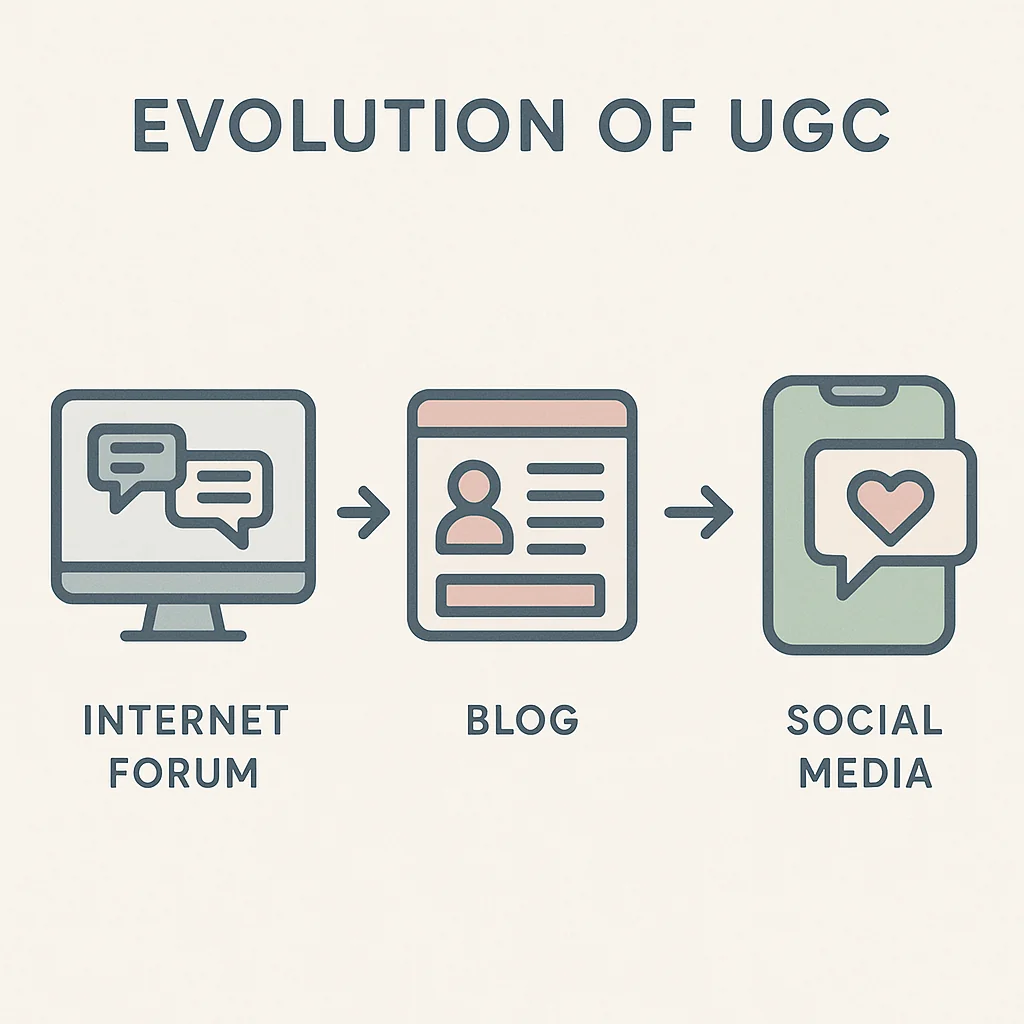
    • Visual appeal: Ensure your content is visually optimized by following our guide on social media image sizes.

    Leveraging Social Media Algorithms

    Understanding and leveraging social media algorithms can significantly enhance your social media growth. Platforms like Instagram, TikTok, and YouTube prioritize content that garners high engagement rates.

    • Post consistently: Regularly sharing content keeps your audience engaged and signals to algorithms that your account is active.
    • Use hashtags: Relevant hashtags can increase the discoverability of your posts.
    • Engage with your audience: Respond to comments and messages promptly to foster a sense of community.

    Collaborations and Partnerships

    Collaborating with other creators and brands can expand your reach and attract new followers. Look for opportunities to partner with others in your niche for mutual benefits.

    • Cross-promotions: Partner with fellow creators to share each other’s content with your respective audiences.
    • Guest appearances: Participate in live sessions or guest blog posts to introduce yourself to new audiences.
    • Sponsored content: Work with brands to create sponsored posts that align with your content and offer value to your followers.

    For more insights, check out these successful case studies of audience growth to see how others have successfully built their audiences from the ground up.

    Building an audience takes time and effort, but with these strategies, you’ll be well on your way to expanding your reach and solidifying your presence as a UGC creator.

    Now that you’ve started to build your audience from scratch, it’s time to explore the various ways you can monetize UGC effectively. There are several monetization methods available, each with its own set of advantages. Let’s dive into the different approaches and share some valuable content creation tips to help you maximize your earnings.

    Infographic illustrating different monetization methods for UGC creators, including brand partnerships, affiliate marketing, and selling products.

    Different Monetization Methods

    • Sponsored Content: Partnering with brands to create content that promotes their products or services. This is a popular method where you can negotiate a fee based on your audience size and engagement rates.
    • Affiliate Marketing: Promoting products or services and earning a commission for every sale made through your affiliate link. This method works well if you have a niche audience.
    • Ad Revenue: Platforms like YouTube and Instagram offer opportunities to earn revenue through ads displayed on your content. The more views and engagement your content receives, the higher your earnings.
    • Merchandise Sales: Creating and selling branded merchandise to your followers can be a lucrative way to monetize your UGC.
    • Subscription Services: Offering exclusive content through subscription models on platforms like Patreon. This method works best if you have a loyal and engaged audience.

    Tips for Negotiating with Brands

    Negotiating with brands can be intimidating, but with the right approach, you can secure profitable deals:

    • Know Your Worth: Understand the value you bring to the table. Use metrics like engagement rates and audience demographics to justify your pricing.
    • Be Professional: Approach negotiations with a professional attitude. Respond promptly to emails and be clear about your terms and expectations.
    • Create a Media Kit: A well-designed media kit can showcase your reach, engagement, and past collaborations, making it easier for brands to see your potential. For more on protecting your content, learn how to protect your content with watermarks by reading our article on social video watermarks.

    Creating a Media Kit

    A media kit is an essential tool for any content creator looking to monetize their UGC. Here’s what you should include:

    • Introduction: A brief overview of who you are and what your content is about.
    • Audience Insights: Detailed statistics about your audience, including demographics, engagement rates, and follower growth.
    • Case Studies: Examples of successful collaborations with brands, showcasing the results you achieved.
    • Contact Information: Make it easy for potential partners to get in touch with you.

    By leveraging these strategies, you can start to see significant earnings from your efforts. For an industry perspective, check out the latest industry report on UGC monetization trends.

    In the next section, we’ll outline the daily tasks you can follow over the next 30 days to keep you on track and ensure you’re consistently growing your UGC business.

    Now that you’ve explored various monetization strategies, it’s time to get into the nitty-gritty of your daily tasks. This step-by-step guide to UGC creation will help you stay on track and make consistent progress over the next 30 days.

    Illustration of a 30-day calendar with daily tasks for becoming a UGC creator, including content creation, engagement, and progress tracking.

    Daily Content Creation Tasks

    Creating content daily is crucial to becoming a successful UGC creator. Here’s a breakdown of what your daily tasks might look like:

    • Day 1-7: Focus on researching popular trends and defining your niche. Begin by brainstorming content ideas and planning your first week’s posts.
    • Day 8-14: Start creating and posting content consistently. Aim for at least one piece of content per day. Utilize tools like Canva or Adobe Spark for graphics and video editing software for video posts.
    • Day 15-21: Experiment with different content formats and analyze which ones perform best. This will help you refine your strategy.
    • Day 22-30: Continue posting daily and start incorporating feedback from your audience to improve your content.
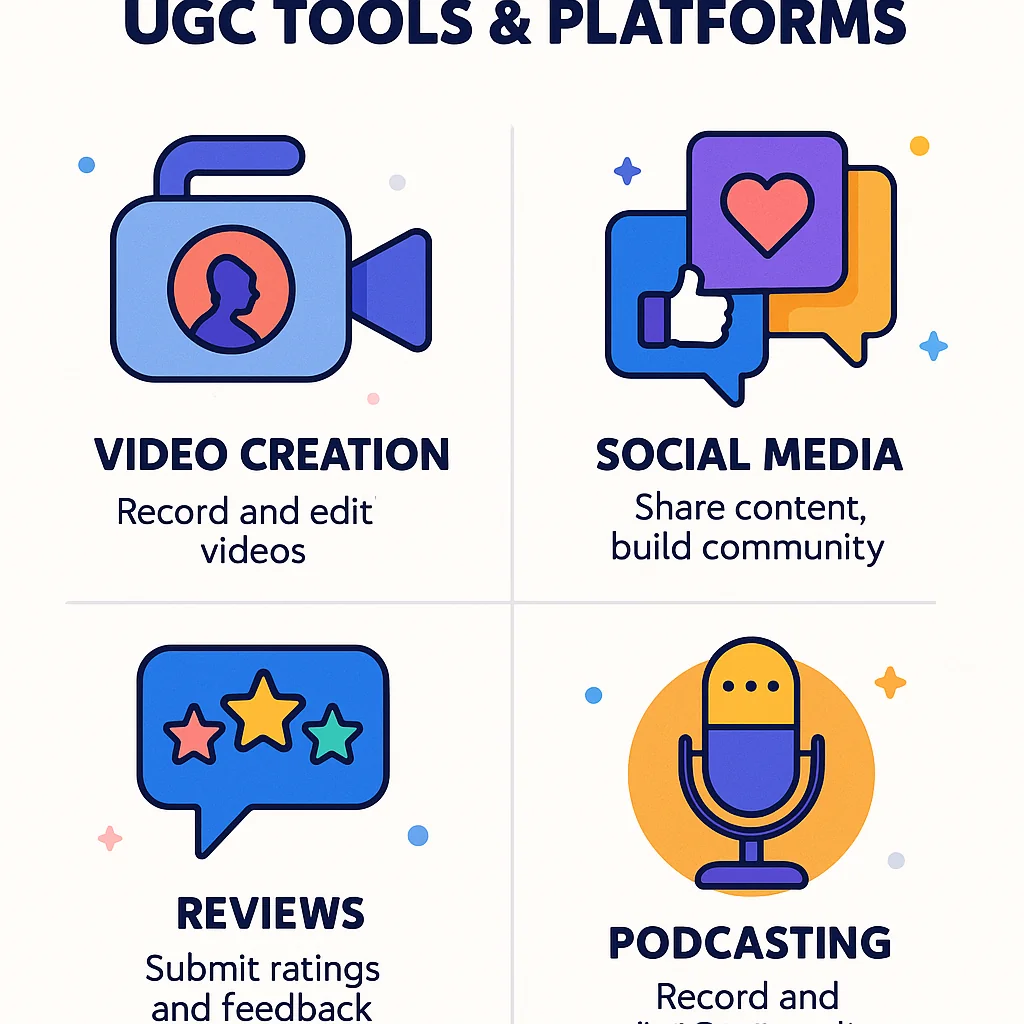
    Engagement Activities

    Engagement is key to building a loyal audience. Spend time each day interacting with your followers:

    • Respond to comments and messages promptly.
    • Engage with other creators in your niche by liking, commenting, and sharing their content.

    • Host live sessions or Q&A sessions to connect with your audience in real-time.
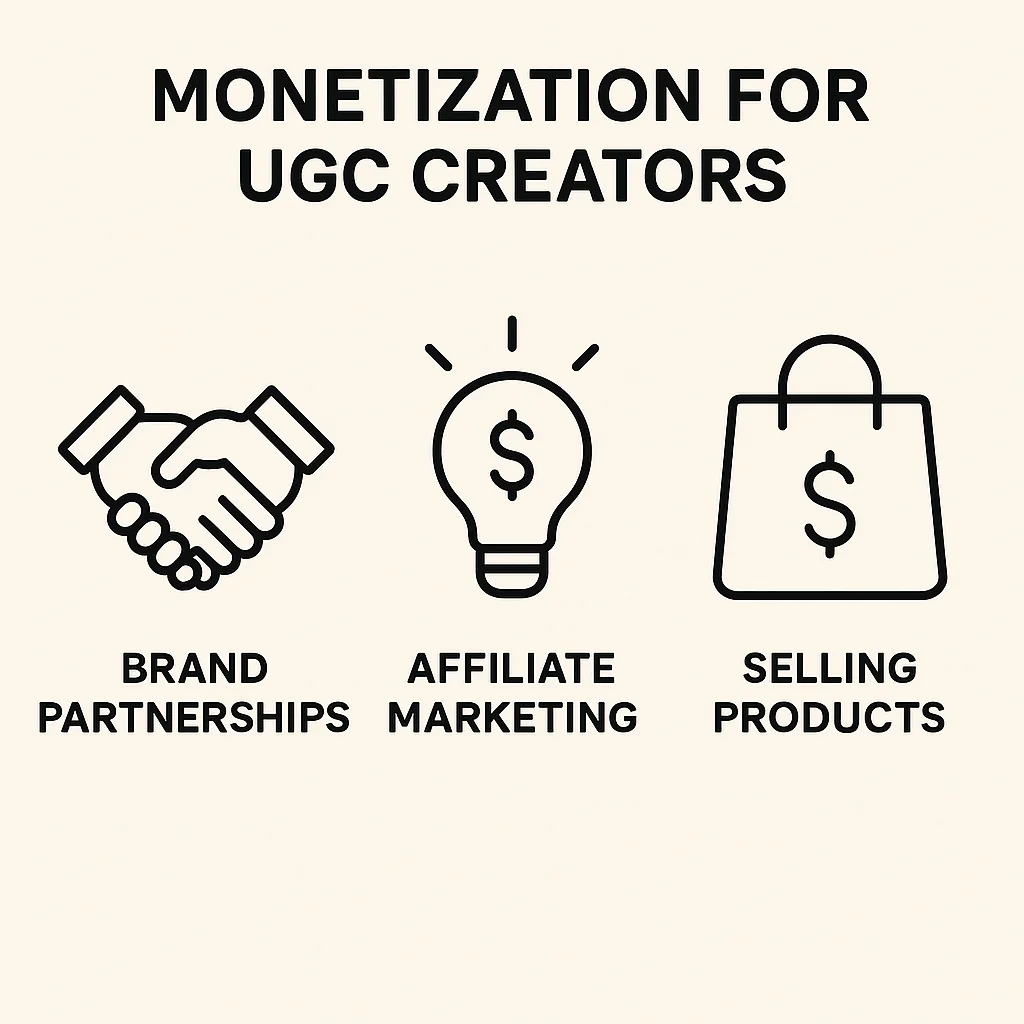
    For inspiration on daily tasks, check out our beginner to pro makeup guide.

  • How to Cancel Sticky Keys: Quick and Easy Guide

    How to Cancel Sticky Keys: Quick and Easy Guide

    To quickly disable Sticky Keys, follow these simple steps to ensure a smooth and frustration-free experience on your computer. Below, we provide clear instructions for different operating systems to help you navigate the process effortlessly.

    For Windows Users

    1. Press the Shift key five times in quick succession. A dialog box will appear asking if you want to enable Sticky Keys. Click “No” or “Cancel.”
    2. Alternatively, go to Control Panel and select Ease of Access Center.
    3. Click on “Make the keyboard easier to use.”
    4. Uncheck the box labeled “Turn on Sticky Keys.”
    5. Click “Apply” and then “OK.”

    For Mac Users

    1. Open System Preferences from the Apple menu.
    2. Select Accessibility.
    3. Click on Keyboard from the left-hand menu.
    4. Select the “Accessibility Keyboard” tab.
    5. Uncheck the box next to “Enable Sticky Keys.”

    These straightforward steps should help you disable Sticky Keys on your device without any hassle. If you continue to experience issues, further troubleshooting might be required, which we will cover in the next section.

    Transitioning from our quick and easy guide on how to cancel Sticky Keys, let’s delve into understanding what Sticky Keys are and why they might inadvertently get activated on your device.

    Infographic explaining Sticky Keys activation with highlighted Shift keys on a keyboard.

    Sticky Keys is an accessibility feature designed to help individuals who have difficulty holding down multiple keys simultaneously. When enabled, it allows a user to press keys like Shift, Ctrl, Alt, or the Windows key one at a time instead of together, making it easier to execute keyboard shortcuts and commands.

    However, there are common scenarios where Sticky Keys might get activated unintentionally. For instance, repeatedly pressing the Shift key five times in a row triggers a prompt to activate this feature. This can easily happen during gaming sessions, intense typing, or any activity that involves rapid key presses. Understanding Sticky Keys settings and how they work is crucial to prevent any disruptions in your workflow.

    For more details on accessibility settings, check out our comprehensive guide. Furthermore, you might be interested in a high-quality study on accessibility features in operating systems, which you can find here.

    Now that you have a basic understanding of Sticky Keys, let’s dive into the step-by-step guide to disable Sticky Keys on your device. Whether you’re using Windows 10 or macOS, we’ve got you covered with clear and concise instructions.

    Illustration showing step-by-step instructions for disabling Sticky Keys on Windows and macOS.

    Steps for Windows 10

    1. Press the Windows key or click the Start menu.
    2. Type Ease of Access keyboard settings and select it from the search results.
    3. In the new window, find the Sticky Keys section.
    4. Toggle the switch to the “Off” position to disable Sticky Keys.
    5. To ensure it doesn’t turn on by accident, uncheck the box that says “Allow the shortcut key to start Sticky Keys”.

    For more detailed information, you can refer to the official Microsoft support page.

    Steps for macOS

    1. Click on the Apple menu and select System Preferences.
    2. Go to the Accessibility section.
    3. In the sidebar, select Keyboard.
    4. Find the Sticky Keys option and uncheck the box to disable it.

    Using Keyboard Shortcuts

    If you prefer using a Sticky Keys shortcut, here’s how you can quickly disable it:

    • On Windows: Press the Shift key five times in a row. This will bring up a prompt where you can turn off Sticky Keys.
    • On Mac: Press the Command + Option + F5 keys simultaneously, then deselect Sticky Keys in the popup menu.

    If you’re looking to optimize your workflow beyond just managing Sticky Keys, learn about optimizing your workflow with our side hustle guide.

    By following these steps, you can easily disable Sticky Keys on both Windows and macOS, ensuring a smoother and more efficient typing experience.

    Now that you have followed the step-by-step guide to disable Sticky Keys, you might encounter a few challenges along the way. Here are some Sticky Keys troubleshooting tips to help you resolve any issues swiftly.

    Infographic showing troubleshooting tips for Sticky Keys issues, including software updates and community solutions.

    What to Do If Sticky Keys Won’t Turn Off

    If you find that Sticky Keys won’t turn off despite following the instructions, try these solutions:

    • Ensure you have correctly followed each step in the guide. A small oversight can sometimes cause the settings not to update.
    • Restart your computer. This simple action can often resolve issues by refreshing system processes.
    • Check if the Sticky Keys shortcut (pressing the Shift key five times) has been re-enabled accidentally and disable it again.

    Checking for Software Updates

    Outdated software can sometimes cause Sticky Keys to malfunction. Here’s how you can check for updates:

    • Windows Update: Go to Settings > Update & Security > Windows Update and click on Check for updates. Install any available updates.
    • Driver Updates: Outdated or corrupted drivers can also cause issues. Use the Device Manager to update your keyboard drivers.

    Community-Sourced Solutions

    Sometimes, the best solutions come from other users who have faced similar issues. Check out this community forum with user-contributed solutions where you might find specific fixes for your Sticky Keys problem.

    Additionally, user-contributed solutions can offer insights into uncommon issues and their fixes. For more troubleshooting tips, explore our viral marketing campaigns guide.

    By following these Sticky Keys troubleshooting tips, you should be able to resolve most issues and ensure a smoother experience. Next, we will discuss how to prevent Sticky Keys from activating unintentionally.

    After addressing potential issues in the troubleshooting section, it’s essential to know how to prevent Sticky Keys activation in the first place. Adjusting your keyboard settings, using alternative accessibility features, and performing regular system maintenance can help you achieve this.

    Illustration showing preventive measures for Sticky Keys activation, including adjusting keyboard settings and using alternative accessibility features.

    Adjusting Keyboard Settings

    One of the simplest ways to prevent Sticky Keys from activating is by adjusting your keyboard settings. Here’s how you can do it:

    • Open the Control Panel on your computer.
    • Navigate to Ease of Access and select Change how your keyboard works.
    • Uncheck the box that says Turn on Sticky Keys when SHIFT is pressed five times.
    • Apply the changes and exit the settings.

    These steps will ensure that the Sticky Keys feature does not get activated accidentally.

    Using Alternative Accessibility Features

    If you rely on accessibility features but find Sticky Keys inconvenient, consider using alternative options. Many operating systems offer a variety of tools to assist users without enabling Sticky Keys. For a comprehensive guide on customizing these features, visit this resource.

    Regular System Maintenance

    Regular system maintenance can also help in managing and preventing unwanted activation of Sticky Keys settings. Here are a few quick tips:

    • Keep your operating system up to date to ensure you have the latest fixes and improvements.
    • Regularly clean your keyboard to prevent physical keys from sticking or malfunctioning.
    • Review and update your accessibility settings periodically to ensure they meet your current needs.

    For more on optimizing settings, check out our 30-day UGC creator guide.

    Having explored the various steps to disable Sticky Keys and understanding the preventive measures to avoid future issues, you are now well-equipped to handle any challenges that come your way. By following the detailed instructions provided, you can quickly and effectively turn off Sticky Keys whenever necessary, ensuring a smoother and more efficient computer experience.

    Remember, preventive measures such as adjusting your accessibility settings and being mindful of keyboard shortcuts can save you from unexpected Sticky Keys activation in the future. Stay proactive, and you’ll keep your workflow uninterrupted and frustration-free.

    Frequently Asked Questions

    While preventing accidental activation of Sticky Keys is essential, understanding what Sticky Keys are can provide more clarity. Sticky Keys is an accessibility feature designed to assist users who may have difficulty pressing multiple keys simultaneously. This feature allows modifier keys like Shift, Ctrl, and Alt to remain active even after being pressed and released, making it easier for users with mobility impairments to execute keyboard shortcuts and combinations without needing to hold down multiple keys at once.

    After understanding what Sticky Keys are, you might be wondering how to turn off this feature on your Windows 10 device. Follow these simple steps to disable Sticky Keys:

    1. Open Settings: Click the Start Menu and select the gear icon to open the Settings window.
    2. Navigate to Ease of Access: In the Settings window, choose “Ease of Access” to find accessibility options.
    3. Turn off Sticky Keys: Select “Keyboard” from the sidebar, and then toggle off the Sticky Keys option under the “Use Sticky Keys” section.

    By following these steps, you can easily disable Sticky Keys and continue using your computer without any interruptions.

    After learning how to disable Sticky Keys on Windows 10, let’s move on to disabling them on a Mac. The process is straightforward and can be done in just a few steps:

    1. Open System Preferences: Click on the Apple menu in the top left corner of your screen and select “System Preferences.”
    2. Go to Accessibility: In the System Preferences window, find and click on the “Accessibility” icon.
    3. Turn off Sticky Keys: In the Accessibility settings, select “Keyboard” from the sidebar, then uncheck the box next to “Enable Sticky Keys.”

    By following these steps, you can easily disable Sticky Keys on your Mac, ensuring a smoother and more efficient typing experience.

    Understanding why Sticky Keys get activated can help you prevent it from happening unintentionally. Often, Sticky Keys are activated accidentally when you hold down the Shift key for too long. This can occur during normal typing or gaming sessions. Additionally, Sticky Keys can be enabled through the computer’s accessibility settings, which are designed to assist users with physical disabilities.

    If Sticky Keys won’t turn off, don’t worry, there are a few steps you can take to resolve this issue. First, ensure that your operating system is up to date. Check for software updates as sometimes bugs causing Sticky Keys to remain active are fixed in newer versions of the software.

    If updating doesn’t help, try restarting your computer. This can often resolve minor glitches that may be causing Sticky Keys to stay on.

    If the problem persists, you might find useful advice by consulting community forums. Many users share their experiences and solutions online, providing a wealth of troubleshooting tips that can help you fix the issue.

  • How to Turn Off Sticky Keys: Complete Guide for Windows and Mac

    How to Turn Off Sticky Keys: Complete Guide for Windows and Mac

    If you find yourself frustrated by the unexpected activation of Sticky Keys, don’t worry—you’re not alone. Let’s dive right into the step-by-step instructions to turn off Sticky Keys on both Windows and Mac systems, ensuring a smoother experience.

    Turning Off Sticky Keys on Windows

    1. Press the Shift key five times consecutively. This usually triggers a prompt asking if you want to turn off Sticky Keys. Confirm to disable it.
    2. If the above step doesn’t work, go to Settings by pressing Windows + I.
    3. Navigate to Ease of Access and then to Keyboard.
    4. Under the Sticky Keys section, toggle the switch to Off.
    5. Uncheck the box that says “Allow the shortcut key to start Sticky Keys” to prevent future accidental activation.

    Disabling Sticky Keys on Mac

    1. Click on the Apple Menu and select System Preferences.
    2. Go to Accessibility and then click on Keyboard.
    3. Select the Hardware tab and uncheck the option for Enable Sticky Keys.
    4. For a more permanent solution, go to System Preferences > Keyboard > Modifier Keys and disable the Sticky Keys option.

    By following these steps, you should be able to turn off Sticky Keys on your device. If you continue to experience issues, be sure to check out our troubleshooting section later in this guide for more detailed solutions.

    Following our comprehensive guide on how to turn off sticky keys on both Windows and Mac, it’s essential to understand what sticky keys are and why they might be causing issues during your computer use.

    Infographic explaining what sticky keys are and the common issues they cause, such as unintended keyboard shortcuts.

    Definition of Sticky Keys: Sticky keys is an accessibility feature designed to help users who have difficulty holding down multiple keys simultaneously. When activated, it allows you to press one key at a time for keyboard shortcuts instead of pressing them all at once. For example, instead of pressing Ctrl + Alt + Del simultaneously, you can press each key in sequence.

    Common Problems Caused by Sticky Keys: While sticky keys can be incredibly useful for some, it can cause confusion and frustration for others, especially if activated unintentionally. Common problems include:

    • Unintended keyboard shortcuts activation which can disrupt your workflow.
    • Difficulty in typing as letters might not appear immediately due to delayed key recognition.
    • Games and other software applications might not respond correctly to key presses.

    Why Sticky Keys Activate: Sticky keys can be activated through a simple keyboard shortcut: pressing the Shift key five times in a row. This feature is designed to be easily accessible, but it can be triggered accidentally, leading to unexpected behavior and confusion. Knowing how to turn off sticky keys is crucial to avoid these interruptions.

    It’s important to recognize when sticky keys are causing a keyboard shortcuts issue, so you can swiftly disable the feature and continue with your tasks seamlessly. For further reading on accessibility features and their impact, you might find this high-quality study on accessibility features in operating systems insightful.

    Now that you understand what Sticky Keys are and why they might be causing issues, let’s dive into the steps on how to turn off sticky keys on Windows. Whether you’re using Windows 10 or an older version of Windows, we’ve got you covered with easy-to-follow instructions.

    Illustration of Windows 10 settings screen showing how to turn off sticky keys in the Ease of Access and Keyboard settings.

    How to Turn Off Sticky Keys in Windows 10

    1. Open Settings: Click on the Start menu and select the gear icon to open the Settings app.
    2. Navigate to Ease of Access: In the Settings window, choose “Ease of Access.”
    3. Select Keyboard: From the left-hand menu, click on “Keyboard.”
    4. Turn Off Sticky Keys: Under the “Use Sticky Keys” section, toggle the switch to “Off.”
    5. Advanced Options: Click on “Set up Sticky Keys” to ensure all additional options are deselected, ensuring Sticky Keys won’t accidentally activate again.

    These steps should help you easily disable Sticky Keys on Windows 10. If you need further assistance, the official Microsoft support page provides more detailed guidance.

    How to Turn Off Sticky Keys in Older Versions of Windows

    For those using older versions of Windows, such as Windows 7 or Windows 8, follow these steps:

    1. Open Control Panel: Click on the Start menu and open the Control Panel.
    2. Access Ease of Access Center: Choose “Ease of Access” and then click on “Ease of Access Center.”
    3. Make the Keyboard Easier to Use: Select “Make the keyboard easier to use.”
    4. Turn Off Sticky Keys: Uncheck the box next to “Turn on Sticky Keys” and click “Apply.”

    These steps will help you disable Sticky Keys on older Windows versions, ensuring a smoother and more efficient user experience.

    For more tips on optimizing your tech, check out our marketing campaigns guide.

    If Sticky Keys continue to be an issue, proceed to our next section where we troubleshoot persistent Sticky Keys problems and offer solutions to keep them from reactivating.

    Now that you’ve learned how to turn off Sticky Keys on Windows, let’s move on to how to disable Sticky Keys on Mac. This process is straightforward and can be done in just a few steps. Whether you’re using the latest macOS or an older version, we’ll guide you through the necessary settings adjustments.

    Illustration of macOS System Preferences showing how to disable sticky keys in the Accessibility and Keyboard settings.

    Step-by-Step Instructions for macOS

    1. Click on the Apple menu in the top-left corner of your screen and select System Preferences.
    2. In the System Preferences window, click on Accessibility.
    3. From the sidebar on the left, select Keyboard.
    4. In the Keyboard settings, click on the Hardware tab.
    5. Look for the option labeled Sticky Keys and uncheck the box next to it to disable the feature.

    For more detailed instructions and visual guides, you can always refer to the official Apple support page on accessibility settings.

    Differences in Settings Between macOS Versions

    While the basic steps to disable Sticky Keys on a Mac are generally consistent, there may be slight variations depending on your macOS version. For example, in older versions of macOS, the Accessibility menu might be labeled as Universal Access. Additionally, the layout and naming conventions of certain settings can vary slightly between different macOS updates.

    If you’re having trouble locating the Sticky Keys option on your specific macOS version, don’t hesitate to consult Apple’s official documentation or seek help from online forums. For more tech tips, see our guide on becoming a UGC creator.

    By following these steps, you should be able to easily disable Sticky Keys on your Mac, ensuring a smoother and more efficient user experience.

    After disabling Sticky Keys on your Mac, you might still encounter persistent issues. This section covers essential sticky keys troubleshooting steps to ensure your keyboard functions properly.

    A user troubleshooting persistent sticky keys issues on their computer, focusing on the keyboard and settings screen.

    Common Troubleshooting Steps

    First, let’s address some basic troubleshooting techniques that often resolve keyboard problems:

    • Restart Your Computer: Sometimes, a simple restart can resolve minor glitches.
    • Check Keyboard Settings: Navigate to System Preferences > Keyboard > Accessibility to ensure Sticky Keys is turned off.
    • Clean Your Keyboard: Dust and debris can cause keys to stick. Use a can of compressed air to clean between the keys.
    • Update Your Operating System: Ensure your macOS is up to date to benefit from the latest fixes and improvements.

    Advanced Solutions

    If the basic steps don’t work, try these advanced solutions:

    • Reset NVRAM/PRAM: Resetting the NVRAM/PRAM can fix various hardware-related issues, including keyboard problems. Restart your Mac and hold down Option + Command + P + R until the startup sound appears.
    • Reinstall macOS: As a last resort, reinstalling macOS might resolve persistent issues. Ensure to back up your data before proceeding.
    • Use an External Keyboard: Connecting an external keyboard can help determine if the issue is with the built-in keyboard or the system settings.

    For more tips and tricks on handling common tech issues, learn how to troubleshoot common tech issues and stay ahead of trends.

    When to Seek Professional Help

    If none of the above solutions work, it might be time to seek professional assistance. A certified technician can diagnose and fix any underlying hardware issues. Additionally, consider reading this high-quality study on common keyboard issues to understand more about potential problems.

    By following these troubleshooting steps, you can effectively address and resolve persistent Sticky Keys issues, ensuring a smooth and hassle-free typing experience.

    After dealing with persistent Sticky Keys issues, it’s essential to take preventive measures to avoid future occurrences. Implementing the following strategies can help prevent Sticky Keys from activating unexpectedly and ensure a smoother computing experience.

    Infographic showing preventive measures to avoid sticky keys activation, including adjusting accessibility settings and regular keyboard maintenance.

    Adjusting Accessibility Settings

    One of the most effective ways to prevent Sticky Keys activation is by adjusting your operating system’s accessibility settings. Both Windows and Mac offer options to customize keyboard shortcuts and disable Sticky Keys entirely. Here’s how you can do it:

    • Windows: Navigate to Settings > Ease of Access > Keyboard. Here, you can toggle off Sticky Keys and adjust other settings to avoid accidental activation.
    • Mac: Go to System Preferences > Accessibility > Keyboard. Under the Hardware section, you can uncheck the Sticky Keys option.

    Using Third-Party Software

    For users who frequently encounter keyboard shortcuts issues, third-party software can provide additional control and customization over keyboard settings. Programs like SharpKeys or KeyTweak allow you to remap keys and disable specific functions that might cause problems. This can be particularly useful for preventing Sticky Keys in situations where built-in accessibility settings are insufficient.

    Regular Keyboard Maintenance Tips

    Maintaining a clean and functional keyboard is crucial to avoid accidental key presses that can activate Sticky Keys. Here are some tips:

    • Regular Cleaning: Use a soft brush or compressed air to remove dust and debris from between the keys.
    • Avoid Spills: Keep liquids away from your keyboard to prevent damage. If a spill occurs, clean it immediately to avoid long-term issues. Expert advice on keyboard maintenance can be invaluable in such situations.
    • Check for Wear and Tear: Regularly inspect your keyboard for signs of wear. Replace worn-out keys or the entire keyboard if necessary to ensure optimal performance.

    By following these preventive measures, you can effectively manage and prevent Sticky Keys from disrupting your workflow. For more in-depth tech advice, check out our guide on turning side hustles into careers.

    As we have explored, understanding how to turn off sticky keys on Windows and Mac is essential to ensure a smooth and uninterrupted computing experience. Whether you’re dealing with minor inconveniences or persistent issues, the steps and troubleshooting tips provided can help you regain control over your keyboard settings.

    We hope this guide has been helpful in addressing your concerns. Remember, if you follow the preventive measures outlined, you can avoid accidental activation of sticky keys in the future. Thank you for reading, and happy computing!

    Frequently Asked Questions

    Having preventive measures in place is great, but understanding sticky keys is equally important to avoid accidental activation.

    Sticky keys is a feature designed to help users who have difficulty pressing multiple keys simultaneously. It allows you to press keyboard shortcuts one key at a time instead of all at once. While this can be beneficial for some, it can also cause unintended shortcuts if turned on accidentally, leading to frustration.

    After understanding what sticky keys are and why they might cause issues, let’s move on to disabling them on Windows 10. If you find sticky keys more of a nuisance than a help, you can easily turn them off by following these steps:

    1. Go to Settings by clicking on the Start menu and selecting the gear icon.
    2. Navigate to Ease of Access and then click on Keyboard.
    3. In the Keyboard settings, find the option for Sticky Keys and toggle it off.

    This should effectively disable the sticky keys feature on your Windows 10 system, allowing you to type without unexpected interruptions.

    After addressing how to turn off sticky keys on Windows 10, let’s move on to macOS. Disabling sticky keys on your Mac is straightforward:

    1. First, open System Preferences from the Apple menu.
    2. Next, navigate to Accessibility and select Keyboard from the list on the left.
    3. Finally, uncheck the box next to Enable Sticky Keys.

    With these steps, you should be able to turn off sticky keys on your macOS device quickly and easily. If you encounter any issues, the following sections will provide additional troubleshooting tips and preventive measures.

    After learning how to disable Sticky Keys on macOS, you might wonder why they keep turning on in the first place. Sticky Keys often activate due to specific keyboard shortcuts or default system settings. This can be particularly frustrating if it happens unexpectedly.

  • How to Cancel Sticky Keys in Under 60 Seconds

    How to Cancel Sticky Keys in Under 60 Seconds

    Now that you understand what Sticky Keys are and why you might want to disable them, let’s dive straight into the quick fix for disabling Sticky Keys. Follow these step-by-step instructions to turn off Sticky Keys in under 60 seconds.

    1. Press the Shift key five times rapidly. This should trigger the Sticky Keys dialog box to appear on your screen.
    2. In the dialog box, click on the “Disable this keyboard shortcut in Ease of Access keyboard settings” link. This will open the keyboard settings window.
    3. In the settings window, find the Sticky Keys section and toggle the switch to the Off position.
    4. Close the settings window. Sticky Keys should now be disabled.

    If you’re using a different operating system, the process might vary slightly, but the core steps are generally the same. For specific instructions tailored to your OS, refer to the next section where we cover alternative methods for different operating systems.

    With this quick guide, you should be able to disable Sticky Keys swiftly and get back to your tasks without any interruptions. Remember, if you need further assistance, detailed screenshots and instructions are available in the upcoming sections.

    Understanding what Sticky Keys are and how they can inadvertently affect your workflow is crucial before you dive into the steps to cancel them. Sticky Keys is an accessibility feature designed to help individuals who have difficulty holding down multiple keys simultaneously. When activated, it allows a user to press keys in sequence rather than simultaneously to execute keyboard shortcuts.

    Infographic explaining Sticky Keys, showing a keyboard with highlighted Shift keys and a pop-up message.

    Common triggers for the activation of Sticky Keys include rapidly pressing the Shift key five times. This can easily happen during the regular use of your keyboard, especially if you rely on keyboard shortcuts for productivity. While this feature is beneficial for some, it can be quite annoying for others, leading to confusion and disruption in the user experience.

    The impact of Sticky Keys on user experience can range from mild inconvenience to significant disruption, especially if the activation happens unexpectedly. It may interfere with typing, gaming, or any activity that requires uninterrupted keyboard use. For those not needing this feature, encountering it can feel like an obstacle rather than a help.

    For more on managing accessibility settings, check out our guide on social media image sizes. Additionally, a high-quality study on keyboard accessibility features can be found here.

    Now that you understand what Sticky Keys are and why they might be activated, let’s dive into the step-by-step guide on how to disable Sticky Keys on Windows 10. This quick fix for Sticky Keys activation is straightforward and can be accomplished in under 60 seconds.

    Illustration of a step-by-step guide to disable Sticky Keys, with screenshots of the Control Panel and Ease of Access settings.

    Accessing the Control Panel

    First, you need to access the Control Panel on your Windows 10 computer. Follow these steps:

    1. Click on the Start menu or press the Windows key on your keyboard.
    2. Type Control Panel in the search bar and press Enter.
    3. Select Control Panel from the search results.

    Navigating to Ease of Access Settings

    Once you are in the Control Panel, follow these steps to navigate to the Ease of Access settings:

    1. Click on Ease of Access.
    2. Select Ease of Access Center.
    3. Under “Explore all settings,” click on Make the keyboard easier to use.

    Disabling Sticky Keys

    To disable Sticky Keys, follow these instructions:

    1. In the “Make the keyboard easier to use” settings, find the Make it easier to type section.
    2. Uncheck the box next to Turn on Sticky Keys.
    3. Click Apply and then OK to save your changes.

    You can also visit the official Microsoft support page on Sticky Keys for more detailed instructions and visual aids.

    These simple steps should help you disable Sticky Keys and prevent accidental activation in the future. For more quick fixes and tech tips, visit our blog on top social media platforms.

    Now that you know how to cancel Sticky Keys quickly, let’s explore alternative methods for different operating systems. Whether you’re using MacOS or Linux, we’ve got you covered with simple steps to disable Sticky Keys.

    Infographic showing methods to disable Sticky Keys on Windows, MacOS, and Linux.

    Disabling Sticky Keys on MacOS

    To disable Sticky Keys on MacOS, follow these steps:

    1. Open the Apple menu and select System Preferences.
    2. Click on Accessibility.
    3. In the left-hand sidebar, select Keyboard.
    4. Uncheck the box next to Enable Sticky Keys.

    For more detailed instructions, you can visit the Apple support page on accessibility.

    Disabling Sticky Keys on Linux

    Disabling Sticky Keys on Linux can vary slightly depending on your distribution, but generally, you can follow these steps:

    • Open the Settings menu.
    • Navigate to Accessibility or Universal Access.
    • Look for the Typing section and find the option for Sticky Keys.
    • Switch off the Sticky Keys toggle.

    If you’re using a specific Linux distribution, you might find more tailored instructions by searching online with your distro’s name followed by “disable Sticky Keys.”

    Using Keyboard Shortcuts

    In addition to navigating through menus, you can also use keyboard shortcuts to disable Sticky Keys:

    • On Windows, press Shift five times in quick succession to toggle Sticky Keys off.
    • On MacOS, press the Option key five times to disable Sticky Keys.
    • For Linux, the shortcut can vary, so check your specific distribution’s documentation for details.

    By following these methods, you can disable Sticky Keys on any operating system with ease. If you want to delve deeper into customizing your settings, learn more about customizing your settings in our article on watermarks in social videos.

    Now that you’ve learned how to cancel Sticky Keys in under 60 seconds and explored alternative methods for different operating systems, let’s focus on preventing Sticky Keys activation in the future. By making a few adjustments, you can ensure a smoother and less disruptive keyboard experience.

    Chart showing tips to prevent Sticky Keys activation, including adjusting keyboard settings and using alternative shortcuts.

    Adjusting Keyboard Settings

    The most straightforward way to prevent Sticky Keys activation is by adjusting your keyboard settings. Here’s how you can do it:

    1. Go to your computer’s Control Panel or Settings menu.
    2. Navigate to the Ease of Access or Accessibility section.
    3. Select Keyboard settings.
    4. Locate the option for Sticky Keys and ensure it is turned off.

    For a more detailed guide on customizing keyboard settings, you can refer to this comprehensive guide.

    Using Alternative Shortcuts

    Another effective way to prevent Sticky Keys activation is by using alternative shortcuts. Instead of pressing the Shift key five times consecutively, consider using modifier keys in combination with other keys to accomplish your tasks. This habit reduces the likelihood of accidentally triggering Sticky Keys.

    Disabling Sticky Keys Permanently

    If you find Sticky Keys particularly disruptive, you may want to permanently disable Sticky Keys. Follow these steps to permanently disable it:

    1. Open your computer’s Settings or Control Panel.
    2. Access the Ease of Access or Accessibility settings.
    3. Navigate to Keyboard settings.
    4. Find the Sticky Keys section and uncheck any options that enable it.
    5. Click Apply and then OK to save your changes.

    By taking these steps, you can ensure that Sticky Keys won’t activate unexpectedly, allowing for a more seamless computing experience.

    For more tech tips and guides, check out our beginner to pro makeup guide.

    In conclusion, disabling Sticky Keys is a straightforward process that can be completed quickly. Whether you followed our step-by-step guide or explored alternative methods specific to your operating system, you now have the tools to handle this issue efficiently. Moreover, taking preventative measures will help you avoid accidental activation in the future. Remember, these simple steps can save you from unnecessary frustration. If you have any additional questions, please refer to our FAQ section for more information. Happy computing!

    Frequently Asked Questions

    Now that you know how to prevent Sticky Keys from activating unexpectedly, let’s address some common questions about this feature.

    What are Sticky Keys and why do they activate? Sticky Keys is an accessibility feature designed to assist users with physical disabilities. This feature allows keyboard shortcuts to be executed without pressing multiple keys simultaneously. It activates when you press the Shift key repeatedly, typically five times in a row. This can be helpful for users who may find it challenging to hold down multiple keys at once while typing or using shortcuts.

    Now that you understand what Sticky Keys are and why they activate, let’s dive into how you can permanently disable this feature to avoid future frustration. Follow these straightforward steps:

    1. Access the Ease of Access settings on your computer.
    2. Navigate to the Keyboard settings section.
    3. Locate the Sticky Keys option and uncheck it.
    4. Make sure to save your changes to ensure that Sticky Keys do not activate again in the future.

    By following these steps, you can prevent Sticky Keys from turning on unexpectedly, making your computer usage smoother and more enjoyable.

    If the quick fix doesn’t resolve the issue, don’t worry—you still have options. First, check for system updates. Sometimes, an outdated operating system can cause problems with accessibility features like Sticky Keys. Updating your OS can often resolve these issues.

    Next, consult the official support pages for your operating system. Whether you are using Windows, macOS, or Linux, these resources can provide specific troubleshooting steps tailored to your system.

    If you’ve tried both of these steps and the problem persists, it might be time to consider hardware issues. Faulty keyboards or other hardware problems can sometimes mimic the symptoms of Sticky Keys. In such cases, testing your keyboard on another device can help identify the root cause.