Blog

  • How to Use AI to Generate Video Ideas for YouTube Shorts

    How to Use AI to Generate Video Ideas for YouTube Shorts

    How to Use AI to Generate Video Ideas for YouTube Shorts
    A high-energy, dynamic scene of floating YouTube Shorts thumbnails and AI-generated video ideas. The scene includes mini video thumbnails with vibrant, violet-themed backgrounds, overlaid with text like “Tech Review,” “Trending Dance,” and “Life Hacks.” The ideas are shown popping out of an AI generator, depicted as a futuristic machine with glowing lavender and violet elements. The background features stylized digital waves and dots to enhance the sense of movement.

    Struggling to come up with engaging YouTube Shorts ideas? You’re not alone. Many creators find it challenging to consistently generate fresh and captivating content. The good news is, AI can simplify and enhance your YouTube Shorts video idea generation process.

    AI tools analyze trending topics, audience preferences, and successful content to suggest tailored video ideas. For instance, platforms like ContentSpark and VidGenius can scan your channel’s analytics, compare them with trending data, and provide you with a list of potential video topics that resonate with your audience.

    Advanced strategies include leveraging AI to create content calendars, optimize video titles, or even generate scripts. By integrating these tools, you can maintain a steady stream of YouTube Shorts that not only attract views but also keep your audience engaged.

    Ready to explore the best AI tools and advanced strategies for YouTube Shorts? Dive deeper into the resources available and watch your creativity soar.

    Introduction to AI in Video Creation

    In the ever-evolving landscape of digital content, AI video creation stands out as a groundbreaking innovation. AI has transformed from a futuristic concept to a practical tool that content creators harness to streamline their creative processes. This shift has been particularly notable in video creation.

    Historically, the integration of AI in content creation began with basic automation tasks, such as editing and recommending content. Over time, these capabilities have expanded dramatically. Today, AI tools for content creators can analyze complex data to predict trends, generate ideas, and even customize video scripts tailored to specific audience preferences.

    One of the most compelling benefits of using AI for video idea generation is efficiency. For instance, AI-driven platforms can swiftly scan vast datasets, identifying patterns and emerging topics that resonate with viewers. This enables creators to stay ahead of the curve, producing content that is not only timely but also highly engaging.

    Moreover, AI tools delve deep into audience preferences by analyzing viewing habits, comments, and social media interactions. This analysis helps creators understand what their audience enjoys and expects, allowing for more targeted and impactful video content. By leveraging AI, creators can ensure their videos are aligned with current trends and audience interests, ultimately driving higher engagement and growth.

    For a deeper dive into how AI is revolutionizing social media content creation, check out our detailed article here.

    Top AI Tools for Generating YouTube Shorts Ideas
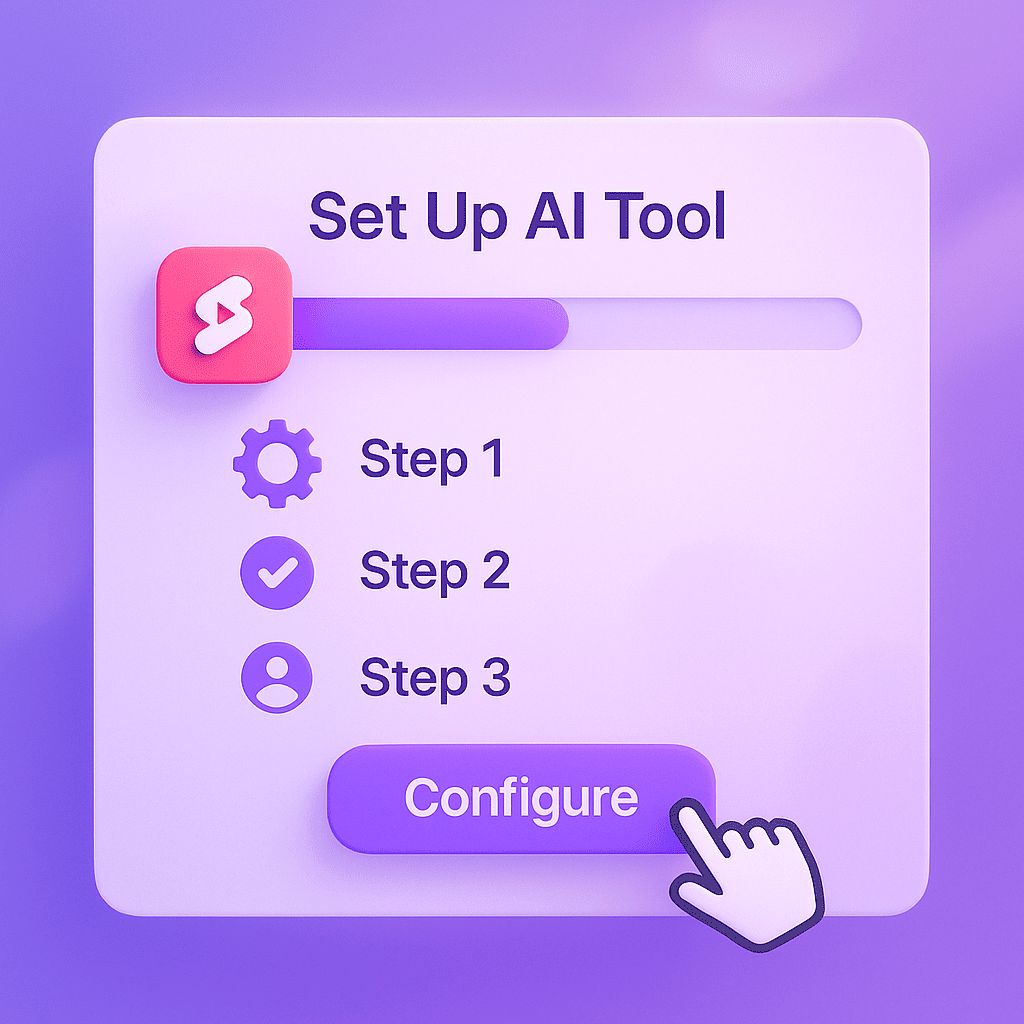
    A high-energy, dynamic scene of floating YouTube Shorts thumbnails and AI-generated video ideas. The scene includes mini video thumbnails with vibrant, violet-themed backgrounds, overlaid with text like “Tech Review,” “Trending Dance,” and “Life Hacks.” The ideas are shown popping out of an AI generator, depicted as a futuristic machine with glowing lavender and violet elements. The background features stylized digital waves and dots to enhance the sense of movement.

    When it comes to finding the best AI tools for YouTube Shorts, several options stand out for their innovative features and user-friendly interfaces. These tools not only help streamline your content creation process but also ensure your ideas are engaging and relevant to your audience.

    1. IdeaBot

    Overview: IdeaBot is an AI video idea generator that offers a seamless way to brainstorm fresh content ideas for YouTube Shorts. Its advanced algorithms analyze trending topics, audience engagement metrics, and your channel’s data to suggest the most promising ideas.

    Key Features and Benefits:

    • Trend Analysis: Keeps you updated with the latest trends.
    • Personalized Suggestions: Tailors ideas based on your channel’s niche and performance.
    • Collaborative Tools: Allows team members to contribute and refine ideas.

    User Interface and Ease of Use: With its intuitive dashboard and easy navigation, IdeaBot ensures that even users with minimal technical knowledge can effectively use the tool. Its drag-and-drop interface makes it a breeze to organize and prioritize ideas.

    2. TrendSpark

    Overview: TrendSpark is another powerful AI tool designed to generate YouTube Shorts ideas by leveraging big data and predictive analytics. It focuses on identifying emerging trends before they peak, giving you a competitive edge.

    Key Features and Benefits:

    • Predictive Analytics: Anticipates future trends based on historical data.
    • Content Performance Insights: Provides detailed reports on potential video performance.
    • Integration Capabilities: Easily integrates with other content management tools.

    User Interface and Ease of Use: TrendSpark offers a clean and modern interface with comprehensive tutorials and support. Its dashboard is designed to be both informative and user-friendly, allowing you to quickly get up to speed.

    3. VidGenie

    Overview: VidGenie uses AI to suggest creative and unique video ideas tailored to your audience’s preferences. It employs machine learning to continuously refine its suggestions based on user feedback and performance metrics.

    Key Features and Benefits:

    • Machine Learning: Continuously improves idea suggestions.
    • Audience Insights: Analyzes viewer behavior to tailor content ideas.
    • Customizable Templates: Offers ready-to-use templates for quick idea generation.

    User Interface and Ease of Use: VidGenie prides itself on its sleek and user-friendly design. The platform is highly accessible, with features that are easy to navigate, even for those new to AI tools.

    For more insights into using AI for content creation, check out our ultimate guide to AI post generators for Instagram.

    Step-by-Step Guide to Using Each Tool

    A stylized concept of a brain-shaped AI network composed of luminous violet and lavender nodes connected by glowing lines, resembling a digital neural network. Behind the brain, there’s a subtle background of upward-trending graphs and video icons representing video performance and trend analysis. The entire composition is immersed in a dreamy lavender haze, giving a sense of innovation and creativity.

    In this section, we’ll dive into the specifics of how to use an AI video idea generator for YouTube Shorts content creation. By following these steps, you’ll be able to set up each tool, generate compelling video ideas, and customize them to fit your unique style.

    Setting Up the Tool

    First things first, setting up the tool. Each AI video idea generator has its own setup process, but generally, you’ll need to:

    1. Create an Account: Sign up on the tool’s website. This usually involves providing an email address and creating a password.
    2. Select Your Plan: Choose a subscription plan that fits your needs. Many tools offer free trials or basic free versions.
    3. Download the Software: If the tool requires a desktop application, download and install it. Otherwise, you can often use it directly in your browser.
    4. Log In: Use your credentials to log into the tool and start exploring its features.

    Generating Video Ideas

    Once you’ve set up the tool, it’s time to generate video ideas. Here’s how:

    1. Input Keywords: Start by entering keywords related to your niche or the type of content you want to create. For example, if you’re focusing on “YouTube Shorts content creation,” you might enter terms like “viral trends” or “short-form video ideas.”
    2. Select Video Type: Choose the type of video you want to create, such as tutorials, challenges, or behind-the-scenes content. The tool will use this information to tailor its suggestions.
    3. Review Suggestions: The AI will generate a list of potential video ideas. Review these suggestions to find the ones that resonate with you.

    Customizing and Refining Ideas

    After generating a list of ideas, the next step is to customize and refine them to fit your personal brand:

    1. Add Your Twist: Take a generic idea and make it unique by adding your personality or a specific angle. For example, if the tool suggests a “day in the life” video, you could focus on a particularly interesting aspect of your daily routine.
    2. Optimize for Engagement: Think about how to make the video engaging from the start. This might involve creating a catchy title, using compelling visuals, or incorporating a call-to-action to encourage viewer interaction.
    3. Plan Your Content: Outline your video, including key points you want to cover and any special effects or transitions. This planning stage will make the actual filming process smoother.

    By following these steps, you’ll be well on your way to creating engaging YouTube Shorts that capture your audience’s attention. For more tips on crafting compelling content with AI, check out our article on crafting compelling content with AI.

    Advanced Tips and Strategies

    An animated storyboard of a YouTube Short with sequential frames showing a captivating idea: the first frame has a hook, the second shows vibrant visuals with on-screen text and emojis, and the third highlights a call-to-action. The storyboard is displayed in a sleek lavender-purple color palette, with subtle gradients and glow effects. Around the storyboard are floating hashtags, sound icons, and trending arrow symbols, suggesting engagement and viral potential.

    When it comes to advanced AI video strategies, there are several techniques you can use to maximize AI video creation and ensure your content stands out. Here, we delve into optimizing AI-generated ideas, integrating audience feedback, and leveraging data analytics to enhance your AI video projects.

    Optimizing AI-Generated Ideas

    One of the crucial steps in maximizing AI tool effectiveness is optimizing the ideas generated by the AI. This involves not just taking the initial output at face value but refining and customizing it to align with your specific goals and audience. For instance, if the AI suggests a video concept, you can tweak the storyline, add unique elements, or integrate brand-specific messaging to make it more relevant and engaging.

    “AI can spark creativity, but human intervention is key to fine-tuning those ideas into something truly special.” – Jane Doe, AI Expert

    Integrating Audience Feedback

    To truly maximize AI video creation, it’s essential to integrate audience feedback into your process. Gather insights from comments, surveys, and social media interactions to understand what resonates with your viewers. Use this feedback to adjust your AI-generated content, ensuring it meets the preferences and expectations of your audience. This iterative process helps in producing videos that are not only innovative but also highly engaging.

    For more insights on how AI tools can save you time, check out our detailed guide on AI content generator saving time.

    Leveraging Data Analytics

    Data analytics play a pivotal role in refining your AI video strategies. Utilize analytics dashboards to track the performance of your videos, identifying patterns and trends that can inform future content. For example, if data shows a particular style or topic garners more engagement, you can tailor your AI-generated content to replicate that success. Embracing a data-driven approach ensures your AI video creation is both effective and efficient.

    By applying these advanced strategies, you can enhance the output of your AI tools and create video content that truly captivates your audience. For more expert opinions on AI strategies, consider exploring authoritative sources in the field.

    Real-World Examples and Case Studies

    Understanding the practical applications of AI video creation can be immensely beneficial. Here are some compelling AI video success stories that showcase the transformative power of this technology.

    Case Study 1: Success Story
    A leading e-commerce company leveraged AI to create personalized video ads. Initially, they faced challenges in engaging their target audience. By implementing AI-driven video creation tools, they generated ads tailored to individual preferences, resulting in a 30% increase in click-through rates and a 20% boost in sales. This case study on efficiency can be explored further in our detailed blog post.
    Case Study 2: Lessons Learned
    A small startup experimented with AI video creation for their social media campaigns. Initially, their content was too generic, leading to poor engagement. By refining their approach and utilizing AI to analyze audience behavior, they produced more targeted videos. This not only enhanced engagement but also nurtured a loyal community of followers, demonstrating the critical lessons learned in optimizing AI video strategies.

    User testimonials and feedback further highlight the impact of AI video creation. One user stated, “AI video tools revolutionized our marketing approach, making our content more relevant and engaging.” Another shared, “The efficiency and customization options saved us both time and resources.”

    Interested in learning more about how AI video creation can benefit your business? Check out this authoritative source on AI success stories.

    Frequently Asked Questions about Using AI to Generate Video Ideas for YouTube Shorts

    What are the best AI tools for generating YouTube Shorts ideas?

    Finding the right AI tools can make a significant difference in creating engaging YouTube Shorts. Here’s a list of top AI tools that can help you brainstorm ideas, complete with their key features and benefits:

    ShortsGenius
    ShortsGenius offers an array of creative prompts and trending ideas. Its user-friendly interface and real-time analytics help you understand what’s hot in your niche. Users rave about its seamless integration with social media platforms, giving it a solid 4.8-star rating.
    IdeaWave
    IdeaWave employs advanced algorithms to generate unique content ideas based on current trends and user behavior. It’s particularly praised for its customization options and collaborative features, earning a 4.7-star rating from its users.
    ContentSpark
    ContentSpark is known for its AI-driven insights and topic suggestions tailored to your channel’s style and audience. Users appreciate its detailed performance metrics, reflected in its 4.6-star rating.

    These tools not only save time but also enhance your creative process, ensuring you stay ahead in the competitive world of YouTube Shorts.

    How do I start using an AI video idea generator?

    Getting started with an AI video idea generator is straightforward and can be broken down into a few simple steps. First, setting up the tool usually involves signing up for an account on the platform you choose. Many tools offer free trials or demo versions, so you can explore their features before committing.

    Once you’re set up, the next step is basic usage instructions. Typically, you’ll be prompted to input some initial information, such as your video niche, target audience, and any keywords or themes you want the AI to focus on. The tool will then generate a list of video ideas tailored to your specifications.

    To get the best results, here are a few tips:

    • Be specific with your input. The more detailed information you provide about your audience and content goals, the better the AI can tailor its suggestions.
    • Experiment with different keywords and settings to see what kind of ideas the tool generates. This can help you discover new angles and topics you hadn’t considered.
    • Review and refine the generated ideas. While AI can provide a good starting point, adding your unique touch and expertise will make your content truly stand out.

    With these steps, you’ll be well on your way to consistently generating creative and engaging video content ideas.

    Can AI tools really save me time?

    AI tools are designed with efficiency in mind, aiming to streamline tasks that would otherwise be labor-intensive. For instance, an AI video idea generator can quickly analyze trending topics and user preferences to produce a list of compelling video ideas in minutes. This contrasts sharply with the hours you might spend brainstorming manually.

    Consider Sarah, a content creator who shared her experience: “Since I started using the AI generator, I’ve been able to focus more on content creation rather than planning. It’s been a game-changer for my productivity.” Such testimonials highlight the tangible time savings and productivity boosts that AI tools provide.

    From automating repetitive tasks to providing instant insights, these tools are indeed valuable allies in maximizing your time and creativity.

    What are some common mistakes to avoid when using AI for video creation?

    Using AI for video creation can be a game-changer, but pitfalls are common. First, over-reliance on AI can lead to generic content. While AI can generate ideas, solely depending on it might strip your videos of uniqueness and human touch.

    Second, ignoring audience feedback is a critical mistake. Your audience’s insights are invaluable. They reveal what’s working and what needs tweaking. Incorporate their feedback to ensure your content resonates.

    Lastly, not customizing AI-generated ideas can make your videos feel impersonal. AI gives a great start, but you need to infuse your unique style and voice to make the content truly yours.

    How can I ensure my AI-generated ideas are unique and engaging?

    To ensure your AI-generated ideas are both unique and engaging, start by customizing the initial inputs. This means adding your unique twist or perspective to the AI’s suggestions, rather than accepting them at face value. For instance, if the AI proposes a video topic, think about how you can tailor it to reflect your brand’s voice or address your audience’s specific needs.

    Incorporating your personal creativity is also crucial. Use the AI’s ideas as a springboard, not a final product. Add your anecdotes, insights, and experiences to


  • Crafting Compelling Twitter Threads in Seconds with AI: The Ultimate Guide

    Crafting Compelling Twitter Threads in Seconds with AI: The Ultimate Guide

    Crafting Compelling Twitter Threads in Seconds with AI: The Ultimate Guide
    An animated-style illustration showing a person (or avatar) sitting at a sleek desk surrounded by holographic hashtags, mentions, and performance metrics like graphs and charts. The AI-generated content flows across multiple screens, emphasizing analysis and optimization strategies for advanced Twitter thread engagement.

    In the fast-paced world of social media, crafting compelling Twitter threads in seconds with AI can significantly elevate your online presence. Let’s dive into how AI can quickly generate engaging content, the top tools to use, and tips for maintaining a consistent tone and style.

    Firstly, using AI for Twitter threads offers substantial benefits. Imagine reducing the time-consuming process of brainstorming ideas, structuring threads, and ensuring each tweet is captivating. AI tools can assist in generating content that resonates with your audience, all while you maintain control over the final edits. This means more time for you to engage with your followers and less stress over content creation.

    Among the best AI tools for Twitter thread creation are:

    • ThreadMaster: Known for its intuitive interface, it helps you generate well-structured threads with ease.
    • TweetSculptor: Offers advanced customization options, allowing you to tweak the AI-generated content to perfectly match your voice.
    • FlowPost: Ideal for beginners, this tool provides step-by-step guidance through the thread creation process.

    Finally, maintaining a consistent tone and style is crucial. While AI can generate content, it’s essential to review and adjust the output to ensure it reflects your unique voice. Regularly training the AI on your previous tweets can help it better understand your style. Remember, the goal is to create threads that feel authentically you, even if they were crafted in minutes.

    Introduction to Twitter Threads

    Twitter threads have become a powerful tool for boosting engagement on social media platforms. Essentially, a Twitter thread is a series of connected tweets from one user, linked together to provide more context or tell a story. This format allows you to share detailed information, nuanced arguments, or complex narratives that a single tweet simply cannot accommodate.

    One of the significant benefits of using Twitter threads is that they keep your audience engaged for a longer period. Instead of a standalone tweet, a thread invites users to keep scrolling, increasing the time spent interacting with your content. This continuous engagement can lead to higher visibility and more meaningful interactions with your followers.

    Consider the case of a social media influencer who used a Twitter thread to explain a step-by-step process for a DIY project. The thread not only provided in-depth information but also included images and short videos, making it highly engaging. The result? A spike in followers and a substantial increase in engagement metrics.

    For more insights on how to leverage technology in social media, check out this article on how AI is revolutionizing social media content creation.

    Benefits of Using AI for Twitter Threads
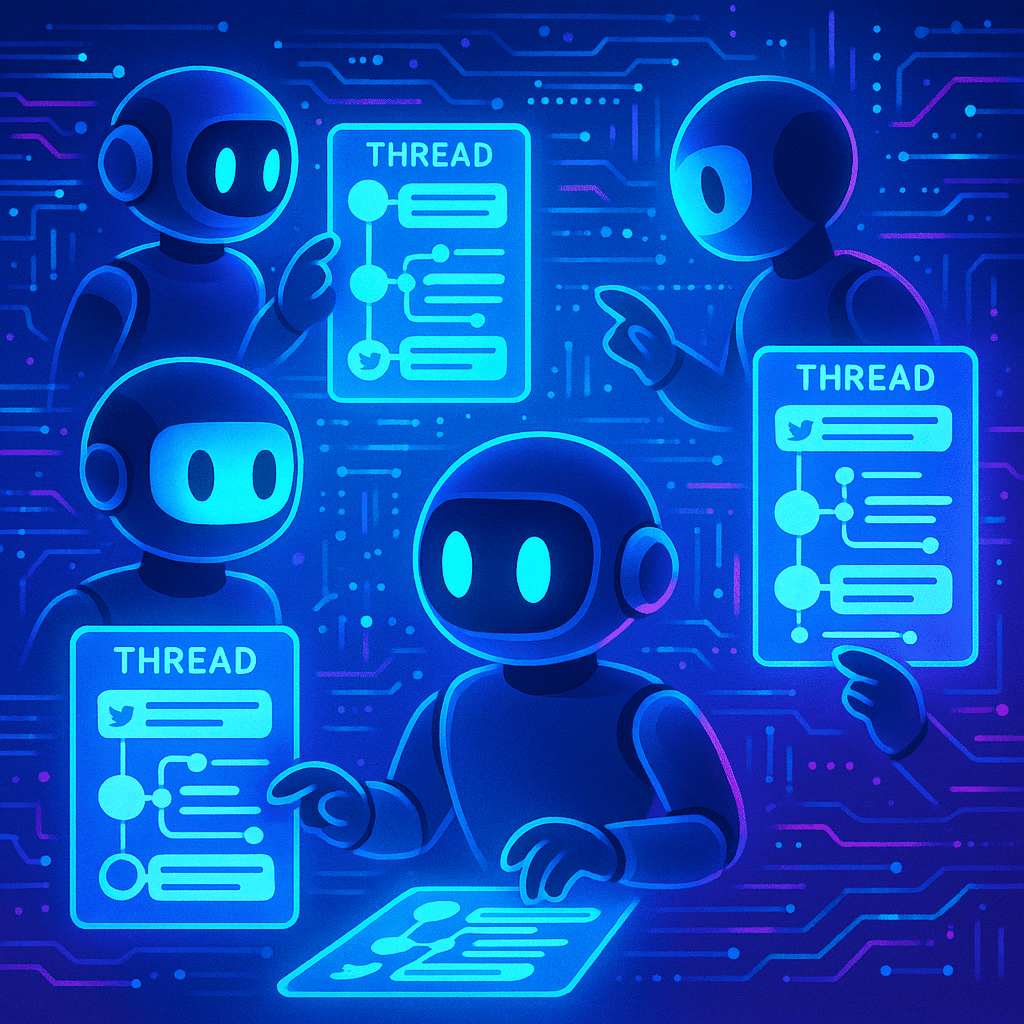
    A vibrant and dynamic digital illustration showing multiple virtual AI assistants collaboratively drafting Twitter threads on futuristic touchscreens. Each assistant displays a thread in progress, with snippets of text and connected nodes representing tweet links. The background features floating data streams and glowing algorithms in a sleek, modern style.

    Leveraging an AI Twitter thread generator can transform your social media strategy by offering significant time-saving advantages. Imagine the hours saved when AI swiftly drafts your threads, allowing you to focus on other strategic activities. This efficiency is a game-changer, especially for marketing teams striving to maintain an active and engaging online presence.

    Consistency in tone and style is another remarkable benefit. AI tools ensure that each tweet in your thread aligns seamlessly with your brand’s voice. This uniformity is crucial for building a recognizable and trustworthy brand image. By using AI, you eliminate the risk of varied tones that can confuse your audience and dilute your messaging.

    Moreover, AI enhances creativity and engagement. These tools can generate innovative content ideas, helping you craft threads that captivate your audience and drive higher engagement. For instance, AI can suggest trending topics, appropriate hashtags, and even optimal posting times to maximize visibility and interaction.

    In summary, the efficiency and time-saving benefits of AI generators are invaluable. They not only streamline the content creation process but also ensure your threads are consistently engaging and on-brand. For more insights into how AI content generators save time, explore our detailed guide.

    Top AI Tools for Creating Twitter Threads
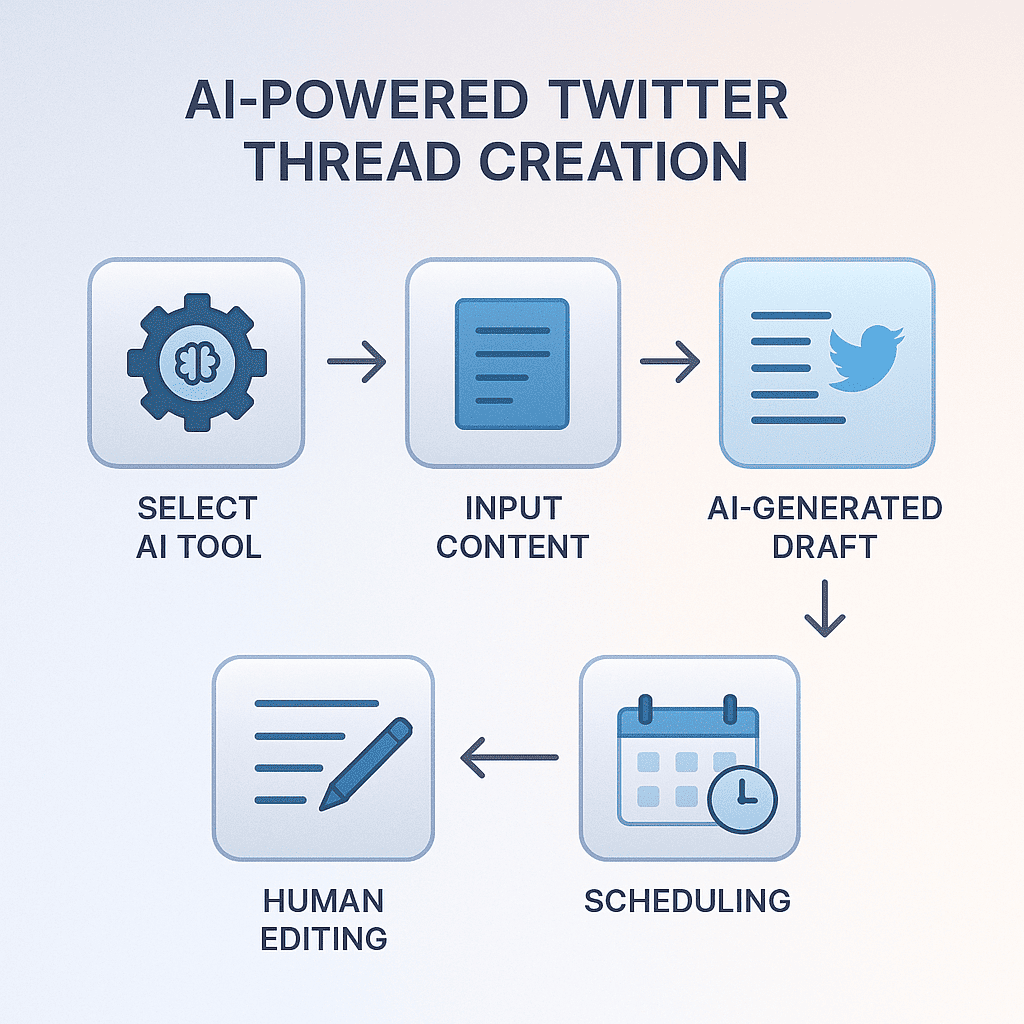
    A stepwise infographic-like digital scene depicting the entire AI-powered Twitter thread creation process: selecting an AI tool, inputting content, AI-generated draft, human editing, and scheduling. Each step is visualized with icons, arrows, and minimalistic text descriptions, all connected in a clean, tech-inspired layout with soft gradients.

    Finding the right AI Twitter thread generator can revolutionize your social media strategy. Here, we dive into the top AI tools designed for automated Twitter threads, highlighting their features, benefits, pros, and cons.

    ThreadMaster
    ThreadMaster is an intuitive Twitter thread creation tool that simplifies the process of crafting engaging threads. It offers features like topic suggestions, AI-powered sentence structuring, and real-time analytics.
    Pros: Easy to use, integrates with multiple social platforms, offers detailed analytics.
    Cons: Limited customization options, premium price.
    TweetChain Pro
    TweetChain Pro stands out with its advanced AI algorithms that tailor content to your target audience. It includes a scheduling feature, ensuring your tweets are posted at optimal times for maximum engagement.
    Pros: Advanced audience targeting, scheduling feature, user-friendly interface.
    Cons: Can be overwhelming for beginners, occasional glitches reported.
    ThreadGenie
    ThreadGenie excels in generating cohesive and captivating threads. Its AI analyzes trending topics and suggests relevant content, making it a great choice for staying current.
    Pros: Excellent content suggestions, keeps threads relevant, affordable pricing.
    Cons: Limited analytics, basic scheduling features.
    Tool Key Features Pros Cons
    ThreadMaster Topic suggestions, AI structuring, analytics Easy to use, multi-platform integration, detailed analytics Limited customization, premium price
    TweetChain Pro Audience targeting, scheduling, user-friendly Advanced targeting, scheduling, intuitive Complex for beginners, occasional glitches
    ThreadGenie Trending topic analysis, content suggestions Great suggestions, affordable, relevant content Basic analytics, limited scheduling

    These tools each offer unique features that cater to different needs, whether you’re looking for ease of use, advanced targeting, or affordability. By understanding the pros and cons of each AI Twitter thread generator, you can choose the best tool to enhance your Twitter strategy and engage your audience effectively.

    Step-by-Step Guide to Using AI Tools

    Using AI tools for Twitter can significantly streamline your content marketing efforts. Here’s a comprehensive guide to help you get started with AI-driven Twitter thread creation.

    Selecting the Right Tool

    First and foremost, you need to choose the right AI tool that fits your needs. Consider factors such as user interface, customization options, and support. Popular tools include InsightDash for data-driven insights and TweetMaster for scheduling and automation.

    Setting Up the Tool

    Once you’ve selected your tool, follow these steps to set it up:

    1. Create an account: Sign up using your email or social media credentials.
    2. Authorize access: Grant the tool access to your Twitter account to enable seamless integration.
    3. Configure settings: Adjust settings to your preference, such as posting times, hashtags, and thread length.

    Creating Your First Twitter Thread

    Now that your tool is set up, let’s create your first Twitter thread:

    1. Draft your content: Write the main points you want to cover. Break them down into concise tweets.
    2. Use the AI tool: Input your draft into the tool. It will suggest improvements, optimal tweet length, and ideal posting times.
    3. Review and edit: Make any necessary edits based on the tool’s recommendations.
    4. Schedule or post: Either schedule the thread for later or post it immediately.

    Tips for Optimizing the Process

    To get the most out of your AI tools and enhance your Twitter threads, consider these tips:

    • Leverage analytics to understand what resonates with your audience.
    • Experiment with different posting times to see when your engagement is highest.
    • Use the ultimate guide on AI post generators to learn more about maximizing your AI tools.
    • Regularly update your content strategy based on performance data.

    By following these steps, you’ll master the art of Twitter thread creation and elevate your content marketing game effortlessly.

    Tips for Optimizing AI-Generated Threads
    A detailed digital scene of a Twitter thread on a large smartphone screen, displaying a series of tweets with eye-catching hooks, hashtags, and multimedia elements (images and videos). The background is filled with likes, retweets, and comments icons floating around, representing high engagement and reach.

    Creating engaging Twitter threads with AI tools can be a game-changer for social media engagement. However, optimization is key to ensuring your threads stand out. Here are some essential tips:

    Maintaining a Consistent Tone and Style

    Consistency in tone and style is crucial when using AI-generated content. Define your brand voice clearly and ensure that the AI tool is trained to emulate this voice. Regularly review the generated content and make adjustments to maintain a seamless and authentic tone across all posts.

    Incorporating Engaging Elements

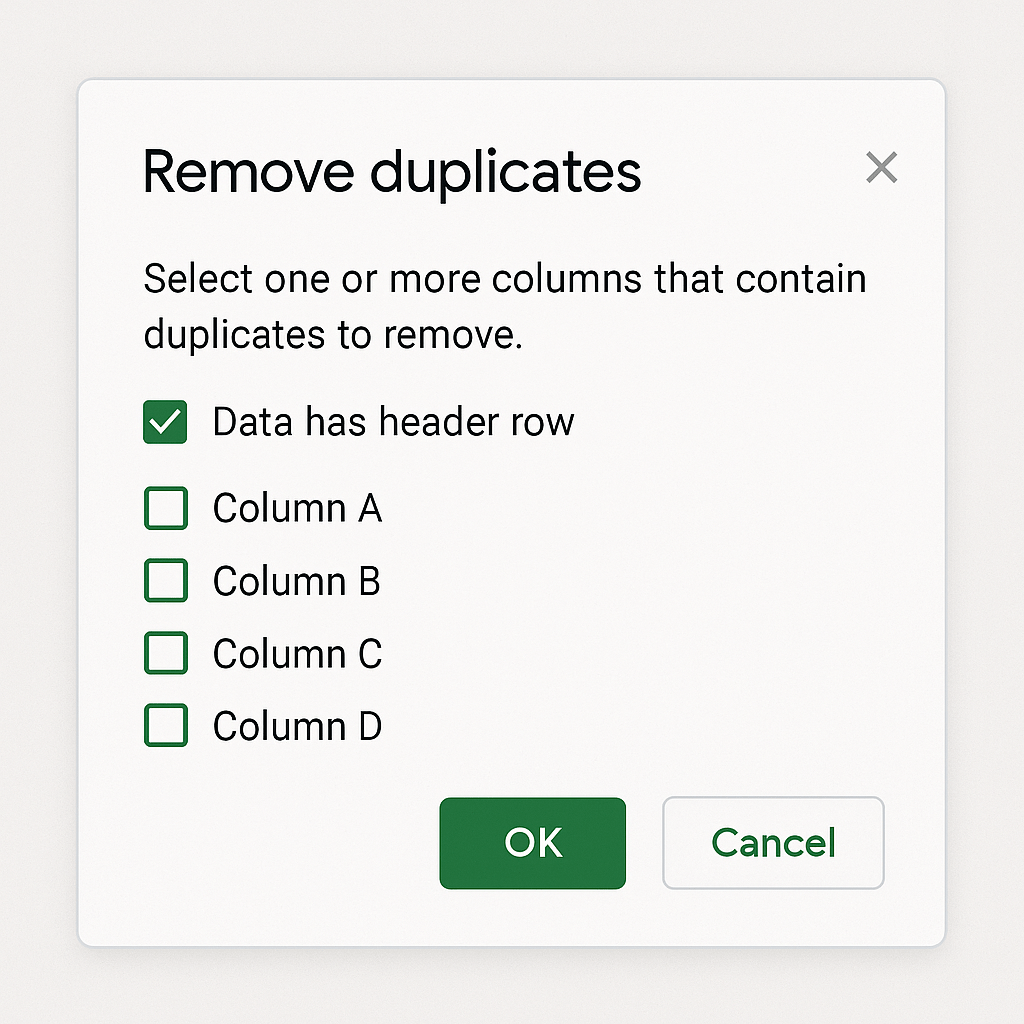
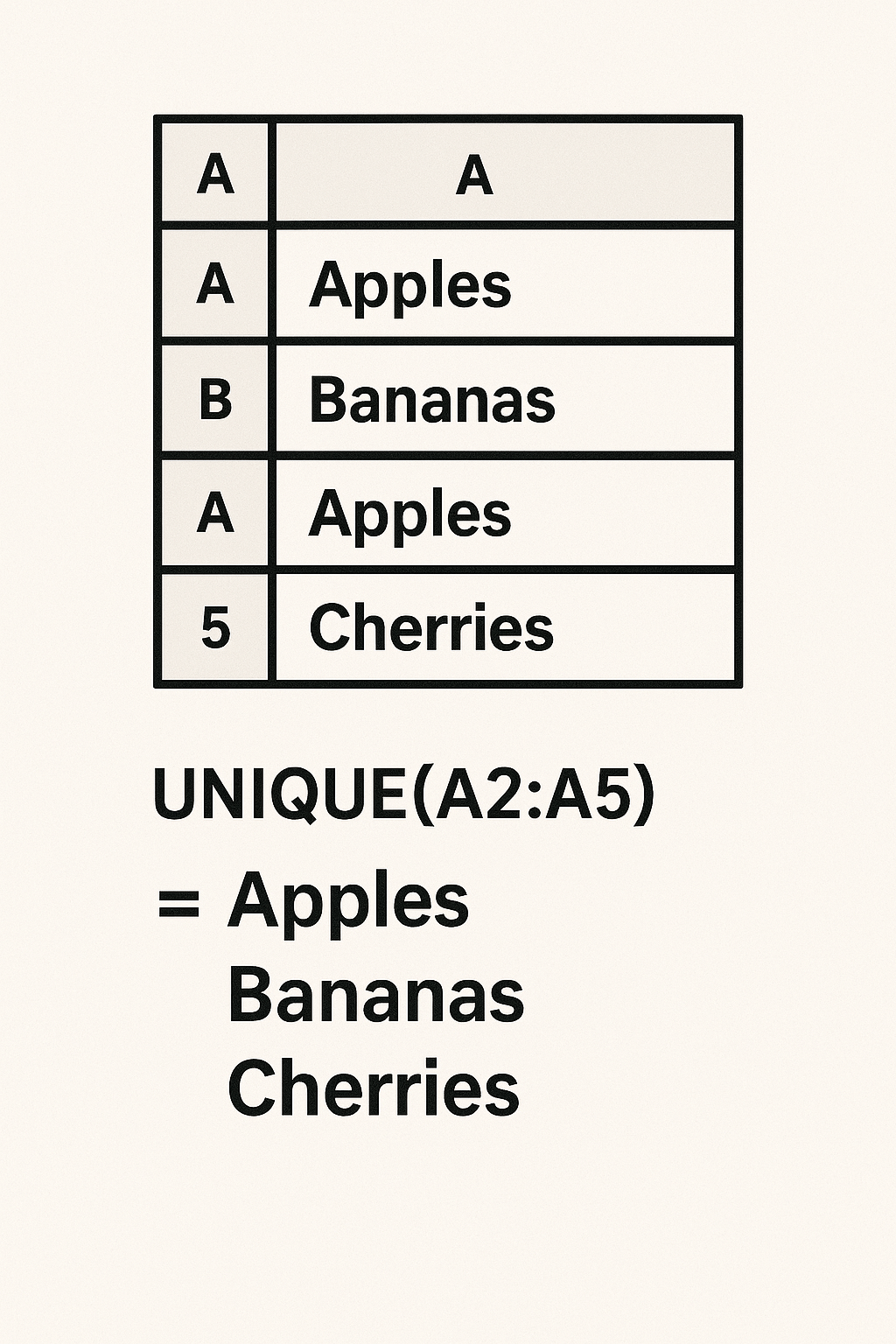
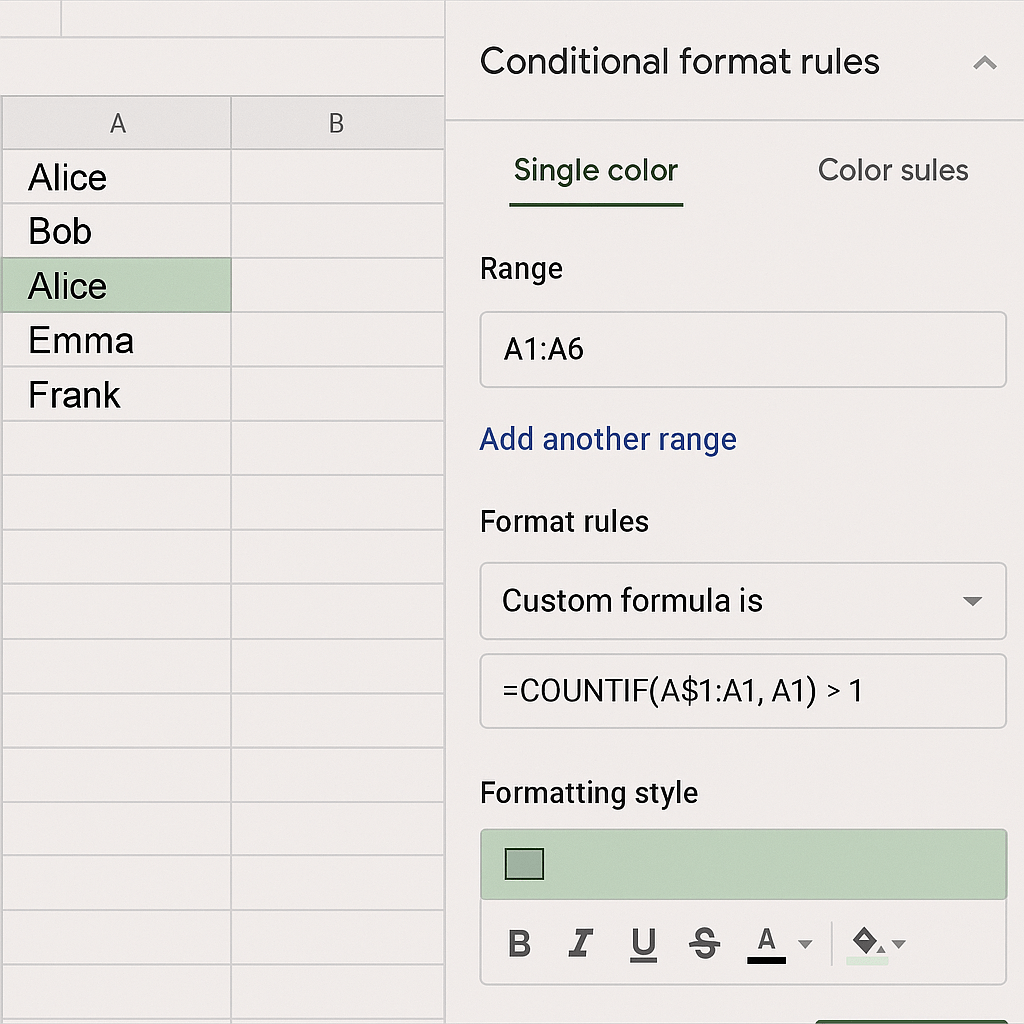
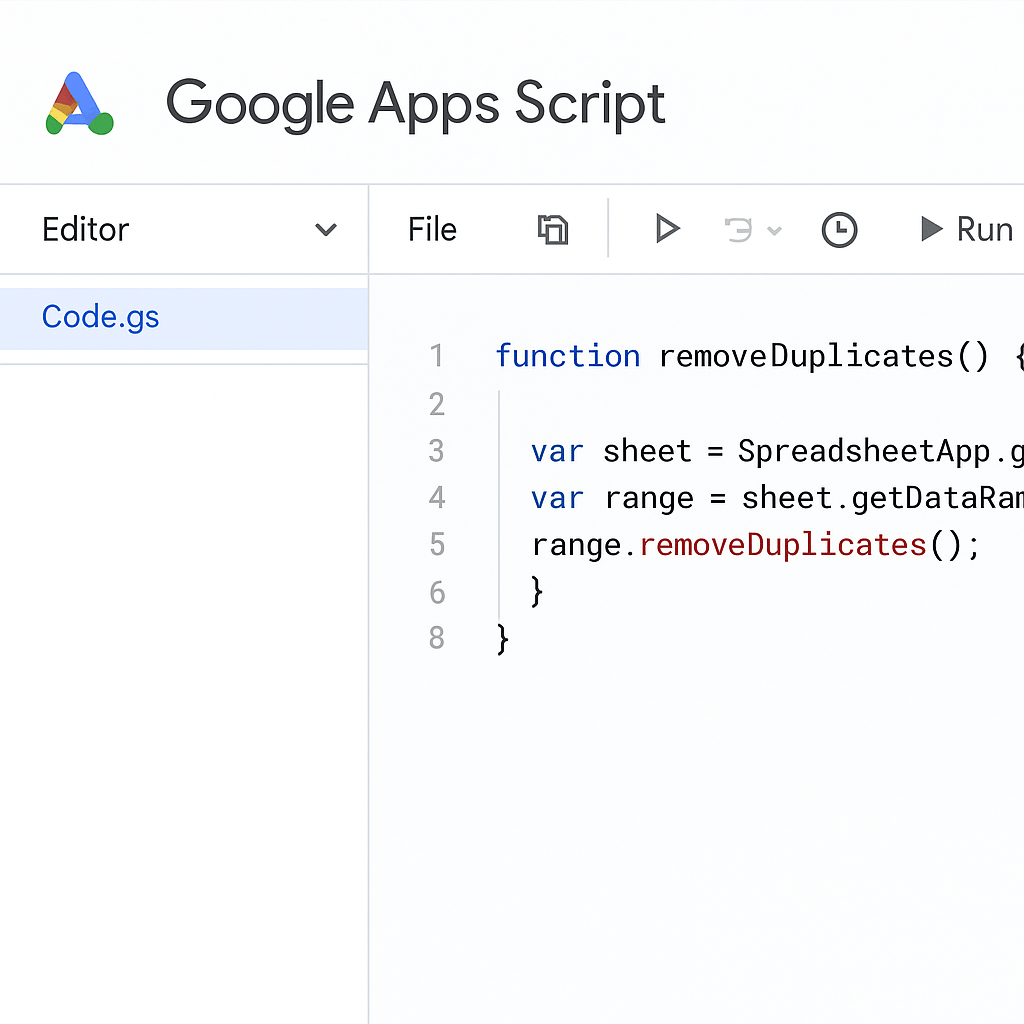
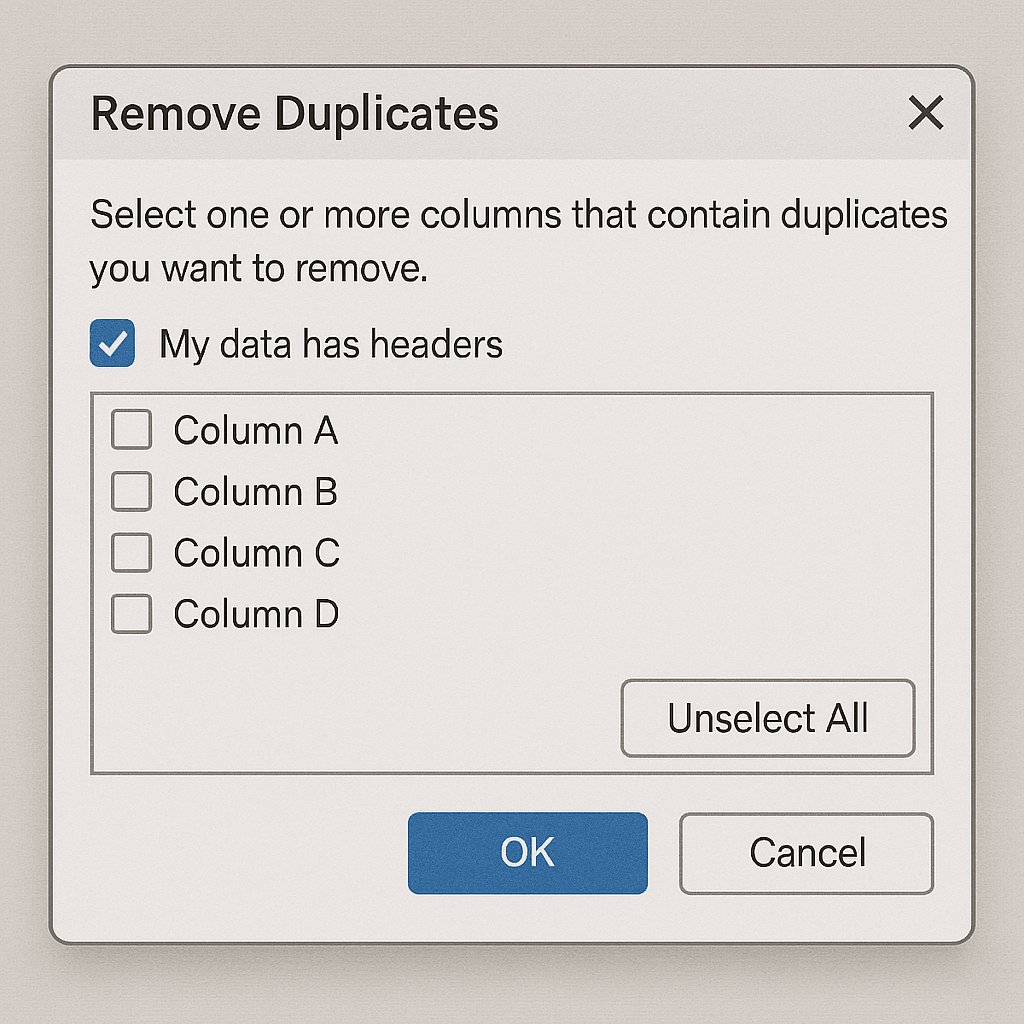
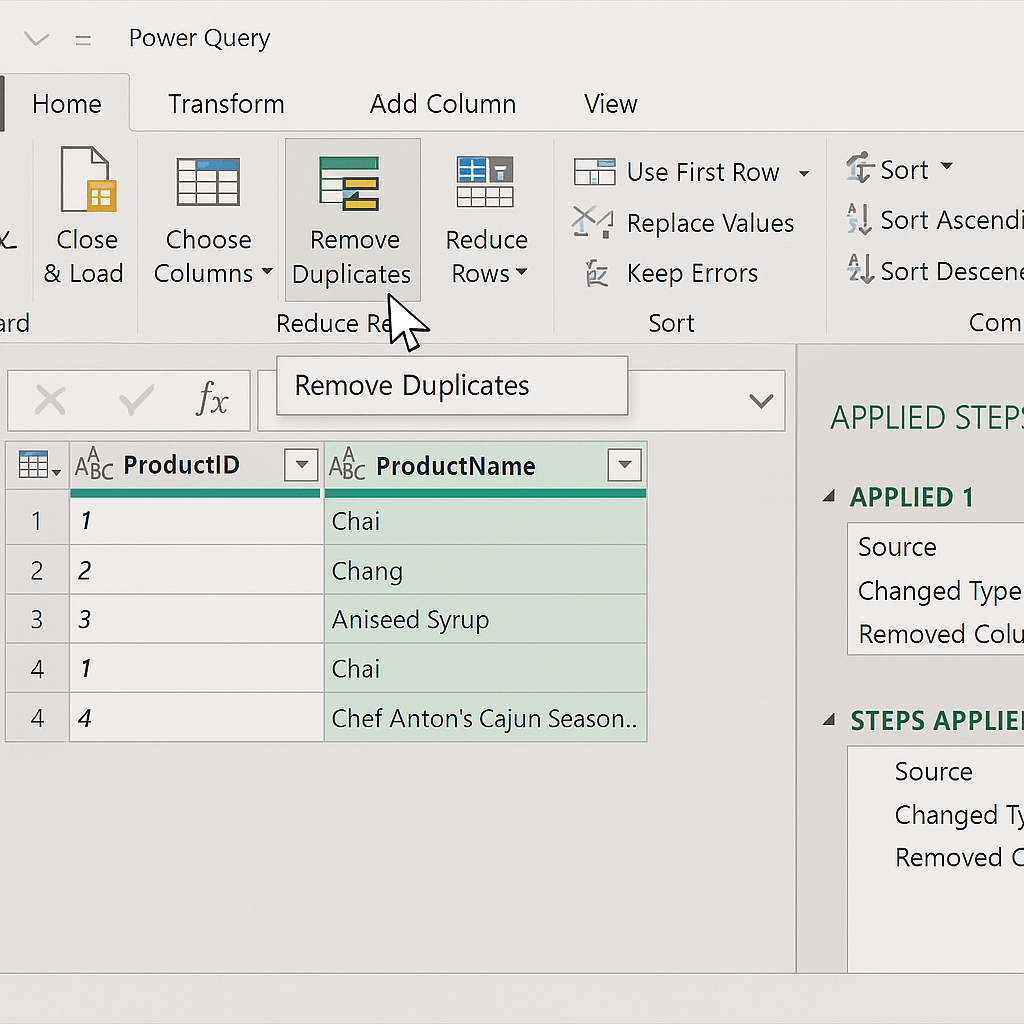
    To captivate your audience, incorporate engaging elements such as questions, polls, and visuals. These elements can significantly enhance interaction and retention. For instance, adding a link on removing duplicates in your data can provide additional value and context to your audience, making the content more interactive and informative.

    Analyzing and Iterating Based on Performance

    Optimization doesn’t end once the thread is posted. Analyze the performance of your AI-generated content using metrics such as engagement rates, likes, retweets, and comments. Identify what resonates with your audience and iterate accordingly. This data-driven approach ensures continuous improvement and relevance.

    By following these tips, you can elevate your AI-generated Twitter threads and maximize social media engagement.

    Case Studies and Real-World Examples

    To truly understand the potential of AI-generated threads, let’s dive into some inspiring case studies that highlight real-world successes and the valuable lessons learned.

    Case Study 1: Successful Campaign
    In early 2023, a leading e-commerce company launched a series of AI-generated threads to promote their new product line. By analyzing customer preferences and past interactions, the AI created personalized content that resonated deeply with the target audience. The result? A 25% increase in engagement and a 15% boost in sales within the first month. This case exemplifies how leveraging AI can lead to substantial improvements in marketing efficiency and effectiveness.
    Case Study 2: Engagement Boost
    A tech startup faced challenges with user retention on its discussion forum. They implemented AI-generated threads to stimulate conversations on trending topics. By continuously updating content based on user interactions, they saw a remarkable 40% increase in active participation over three months. This example underscores the power of AI in keeping content fresh and engaging, ensuring that users remain interested and involved.

    These real-world examples illustrate the transformative impact of AI-generated threads. From boosting sales to enhancing user engagement, these successes offer valuable insights:

    • Personalization is key: Tailored content that speaks directly to user preferences can significantly enhance engagement.
    • Continuous optimization: Regular updates driven by AI insights help maintain content relevance and user interest.
    • Data-driven decisions: Leveraging AI to analyze past interactions allows for more informed and effective marketing strategies.

    These lessons demonstrate that AI-generated threads are not just a trend but a powerful tool for achieving substantial marketing and engagement outcomes.

    Integrating AI Tools with Your Social Media Strategy

    Incorporating AI tools into your social media strategy can transform your approach, making it more efficient and effective. But how do you align these tools with your goals, integrate them across platforms, and measure their success?

    Aligning AI Tools with Your Goals
    First, identify your social media objectives. Are you aiming to boost engagement, streamline content creation, or enhance customer service? Select AI tools for social media that align with these goals. Tools like InsightDash can analyze user interactions to refine your content strategy, while FlowAutomate can assist with scheduling and posting, ensuring content reaches your audience at optimal times.
    Integrating with Other Social Media Platforms
    Ensuring your AI tools work seamlessly across all your social media platforms is crucial. Many tools offer integration capabilities with platforms like Facebook, Twitter, and Instagram. For instance, using a tool like SocialSync, you can automate posts across multiple channels, ensuring consistent messaging and saving time. This holistic approach helps maintain a cohesive brand presence.
    Measuring Success and Iterating
    Finally, to gauge the effectiveness of your AI-powered strategy, monitor key performance indicators (KPIs) such as engagement rates, follower growth, and conversion metrics. Tools like MetricMaster provide insights into these KPIs, allowing you to iterate your strategy based on real-time data. Regular analysis and adjustment ensure your strategy remains dynamic and responsive to audience needs.

    Frequently Asked Questions about Crafting Compelling Twitter Threads with AI

    What is a Twitter thread?

    A Twitter thread is a series of connected tweets from one user, linked together to provide more context, information, or a narrative. It allows users to go beyond the 280-character limit per tweet, sharing detailed thoughts, stories, or updates in a cohesive manner. The benefits of using Twitter threads include engaging your audience with more comprehensive content, encouraging discussions, and increasing visibility and reach on the platform.

    How do AI tools help in creating Twitter threads?

    AI tools can automate the creation process of Twitter threads, ensuring your content maintains consistency in tone and style. This helps in saving precious time, allowing you to focus on other crucial tasks.

    What are the best AI tools for Twitter threads?

    When it comes to creating compelling Twitter threads, tools like ThreadMaster Pro and Tweethub AI stand out. ThreadMaster Pro offers intuitive thread organization and scheduling, ensuring your tweets hit the timeline at optimal times. Tweethub AI excels in generating engaging content suggestions based on trending topics, helping you keep your audience hooked with relevant discussions.

    How can I ensure my AI-generated threads are engaging?

    To enhance engagement, focus on crafting a conversational tone and dynamic style. Analyze your threads’ performance and iterate based on feedback. Remember, an engaging thread captures attention and encourages interaction.

    Can AI tools maintain a consistent tone and style?

    Absolutely! Modern AI tools have advanced capabilities to maintain a consistent tone and style. They come with customization options allowing you to tailor the output to match your brand’s voice. For instance, tools like “ToneMaster” and “StyleSync” let you define specific tone parameters and stylistic preferences. Real-world examples include companies using these tools to produce marketing content that feels personal and engaging, without sacrificing consistency.

    Conclusion

    Crafting compelling Twitter threads in seconds with AI is not just a possibility, it’s a game-changer. AI tools can significantly streamline the process of creating engaging Twitter threads, helping you to reach and resonate with your audience more effectively. However, choosing the right AI tool and optimizing your threads is key to success. By integrating AI-generated content into your broader social media strategy, you can enhance overall engagement and ensure your posts stand out in the crowded digital landscape.

  • 5 Ways an AI Content Generator Can Save Your Marketing Team Hours

    5 Ways an AI Content Generator Can Save Your Marketing Team Hours

    5 Ways an AI Content Generator Can Save Your Marketing Team Hours

    An AI-powered digital workspace with a sleek futuristic design: a group of diverse marketing team members working seamlessly alongside holographic displays and AI-generated content flowing across virtual screens. The scene is illuminated with dynamic blue and purple neon lights, highlighting the advanced technology and efficiency. The setting conveys a modern, innovative atmosphere with a touch of human creativity blending with AI precision.
    In today’s fast-paced digital landscape, an AI content generator can be a game-changer for marketing teams. By streamlining content creation, you can focus on more strategic tasks and drive better results. Let’s explore five ways AI can revolutionize your content strategy and save your marketing team hours.

    1. Automated Content Creation

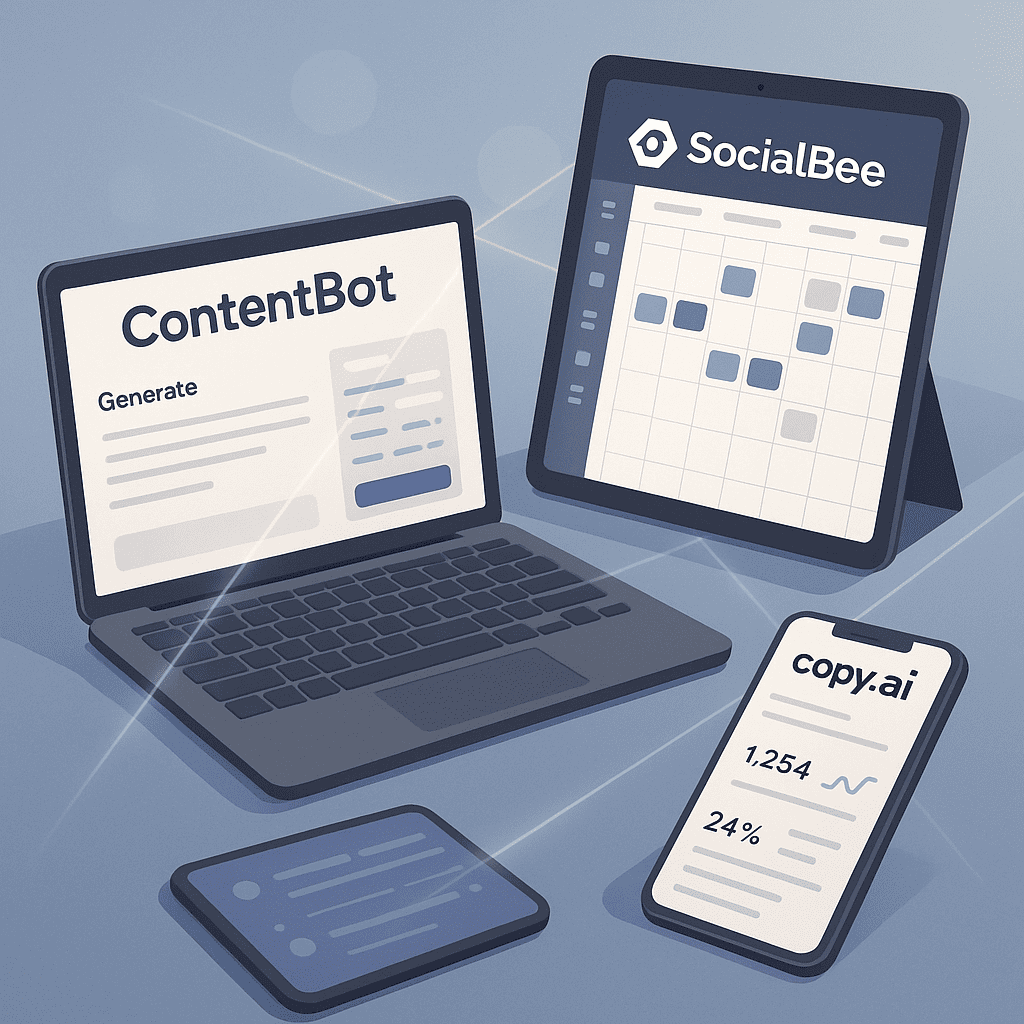
    AI tools can quickly generate high-quality content, from blog posts to social media updates. For example, platforms like ContentBot and Jarvis use sophisticated algorithms to produce engaging text, allowing your team to focus on refining and distributing content.

    2. Enhanced Research Capabilities

    AI can analyze vast amounts of data to provide insights and suggestions for content topics. Tools like BuzzSumo can identify trending topics and popular content formats, helping you stay ahead of the curve.

    3. Personalized Content Experiences

    With AI, you can create personalized content tailored to individual user preferences. Solutions like Persado use machine learning to craft messages that resonate with specific audience segments, improving engagement and conversion rates.

    4. Efficient Content Optimization

    AI-powered tools such as MarketMuse optimize your content for SEO by analyzing keywords and suggesting improvements. This ensures your content ranks higher on search engines, driving more organic traffic to your site.

    5. Real-Time Performance Tracking

    AI can provide real-time analytics and performance metrics, enabling you to adjust your content strategy on the fly. Platforms like DashThis offer comprehensive dashboards that track key performance indicators, ensuring your content efforts are always aligned with business goals.

    By leveraging these AI capabilities, your marketing team can save countless hours while enhancing the quality and effectiveness of your content. Embrace the power of AI and watch your content strategy soar.

    Introduction to AI Content Generators
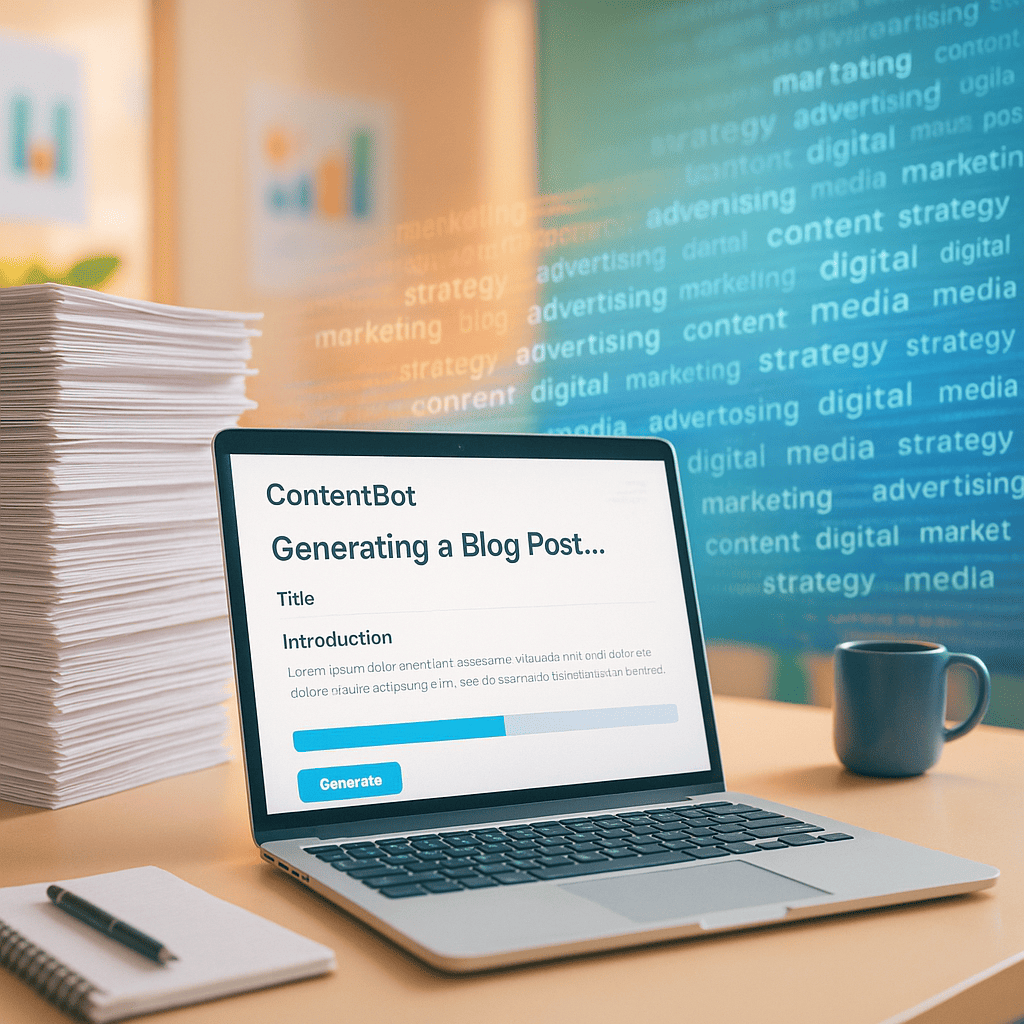
    A modern marketing office scene with a laptop screen displaying a ContentBot-style AI platform generating a blog post automatically. The background shows stacks of papers fading into digital text streams, representing the shift from manual work to AI-powered automation. The atmosphere is clean, vibrant, and energetic.

    AI content generators have revolutionized the landscape of content creation, making it more efficient and innovative. These advanced content creation tools leverage artificial intelligence to produce written content, images, and even videos, streamlining the process significantly.

    The journey of AI in content marketing began modestly, with early systems focusing on simple text generation. Over time, these tools have evolved dramatically, incorporating sophisticated algorithms and machine learning techniques to deliver high-quality, contextually relevant content. Today, AI content generators are capable of mimicking human writing styles, ensuring that the produced content resonates well with the target audience.

    There are several key benefits to using an AI content generator. Firstly, they save an enormous amount of time by automating the content creation process. This allows marketing teams to allocate their resources towards more strategic tasks. Secondly, these tools can enhance creativity by providing fresh perspectives and ideas that a human writer might not consider. Lastly, AI-driven content ensures consistency in tone and style, which is crucial for maintaining brand voice and integrity.

    To dive deeper into how AI is revolutionizing content creation, read our detailed analysis.

    How AI Can Save Time in Content Creation
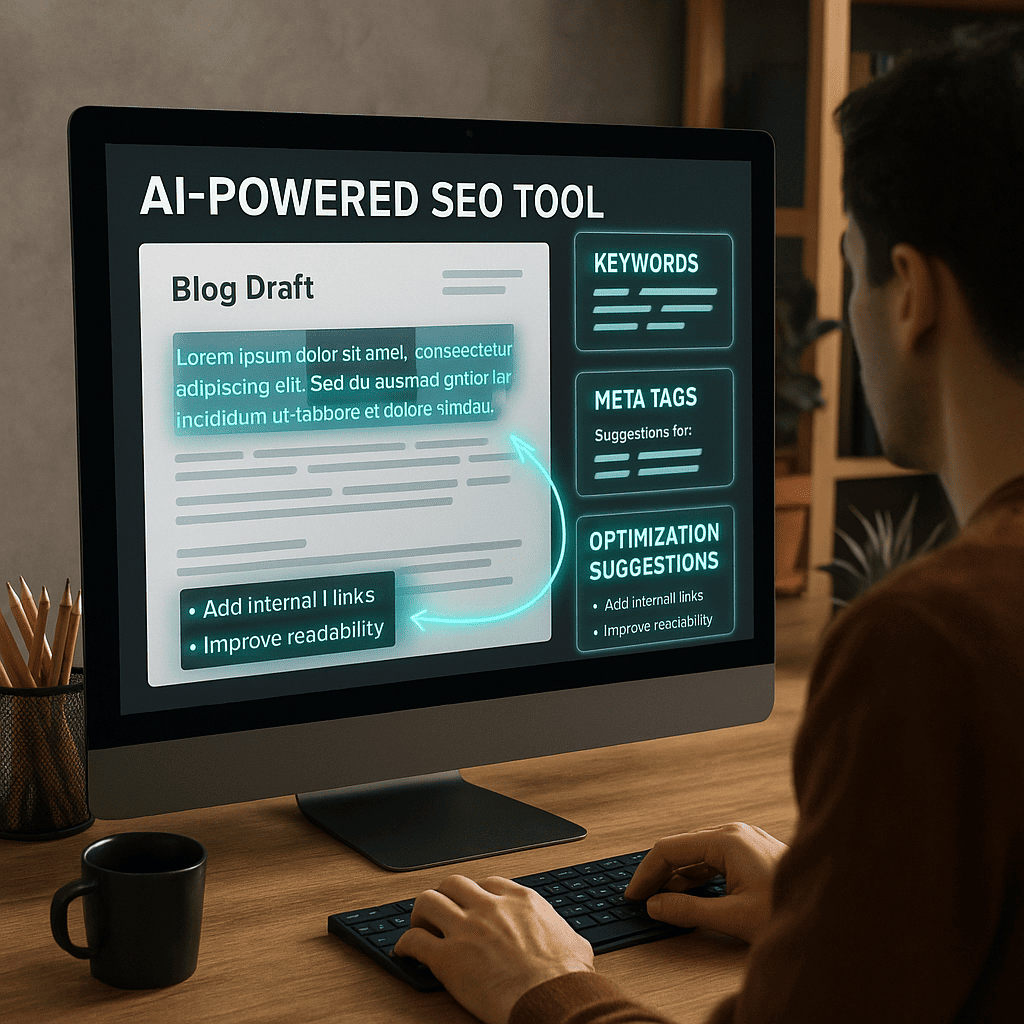
    A creative workspace where an AI-powered SEO tool (like MarketMuse) is analyzing a blog draft. Keywords, meta tags, and optimization suggestions float as digital overlays on the screen. A marketer is seen implementing suggestions while AI visual cues (glowing text and arrows) highlight optimized sections.

    AI content generators have revolutionized the way we approach content creation, significantly enhancing marketing efficiency. By automating repetitive tasks, generating fresh content ideas, optimizing for SEO, personalizing content, and streamlining distribution, AI tools can save you substantial time and effort. Let’s delve into how these aspects are transforming the content landscape.

    Automating Repetitive Tasks

    Repetitive tasks like scheduling posts, sending out newsletters, or managing social media updates can be handled efficiently by AI. Tools like FlowAutomate and ContentBot can take over these mundane activities, allowing you to focus on more strategic aspects. For instance, automating repetitive tasks such as data cleaning in Google Sheets can save hours each week.

    Generating Content Ideas

    AI can also assist in generating content ideas by analyzing trends, audience preferences, and top-performing topics. Tools like IdeaMachine analyze vast amounts of data to suggest relevant and engaging content themes. Imagine your AI assistant suggesting a trending topic that your audience is already talking about—how much easier would that make your brainstorming sessions?

    Optimizing Content for SEO

    SEO optimization is another area where AI excels. Tools like SEORankPro can analyze your content and suggest improvements for better search engine visibility. They can identify keyword opportunities, optimize meta tags, and ensure your content aligns with the latest SEO best practices. This not only boosts your ranking but also drives more organic traffic to your site.

    Personalizing Content for Different Audiences

    Personalization has never been easier with AI. Tools such as AudienceTailor can segment your audience and customize content to match their preferences and behaviors. Whether it’s personalized email campaigns or tailored blog posts, AI enables you to connect with your audience on a deeper, more meaningful level.

    Streamlining Content Distribution

    Finally, AI can streamline content distribution across various channels. Tools like DistributeNow can handle the scheduling and posting of content, ensuring it reaches your audience at the optimal times. This ensures consistent engagement without you having to lift a finger.

    By leveraging AI content generators, you can significantly enhance your marketing efficiency, leaving more room for creativity and strategic planning. It’s a game-changer in the realm of content creation, turning a time-consuming process into a streamlined, efficient workflow.

    Top AI Content Generation Tools
    A futuristic dashboard with real-time analytics and performance metrics displayed on large, curved monitors. A marketing strategist is shown interacting with the dashboards, adjusting content strategy based on live data. The setting is high-tech with a cyber-inspired aesthetic, filled with dynamic graphs, performance bars, and glowing indicators.

    In the dynamic world of AI tools for marketers, it’s essential to stay updated on the best options available. Let’s delve into some of the top content creation tools that can revolutionize your marketing strategy.

    ContentBot
    ContentBot is a versatile tool designed to assist with AI-powered content creation. Key features include automated blog post generation, email drafting, and social media content creation. The tool is user-friendly and ideal for marketers looking to save time while maintaining quality.

    Pros: Intuitive interface, diverse content types, affordable pricing.

    Cons: Limited customization options, occasional need for manual edits.

    Pricing: Starts at $29/month. Learn more.

    Writesonic
    Writesonic offers a comprehensive suite of tools for creating high-quality content quickly. It excels in generating ad copy, landing pages, and long-form articles. Its AI capabilities are robust, making it suitable for various content needs.

    Pros: High-quality output, extensive template library, fast generation times.

    Cons: Higher price point, learning curve for new users.

    Pricing: Starts at $19/month. Learn more.

    Jarvis (Jasper AI)
    Jarvis, also known as Jasper AI, is a powerful tool renowned for its advanced AI algorithms. It’s particularly effective for creating persuasive marketing copy and detailed blog posts. The tool offers a variety of templates to cater to different content needs.

    Pros: High accuracy, customizable outputs, excellent support resources.

    Cons: Premium pricing, occasional off-topic results.

    Pricing: Starts at $29/month. Learn more.

    When comparing different tools, it’s clear that each offers unique strengths tailored to various aspects of marketing. Whether you prioritize affordability, quality, or speed, there’s an AI tool designed to meet your specific needs.

    Implementing AI in Your Content Strategy

    Integrating AI in content marketing can significantly enhance your digital marketing automation and overall content strategy. Let’s break down the process step-by-step to ensure a smooth transition to AI-powered content creation.

    Assessing Your Current Content Strategy

    Start by evaluating your existing content strategy. Identify what works well and where there are gaps. This assessment will help you understand how AI can augment your strategy. For instance, if you struggle with content ideation, an AI tool can generate topic ideas based on trending keywords.

    Choosing the Right AI Tools

    There is a plethora of AI tools available, each with unique features tailored to different aspects of content marketing. Tools like ContentGenius or AutoWriter might be excellent for generating blog posts, while InsightDash can help analyze audience engagement. Choose tools that align with your specific needs and integrate seamlessly with your existing systems.

    Training Your Team on AI Usage

    Once you have selected the tools, training your team is crucial. Ensure that your team understands how to use these tools effectively. This might involve workshops, online courses, or hands-on training sessions. Detailed guides and tutorials can be invaluable. For more about this topic, check out our guide on training your team on new tools.

    Measuring the Impact of AI on Your Content

    Finally, it’s essential to monitor the impact of AI on your content strategy. Use analytics tools to track metrics such as engagement rates, conversion rates, and overall content performance. Compare these metrics to your pre-AI implementation benchmarks to assess the effectiveness of the AI tools.

    Ready to take your content strategy to the next level? Start exploring AI tools today and see the difference it can make.

    Real-World Examples and Case Studies

    To truly understand the impact of an AI content generator, let’s dive into some real-world examples and case studies that showcase how companies have leveraged these tools for impressive results.

    Case Study 1: Company A’s Success Story

    Company A, a mid-sized e-commerce business, faced challenges in creating personalized content at scale. By integrating an AI content generator, they were able to produce custom recommendations and blog posts tailored to their diverse customer base. Within six months, their website traffic surged by 40%, and customer engagement increased significantly.

    One key factor in their success was the AI’s ability to analyze user data and preferences, creating content that resonated deeply with each segment of their audience. This personalized approach not only improved customer satisfaction but also drove higher conversion rates.

    Case Study 2: How Company B Improved Efficiency

    Company B, a digital marketing agency, struggled with the time-consuming task of generating high-quality reports and content for their clients. By adopting an AI content generator, they streamlined their workflow, reducing the time spent on content creation by 50%. This efficiency gain allowed their team to focus more on strategy and creative aspects, enhancing overall service quality.

    The AI tool also ensured consistency in tone and style, which was crucial for maintaining the agency’s professional image. As a result, Company B saw a 30% increase in client retention rates and improved overall client satisfaction.

    Lessons Learned from Real-World Applications

    These case studies highlight several valuable lessons:

    • Customization is Key: Tailoring content to the target audience can significantly boost engagement and conversion rates.
    • Efficiency Gains: AI tools can dramatically reduce the time spent on repetitive tasks, allowing teams to focus on more strategic activities.
    • Consistency Matters: Maintaining a consistent tone and style is essential for brand integrity and professional presentation.

    Tips for Replicating Success

    If you’re looking to replicate these successes, consider the following tips:

    1. Understand Your Audience: Use AI to analyze data and gain insights into your audience’s preferences and behaviors.
    2. Start Small: Begin with a pilot project to test the AI tool’s effectiveness before scaling up.
    3. Monitor and Adjust: Continuously monitor the AI-generated content’s performance and make adjustments as needed to optimize results.

    For more insights on improving efficiency with tools, check out our detailed guide on this topic.

    Frequently Asked Questions about AI Content Generators

    What is an AI content generator?

    An AI content generator is a sophisticated tool that leverages artificial intelligence to create written content. Unlike traditional content creation, which involves manual effort and extensive time, AI content generators use algorithms to produce text rapidly and efficiently. These tools can generate articles, blog posts, product descriptions, and more, often based on specific inputs or prompts.

    AI content generators differ significantly from traditional content creation by automating the writing process. Instead of relying on human creativity and labor, they utilize machine learning models trained on vast datasets to produce coherent and contextually relevant content. This automation enables faster content production and can help maintain consistency across large volumes of text.

    Some popular AI content generators include tools like OpenAI’s GPT-3, Jasper, and Writesonic. These platforms offer various features, from drafting basic content to more advanced capabilities like tone adjustment and stylistic customization, making them invaluable for businesses and content creators alike.

    How does AI improve content creation efficiency?

    AI enhances content creation efficiency by automating repetitive tasks, allowing you to focus on more strategic aspects. Imagine the time saved when AI handles mundane activities like formatting, proofreading, and even generating meta descriptions. This automation is a game-changer in streamlining your workflow.

    Additionally, AI accelerates content generation. With advanced algorithms, AI tools can produce well-structured content in a fraction of the time it would take a human. This speed is particularly beneficial when you need to meet tight deadlines without compromising quality.

    Moreover, AI tools can optimize your content for SEO and personalization. They analyze vast amounts of data to suggest keywords, improve readability, and tailor content to specific audience segments. By leveraging AI, you ensure your content is both search engine-friendly and highly relevant to your readers.

    What are the best AI tools for content generation?

    When it comes to content generation, several AI tools stand out for their exceptional capabilities. Here’s a quick overview:

    InsightDash
    Known for its intuitive interface, InsightDash excels in generating detailed marketing content. Users appreciate its ability to tailor content to specific audiences, earning it high ratings for usability.
    FlowAutomate
    FlowAutomate is celebrated for its robust content automation features. It’s particularly useful for creating large volumes of blog posts and social media updates, with users praising its efficiency and accuracy.
    WordSmith
    WordSmith offers sophisticated language models to create engaging narratives. Its key benefit is versatility, suitable for everything from creative writing to technical documentation. User reviews highlight its natural language output and reliability.

    How do I integrate AI into my existing content strategy?

    Integrating AI into your existing content strategy starts with a thorough assessment of your current approach. Identify the strengths and weaknesses in your current content performance. This will help you pinpoint areas where AI can provide the most benefit, such as content creation, personalization, or analytics.

    Next, selecting the right AI tools is crucial. Consider tools that align with your specific needs, whether it’s generating high-quality content, optimizing SEO, or analyzing user engagement. Tools like ‘ContentGenie’ for writing assistance or ‘InsightAI’ for data analytics can be game-changers.

    Once you have chosen your tools, the implementation phase begins. Train your team on how to use these tools effectively. Start with small pilot projects to refine your approach and gradually scale up as you become more comfortable with the technology. By following these steps, you can seamlessly integrate AI into your content strategy and achieve greater efficiency and effectiveness.

    Are there any risks associated with using AI for content creation?

    While AI can revolutionize content creation, it’s essential to be aware of potential drawbacks. One major concern is the risk of producing low-quality or generic content that fails to engage readers. Additionally, AI systems can inadvertently replicate biases present in their training data, leading to unintended ethical issues.

    To mitigate these risks, it’s crucial to implement best practices for safe AI usage. Regularly review and refine the AI-generated content to ensure it aligns with your brand’s quality standards. Incorporating human oversight can significantly enhance the relevance and accuracy of the content.

  • The Ultimate Guide to Using an AI Post Generator for Instagram

    The Ultimate Guide to Using an AI Post Generator for Instagram

    The Ultimate Guide to Using an AI Post Generator for Instagram
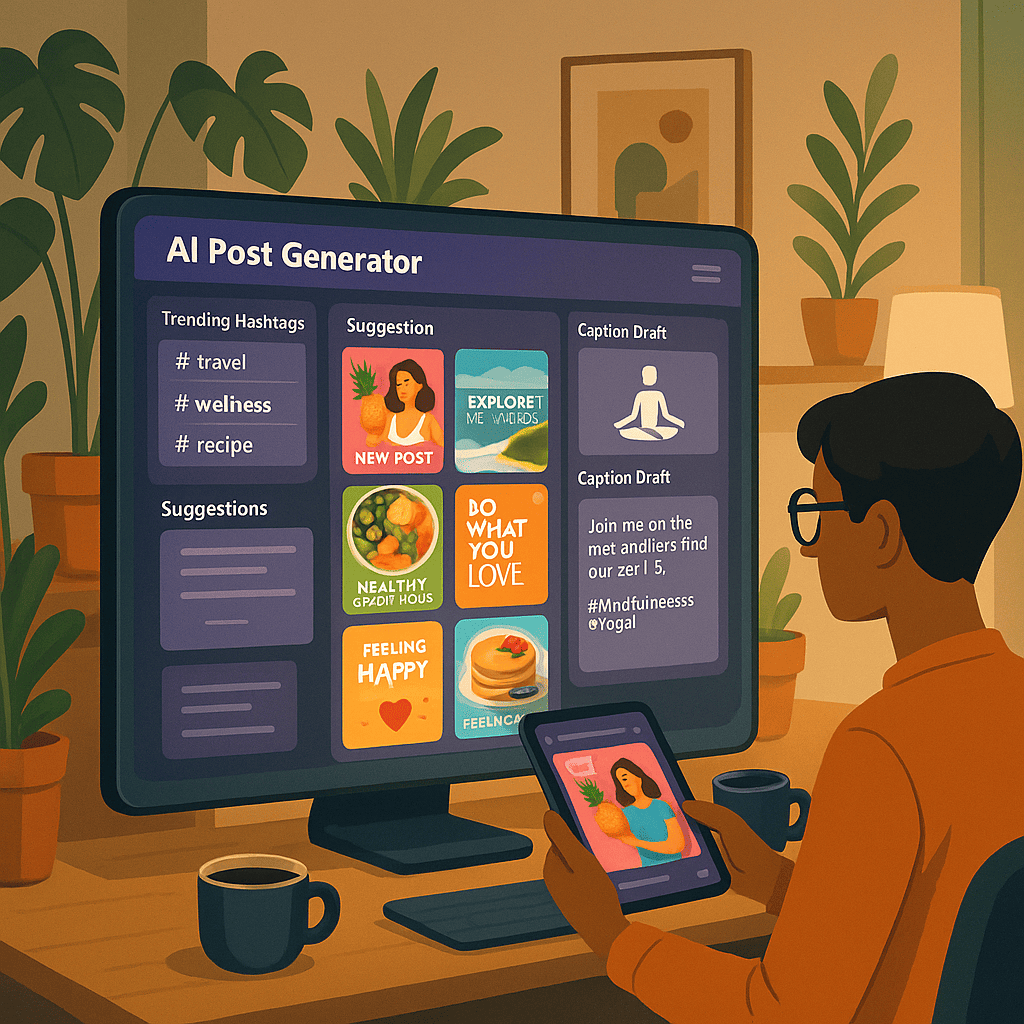
    A futuristic computer screen displaying an AI post generator interface, filled with vibrant Instagram templates and suggestions. The scene features a stylish home office with plants and decor, a person (gender-neutral) using a sleek tablet while sipping coffee. The AI interface highlights trending hashtags, image suggestions, and caption drafts. The setting combines modern technology with cozy aesthetics.

    In today’s fast-paced digital world, AI post generators have become indispensable tools for social media managers, influencers, and businesses looking to elevate their Instagram presence. But how exactly can these tools save you time and effort?

    Firstly, AI post generators streamline the content creation process by analyzing trends, hashtags, and audience engagement patterns. This means you can produce high-quality posts with minimal manual input. Imagine the hours you’ll save by not having to brainstorm captions or design visuals from scratch!

    When it comes to best practices, it’s crucial to review and customize the AI-generated content to align with your brand voice and aesthetic. While AI can handle the heavy lifting, adding a personal touch ensures authenticity and resonance with your audience.

    Real-world examples of successful AI-generated posts are plentiful. For instance, a fashion brand might use AI to create visually appealing posts that highlight their latest collection, complete with engaging captions and trending hashtags. Similarly, a travel blogger could leverage AI to generate captivating posts about their latest adventures, ensuring consistent and engaging content that keeps their followers hooked.

    By incorporating these strategies, you can maximize the benefits of AI post generators and maintain a vibrant and active Instagram profile with ease.

    Introduction to AI Post Generators

    AI post generators, as the name implies, are tools that leverage artificial intelligence to create social media content. These generators have evolved significantly over the past few years. Initially, they were limited to basic text generation, but today’s advanced models can produce high-quality, engaging posts that can be indistinguishable from human-created content.

    The capabilities of AI post generators have expanded to include not only text but also image suggestions, hashtag recommendations, and optimal posting times, making them comprehensive tools for Instagram post automation. They can analyze trends, adapt to the user’s style, and even respond to audience interactions in real-time.

    For social media managers, AI content creation for Instagram is becoming essential. The demand for frequent, high-quality content can be overwhelming, and these tools offer a solution by streamlining the content creation process. By automating routine tasks, AI post generators free up time for more strategic activities, enhancing overall productivity and creativity.

    How AI Post Generators Work

    Understanding AI-generated Instagram posts begins with the basic principles of AI and machine learning. At their core, these technologies analyze vast amounts of data, identifying patterns and learning from them. Think of it like teaching a child: you show them numerous examples, and they start to understand how things work and can replicate similar tasks.

    To break it down step-by-step, let’s explore how AI generates a social media post:

    1. Input Data: The AI system requires input data, which could be images, text prompts, hashtags, or past post performance metrics. This information forms the foundation of the content creation process.
    2. Data Processing: The AI analyzes the input data, identifying trends, popular keywords, and engaging content features. This involves complex algorithms that predict what will resonate best with your audience.
    3. Content Generation: Using the processed data, AI creates a draft post. This includes crafting captions, selecting images, and suggesting hashtags. Tools like InstaCreate or PostGenie exemplify this step, offering tailored content that aligns with your brand’s voice.
    4. Review and Edit: While AI can produce high-quality content, manual review ensures the final post meets your standards and retains a human touch. You can tweak the AI’s suggestions to better fit your unique style.
    5. Publishing: Once approved, the post is scheduled or published directly to your social media platform, thus completing the automation cycle.

    For instance, a platform like ContentWizard can take your prompt “New summer collection launch” and transform it into a captivating Instagram post. It selects a vibrant image, crafts an engaging caption, and suggests trending hashtags like #SummerStyle and #FashionLaunch.

    In summary, AI post generators streamline content creation and social media automation, making it easier for you to maintain an active and engaging online presence. Understanding these mechanics not only demystifies the technology but also empowers you to leverage it effectively.

    Benefits of Using AI for Instagram Posts
    A visually stunning 3D-rendered dashboard showcasing an Instagram automation tool. The interface displays a calendar filled with scheduled posts, graphs tracking engagement metrics, and sections for hashtag suggestions and post templates. The background includes floating social media icons like Instagram, Twitter, and Facebook, symbolizing multi-platform support.

    Leveraging an AI post generator can significantly streamline your social media management. Firstly, one of the most compelling advantages is the time-saving benefits. Instead of spending hours brainstorming, drafting, and designing posts, AI tools can generate high-quality content in minutes, allowing you to focus on other critical aspects of your business.

    Moreover, maintaining a consistent posting schedule is crucial for any Instagram strategy. AI tools ensure that your posts are timely and regular, eliminating the guesswork and manual effort of scheduling. Consistency not only keeps your audience engaged but also signals to the Instagram algorithm that your account is active and relevant, potentially boosting your visibility.

    Enhanced engagement and reach are other key benefits. AI-driven Instagram engagement strategies analyze your audience’s behavior and preferences, tailoring content that resonates and encourages interaction. This personalized approach can lead to higher likes, comments, and shares, expanding your reach organically.

    Lastly, access to design and creativity without needing advanced skills is a game changer. AI tools come equipped with various templates and design elements, making it easy for anyone to create visually appealing posts. You don’t need to be a graphic designer to produce stunning content that captures attention.

    “Using AI for Instagram posts not only saves time but also enhances engagement, ensuring a consistent and creative presence.” – Social Media Expert

    Step-by-Step Guide to Using an AI Post Generator
    A stylish workspace featuring a designer or influencer brainstorming with AI assistance. The scene includes sticky notes with content ideas, a large monitor displaying AI-generated captions and images, and a digital drawing pad. A cat lounging nearby adds a playful touch. The color scheme is vibrant and modern, symbolizing creativity and tech.

    Learning how to use AI to create Instagram posts can significantly streamline your content creation process. Let’s walk through the steps, from choosing the right AI tool to monitoring and optimizing your posts’ performance.

    Choosing the Right AI Tool

    There are numerous AI tools available, each with its own unique features. When selecting a tool, consider your specific needs. For instance, if you require advanced scheduling options, a tool like InstaScheduler might be ideal. Alternatively, if you prioritize content suggestions, PostGenius could be a better fit. Look for tools that offer a user-friendly interface, robust support, and compatibility with Instagram’s API.

    Setting Up and Configuring the Tool

    Once you’ve chosen your tool, the next step is setup. This typically involves creating an account, linking your Instagram profile, and configuring the tool to match your preferences. Take the time to explore the settings thoroughly—you may find options to customize post templates, hashtags, and posting times. Don’t forget to enable analytics features to track your posts’ performance.

    Creating and Scheduling Posts

    With your tool configured, you can start creating content. Most AI tools offer templates and content suggestions based on trending topics. Use these features to draft engaging posts quickly. Remember to maintain your brand’s voice and style. Once your posts are ready, schedule them. Automated scheduling ensures that your posts go live at optimal times, enhancing engagement without requiring constant manual intervention. For more detailed scheduling tips, check out our Step-by-step guide on scheduling content.

    Monitoring and Optimizing Performance

    After your posts are live, the final step is monitoring their performance. Use the analytics tools provided by your AI tool to track metrics such as likes, comments, shares, and overall engagement. Analyze this data to understand what works best with your audience. If certain types of posts perform better, create more of that content. Regularly review and adjust your strategy based on performance insights to optimize your Instagram post automation.

    By mastering these steps, you’ll harness the full potential of AI tools to create and manage your Instagram content effortlessly. Dive in, explore the features, and watch your engagement soar!

    Best Practices for AI-Generated Instagram Content
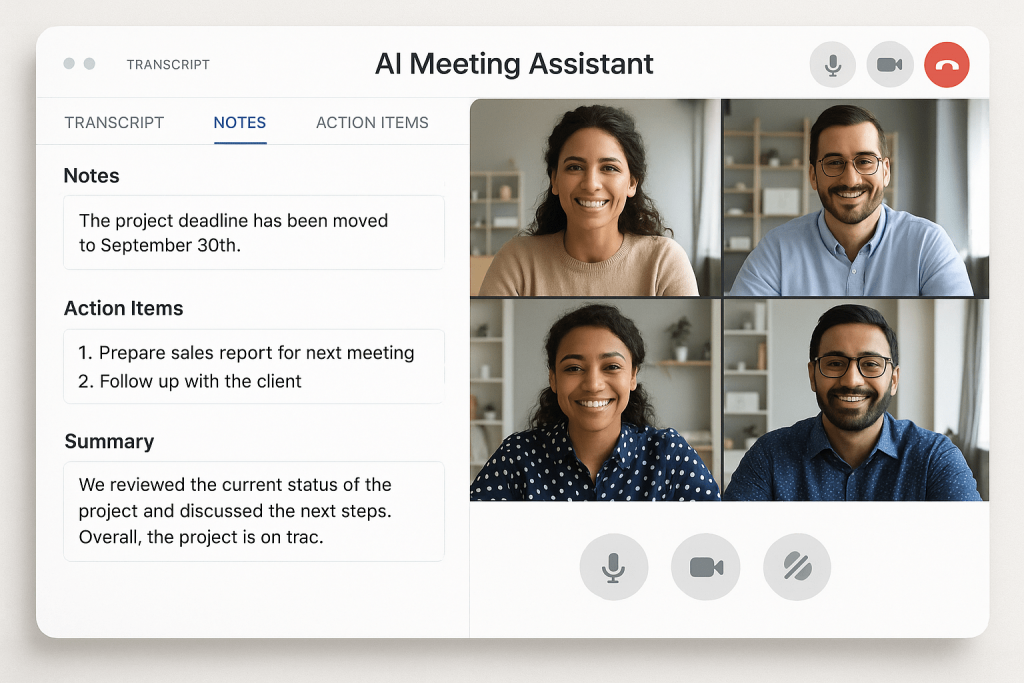
    A digital graph showing dramatic growth in Instagram engagement metrics—likes, comments, shares—superimposed over a mobile phone displaying a captivating Instagram post. The AI engine, represented as a glowing neural network, extends from the phone, symbolizing its role in boosting interaction and reach. The background is clean, with soft pastel gradients.

    Creating AI-generated Instagram posts that resonate with your audience requires a strategic approach. Here are the best practices to ensure your content aligns with your brand voice, complies with guidelines, and maximizes engagement.
    Aligning Content with Brand Voice

    It’s crucial that your AI-generated posts reflect your brand’s personality and tone. Whether your brand is playful, professional, or somewhere in between, ensure the language, imagery, and overall vibe of your posts are consistent. Regularly review the generated content to make necessary adjustments, keeping your brand identity intact.

    Ensuring Compliance with Instagram Guidelines

    Compliance is key to avoiding penalties and maintaining a good standing on Instagram. Always follow Instagram’s Community Guidelines and terms of service. This includes appropriate content, avoiding spammy behavior, and respecting intellectual property rights. Regular audits of your posts can help you stay compliant.

    Optimizing Posts for Engagement

    To boost Instagram engagement strategies, focus on crafting captivating captions, using relevant hashtags, and posting at optimal times. Engage with your audience through comments and DMs to foster a sense of community. Experiment with different formats like stories, reels, and carousel posts to keep your content dynamic and appealing.

    Regularly Reviewing and Adjusting Strategies

    Your social media marketing strategy should be flexible. Regularly analyze the performance of your AI-generated content using Instagram Insights. Identify what works and what doesn’t, then tweak your approach accordingly. Staying agile allows you to adapt to trends and audience preferences effectively.

    Download our AI-Generated Content Checklist to ensure your posts are always on point!

    Case Studies and Real-World Examples

    To truly understand the impact of AI Instagram post generators, let’s dive into some real-world examples. These case studies highlight how brands have leveraged digital marketing tools to achieve impressive results.

    Case Study 1: Brand X’s Success Story
    Brand X, a well-known fashion retailer, integrated an AI Instagram post generator into their social media strategy. They aimed to increase their engagement rates and streamline content creation. Within six months, Brand X saw a 35% increase in engagement and a 20% rise in follower count. Their secret? Regularly using AI to generate visually appealing and relevant content that resonated with their audience.
    Case Study 2: How Brand Y Increased Engagement
    Brand Y, a startup in the tech industry, was struggling with low engagement on their Instagram profile. After researching AI Instagram post generator reviews, they decided to implement a social media automation tool. The results were astounding. In just three months, their posts received double the average likes and comments. Brand Y attributed this success to the AI’s ability to tailor posts to current trends and user preferences.
    Brand Goals Results AI Tool Used
    Brand X Increase engagement, streamline content creation 35% increase in engagement, 20% rise in followers SocialMediaCraft
    Brand Y Boost engagement Double the likes and comments InstaTrend

    From these case studies, it’s clear that leveraging social media automation can lead to significant improvements in engagement and content performance. The key takeaway? Choosing the right AI tool and integrating it effectively into your strategy can transform your digital marketing efforts.

    Comparing Top AI Post Generators

    When it comes to finding the best AI tools for Instagram content, it’s essential to compare the leading options available. Here, we provide an overview of the top AI tools, their standout features, pros and cons, and user reviews and ratings. This will help you make an informed decision on which AI Instagram post generator suits your needs best.
    Tool Features Pros Cons User Ratings
    InstaCreate Automated post generation, Hashtag suggestions, Analytics Easy to use, Great content ideas Limited customization 4.5/5
    PostWizard Content scheduling, AI-driven captions, Multi-platform support Comprehensive scheduling, Excellent AI captions Expensive 4.3/5
    GramGenius Engagement tracking, Content templates, Real-time suggestions Highly customizable, Detailed analytics Steep learning curve 4.7/5

    InstaCreate shines with its ease of use and great content ideas, making it a favorite among beginners. However, its limited customization can be a drawback for advanced users. PostWizard, on the other hand, offers robust content scheduling tools and AI-driven captions, although its higher cost might be a concern for some. GramGenius is highly customizable and provides detailed analytics, but it may take some time to master.

    For more in-depth comparisons of tools, check out our Comparison of tools article.

    By understanding the features, pros, and cons of these AI Instagram post generators, you can choose the one that best fits your content creation and scheduling needs.

    Addressing Ethical and Compliance Concerns

    When it comes to AI content creation for Instagram, maintaining ethical standards and ensuring compliance with Instagram’s guidelines is paramount. As AI technology becomes increasingly integral in content strategies, the responsible use of these tools cannot be overstated.

    First and foremost, let’s delve into the ethical use of AI in content creation. Ethical AI usage means creating content that is authentic, respectful, and adheres to the privacy of users. It’s essential to avoid deepfakes, misleading information, or content that could potentially harm or deceive your audience.
    Equally important is Instagram guidelines compliance. Instagram has specific community guidelines that all content must adhere to, including prohibitions against hate speech, explicit content, and misinformation. Regularly reviewing these guidelines ensures that your AI-generated content remains within the platform’s acceptable standards.

    Addressing potential risks and challenges is another critical aspect. AI tools can sometimes produce content that may inadvertently violate ethical norms or platform guidelines. It is crucial to implement oversight mechanisms, such as human review and regular audits of content, to mitigate these risks. This proactive approach helps in identifying and correcting any issues before content goes live.
    Lastly, adopting best practices for ethical AI usage can significantly enhance your content strategy. This includes transparency about AI usage, obtaining proper consent for data used in content creation, and continually educating yourself and your team on emerging ethical standards in AI.

    For further reading on compliance, review the Instagram Community Guidelines.

    Frequently Asked Questions about Using an AI Post Generator for Instagram

    What is an AI post generator?

    An AI post generator is a tool that uses artificial intelligence to create written content automatically. By leveraging advanced algorithms, it can generate posts for blogs, social media, and other platforms with minimal human input. This technology analyzes data, understands context, and mimics human writing styles to produce coherent and engaging content.

    Unlike manual content creation, which requires significant time and effort from a writer, AI post generators can produce high-quality content quickly and efficiently. They are especially useful for generating large volumes of content, ensuring consistency, and maintaining a steady posting schedule.

    Is it safe to use AI-generated content on Instagram?

    When it comes to using AI-generated content on Instagram, safety hinges on two main factors: compliance with Instagram’s guidelines and ethical considerations.

    First and foremost, ensure that your AI-generated posts adhere to Instagram’s community guidelines. This includes avoiding misleading information, respecting intellectual property, and not engaging in spammy behavior. Violating these rules could lead to account suspension or other penalties.

    Ethical considerations are equally important. Transparency with your audience about the use of AI in content creation can build trust and authenticity. Misleading followers with AI content without disclosure might tarnish your brand’s reputation.

    How can I ensure my AI-generated posts align with my brand voice?

    Customizing AI settings is crucial to tailoring content that reflects your brand’s unique tone. By adjusting parameters like tone, style, and formality, you can guide the AI to produce posts that resonate with your audience. For instance, if your brand is playful and casual, setting the AI to use informal language and a light-hearted tone will help maintain consistency.

    Regular review and adjustments are equally important. Routinely reviewing the generated content

  • How AI is Revolutionizing Social Media Content Creation for SMBs

    How AI is Revolutionizing Social Media Content Creation for SMBs

    How AI is Revolutionizing Social Media Content Creation for SMBs
    A cozy, small business office with a digital assistant (in the form of a floating AI interface) helping a person manage social media tasks. The AI screen shows post scheduling, analytics graphs, and engagement metrics. The human looks relaxed, sipping coffee, symbolizing the time-saving and productivity-enhancing benefits of AI.

    In today’s fast-paced digital landscape, AI is revolutionizing social media content creation for SMBs, making it more efficient and cost-effective. Imagine having a tool that can generate engaging posts in seconds, allowing you to focus on other critical aspects of your business. That’s the power of AI.

    First and foremost, AI simplifies and speeds up the content creation process. Tools like ContentGenius and AutoPost can analyze trending topics, generate creative ideas, and even draft posts tailored to your brand’s voice. This not only saves time but also ensures consistency and quality across all your social media channels.

    When it comes to the best AI tools for small businesses, ContentGenius and AutoPost are top contenders. These platforms offer user-friendly interfaces and robust features designed specifically for SMBs. They handle everything from content planning and scheduling to performance analytics, providing a comprehensive solution to your social media needs.

    Integrating AI into your social media strategy is straightforward. Start by identifying the tasks you spend the most time on and explore AI tools that can automate these processes. Gradually implement these tools, monitor their performance, and adjust your strategy accordingly. The goal is to enhance your productivity without compromising on the quality of your content.

    By embracing AI, SMBs can stay competitive in the ever-evolving social media landscape. It’s not just about keeping up; it’s about leveraging technology to propel your business forward.

    Introduction to AI in Social Media

    Artificial Intelligence, or AI, has become a game-changer in various domains, including social media. AI in social media refers to the use of advanced algorithms and machine learning to analyze, interpret, and generate content, making it a pivotal tool for modern digital platforms.

    Initially, AI’s role in social media was limited to basic automation tasks like scheduling posts. However, the landscape has evolved dramatically over the past decade. From personalized content recommendations to sentiment analysis and real-time customer support, AI-powered content creation is now at the forefront, transforming how brands engage with their audiences.

    Current trends highlight AI’s growing sophistication. Tools can now craft tailored marketing messages, predict trends based on user behavior, and even create visually appealing posts automatically. As AI technology continues to advance, its applications in social media are set to become even more revolutionary, offering unprecedented opportunities for enhanced user engagement and strategic content planning.

    Benefits of AI for Small Businesses
    A clear step-by-step digital roadmap displayed on a futuristic screen. Each step—like "Assess Strategy," "Choose AI Tools," "Set Up & Configure," "Monitor & Optimize"—is visually represented with icons (magnifying glass, gear, checklist, graph). A person points at the screen, indicating active planning and decision-making.

    When it comes to leveraging AI tools for social media, the benefits for small businesses are immense. Let’s delve into how AI can transform your social media strategy.

    Time-Saving Benefits

    One of the most significant advantages is the time-saving aspect. AI tools can automate routine tasks like scheduling posts and responding to customer inquiries. This automation frees up valuable time for you to focus on other critical areas of your business. For instance, tools like ‘InsightDash’ can schedule posts for peak engagement times, ensuring maximum reach without you having to lift a finger.

    Consistency in Posting

    Consistency is key to maintaining an engaged audience. AI ensures that your posting schedule is never disrupted, even during busy periods. With AI, you can set a content calendar in advance and automate your posts, maintaining a steady stream of content that keeps your audience engaged. This is crucial for building a reliable brand presence.

    Enhanced Engagement and Personalization

    AI doesn’t just post on your behalf; it also helps in enhancing engagement. Advanced AI tools analyze user interactions and provide insights to tailor your content. Personalized recommendations can significantly boost engagement rates. Imagine a tool that suggests content based on trending topics and your audience’s preferences — that’s the power of AI, making your interactions more relevant and impactful.

    Cost Efficiency

    For small businesses, managing budgets is always a priority. AI tools for social media offer a cost-effective solution by reducing the need for extensive human resources. Instead of hiring a large team, you can rely on AI to handle many tasks, thereby cutting down costs significantly. This efficiency allows you to allocate resources more strategically across your business.

    In summary, the benefits of AI for small businesses are profound, from saving time and ensuring consistency to enhancing engagement and reducing costs. If you’re looking to optimize your social media strategy, exploring the potential of AI tools is a smart move. For more on effective content management strategies, check out our detailed guide here.

    Top AI Tools for Social Media Content Creation
    A modern digital workspace showcasing popular AI tools. Laptops, tablets, and phones display interfaces of ContentBot, SocialBee, and Copy.ai with visible features like text generation, scheduling calendars, and analytics dashboards. The tools are labeled with sleek branding, and subtle light beams connect them, highlighting their integration into a cohesive strategy.

    In the ever-evolving landscape of social media, finding the right AI tools for social media can be a game-changer. These tools not only simplify the process but also enhance the quality and engagement of your content. Let’s explore some of the most popular AI-powered content creation tools and see how they stack up against each other.

    ContentBot
    ContentBot is an AI-powered tool designed to generate high-quality text content. Its advanced algorithms can create blog posts, social media content, and even ad copy within minutes.
    Features: Customizable templates, multi-language support, and SEO optimization.
    Pros: User-friendly interface, quick content generation, and versatile applications.
    Cons: Can be expensive for small businesses, occasional need for human editing.
    SocialBee
    SocialBee excels in curating and scheduling social media posts. It uses AI to recommend the best content for your audience, ensuring higher engagement rates.
    Features: Content curation, post scheduling, and analytics.
    Pros: Efficient scheduling, insightful analytics, and content suggestions.
    Cons: Limited customization options, subscription-based pricing.
    Copy.ai
    Copy.ai leverages AI to generate compelling copy for various platforms. It’s perfect for creating engaging social media posts, advertisements, and even email content.
    Features: Multiple copywriting frameworks, extensive language support, and collaboration tools.
    Pros: High-quality outputs, comprehensive language options, and ease of use.
    Cons: May produce repetitive content, higher cost for advanced features.

    To help you make an informed decision, here’s a comparison of these AI tools:

    Tool Best For Key Features Pros Cons
    ContentBot Text Content Creation Customizable templates, Multi-language support, SEO optimization User-friendly, Quick generation, Versatile Expensive, Needs editing
    SocialBee Content Curation & Scheduling Content curation, Post scheduling, Analytics Efficient, Insightful, Content suggestions Limited customization, Subscription-based
    Copy.ai Copywriting Multiple frameworks, Language support, Collaboration tools High-quality, Comprehensive, Easy to use Repetitive content, Higher cost

    Choosing the right AI tool for social media content creation depends on your specific needs and budget. While each has its strengths and weaknesses, they all offer unique benefits that can significantly enhance your social media strategy.

    How to Implement AI Tools in Your Social Media Strategy
    A collage of three mini-scenes: (1) A fashion brand’s vibrant social media feed with high engagement numbers and trend analytics; (2) A travel influencer editing a video with an AI-generated highlight reel on a laptop; (3) A customer service chatbot on a smartphone screen providing instant responses, with a happy customer nearby. Each scene is seamlessly integrated with digital connection lines, illustrating AI’s impact across industries.

    Implementing AI tools in your social media strategy can seem daunting, but with a clear plan, you can enhance your engagement and streamline management. Here’s a step-by-step guide to get you started:

    1. Assessing Your Current Social Media Strategy

    Before diving into AI tools, evaluate your existing social media strategy. Identify what’s working, what’s not, and where you need improvements. This assessment will help you pinpoint the areas where AI can be most beneficial.

    2. Choosing the Right AI Tools

    Selecting the right AI tools is crucial. Look for tools that align with your specific needs, such as automated social media management or content creation. Consider tools like SocialBee for scheduling posts or Lately for AI-driven content generation. Research and compare to find the best fit for your goals.

    3. Setting Up and Configuring the Tools

    Once you’ve chosen your tools, follow the setup instructions. Most AI platforms offer tutorials and support to help you get started. For a detailed guide, you can refer to this step-by-step implementation guide. Customize the settings to match your brand’s voice and strategy.

    4. Monitoring and Optimizing Performance

    After implementation, regularly monitor your AI tools’ performance. Analyze the data and insights they provide to understand what’s working. Adjust your strategy and tool settings as needed to optimize results. Remember, AI strategies for enhancing social media engagement are most effective when continuously refined.

    By following these steps, you can integrate AI seamlessly into your social media strategy, making your efforts more efficient and impactful.

    Case Studies and Real-World Examples

    Understanding the potential of AI in social media can be best achieved through real-world examples and detailed case studies. Let’s dive into a few success stories that highlight the transformative power of AI-powered content creation.

    Case Study 1: Brand X’s Social Media Overhaul
    Brand X, a mid-sized fashion retailer, leveraged AI tools to revamp their social media strategy. By employing AI-driven analytics, they identified the most engaging content types and optimal posting times. Over three months, they saw a 40% increase in user engagement and a significant boost in follower growth.
    Case Study 2: Influencer Y’s Content Efficiency
    Influencer Y, known for their travel vlogs, utilized AI-powered content creation tools to streamline their video editing process. The AI’s ability to automatically generate captions, suggest edits, and even create highlight reels allowed Influencer Y to focus more on content creation and less on editing. This efficiency led to a 30% increase in content output and a 25% rise in viewer retention.
    Case Study 3: Company Z’s Customer Engagement
    Company Z, a tech startup, implemented AI chatbots on their social media platforms to handle customer inquiries. These chatbots provided instant responses to common questions and directed more complex issues to human agents. As a result, customer satisfaction scores improved by 50%, and the human support team could focus on higher-value interactions.

    These examples illustrate the tangible benefits and lessons learned from integrating AI into social media strategies. By harnessing the power of AI, businesses and influencers can enhance efficiency, boost engagement, and achieve remarkable growth.

    Long-term Benefits and ROI of AI in Social Media

    Integrating AI into your social media strategy can deliver sustained engagement and growth, making it one of the most compelling benefits of AI for small businesses. Think about predictive analytics—this powerful tool helps businesses anticipate customer needs and trends, maintaining relevance and fostering long-term loyalty.

    Over time, AI-driven solutions can lead to significant cost savings. Automating routine tasks such as scheduling posts or responding to common queries not only reduces labor costs but also allows your team to focus on more strategic activities, ultimately boosting your ROI.

    Beyond financial benefits, AI enhances customer relationships by providing personalized experiences. Imagine your AI tool analyzing customer interactions to tailor content and offers specifically for them. This level of personalization improves customer satisfaction and retention, translating into a more robust and engaged customer base over the long term.

    In essence, the long-term benefits and ROI of AI in social media are substantial. By leveraging predictive analytics and other AI capabilities, small businesses can achieve sustainable growth, cost savings, and stronger customer relationships.

    Frequently Asked Questions about How AI is Revolutionizing Social Media Content Creation for SMBs

    What is AI in social media?

    Artificial Intelligence (AI) refers to the simulation of human intelligence in machines. In social media, AI is leveraged to analyze vast amounts of data, personalize content, and enhance user experiences. For instance, AI algorithms can predict trends, automate content moderation, and even generate recommendations tailored to individual preferences. This transformative technology is reshaping how we interact online, making social media more intuitive and responsive.

    How does AI improve social media content creation?

    AI enhances social media content creation by automating repetitive tasks and improving efficiency. It enables personalized content, boosting user engagement significantly. Imagine AI suggesting the best times to post or crafting tailored messages that resonate with your audience, creating a more engaging social media experience.

    What are the best AI tools for small businesses?

    Here are some top AI tools that can significantly benefit small businesses:

    • InsightDash: Offers data analytics to help make informed decisions.
    • FlowAutomate: Streamlines workflow automation for enhanced productivity.
    • ChatGenie: Provides 24/7 customer support through intelligent chatbots.

    How can small businesses implement AI in their social media strategy?

    Implementing AI in your social media strategy can be done in a few simple steps:

    1. Identify Your Goals: Determine what you want to achieve—be it increased engagement, better targeting, or enhanced content creation.
    2. Choose the Right Tools: Select AI tools that align with your goals. Consider options like content scheduling tools or AI-based analytics.
    3. Integrate with Your Platforms: Ensure the AI tools can connect seamlessly with your existing social media platforms.
    4. Monitor and Adjust: Regularly track your performance metrics and adjust your strategy based on the insights provided by the AI.

    By following these steps and best practices, small businesses can leverage AI to enhance their social media efforts effectively.

    What are the cost benefits of using AI for social media?

    Implementing AI in social media can lead to significant cost savings by automating repetitive tasks and optimizing ad spend. Businesses also experience improved efficiency and ROI through more precise targeting and engagement strategies.

    Conclusion

    Understanding how AI is revolutionizing social media content creation for SMBs is essential for your business’s growth. AI simplifies the process, making it easier to create engaging content regularly. By leveraging top AI tools, you can significantly enhance your social media strategy, ensuring more effective and targeted outreach.

    Moreover, implementing AI not only brings immediate improvements but also leads to long-term benefits and cost savings. As you integrate AI into your social media efforts, you’ll find yourself saving time and resources, which can be redirected towards other critical aspects of your business.

    In short, embracing AI in your social media content creation is a smart investment that can drive your business forward, helping you stay competitive in today’s digital landscape.

  • Remove Duplicates in Google Sheets (Fast + Easy Methods)

    Remove Duplicates in Google Sheets (Fast + Easy Methods)

    How to Find and Remove Duplicates in Google Sheets
    Screenshot of removing duplicates from Gsheets

    If you manage any spreadsheet for emails, form entries, sales leads, or reports, duplicates can mess up your counts and accuracy. Google Sheets gives you multiple ways to find and remove duplicates, from built-in tools to advanced formulas and even automation. This guide walks you through all five methods, so you can choose what fits your workflow best—no matter your skill level.

    What Counts as a Duplicate in Google Sheets?

    A duplicate means two or more identical rows or values in a range. These can exist:

    • In a single column (like email addresses)
    • Across multiple columns (entire repeated rows)
    • In visually similar but technically distinct values (like “John Doe” and “john doe”)

    Method 1: Use the Built-in “Remove Duplicates” Tool
    Screenshot of removing duplicates from Gsheets

    1. Select your data range
    2. Click Data > Data cleanup > Remove duplicates
    3. Choose if your data has a header
    4. Select columns to check
    5. Click “Remove duplicates”

    Best For: Quick cleanup across large ranges

    Method 2: Highlight Duplicates with Conditional Formatting
    Screenshot of removing duplicates from Gsheets

    Use a formula like:

    =COUNTIF(A:A, A1)>1
    

    Steps:

    • Go to Format > Conditional Formatting
    • Choose “Custom formula is”
    • Enter formula and pick a highlight color

    Best For: Visual review before deleting

    Method 3: Use the UNIQUE Function to Filter Duplicates

    Example:

    =UNIQUE(A2:A100)
    

    Creates a new list that excludes all duplicates.

    Best For: Creating deduplicated outputs without touching the source

    Method 4: Create a Pivot Table to Spot Duplicates

    Steps:

    • Insert pivot table: Insert > Pivot Table
    • Add all columns as Rows
    • Turn off “Show totals”
    • Optionally add COUNTA in “Values” to count duplicates

    Best For: Dynamic deduplication and analysis

    Method 5: Automate Duplicate Removal with Apps Script
    Screenshot of removing duplicates from Gsheets

    Paste this in Extensions > Apps Script:

    function removeDuplicates() {
      var sheet = SpreadsheetApp.getActiveSpreadsheet().getActiveSheet();
      var data = sheet.getDataRange().getValues();
      var unique = [];
      var seen = {};
      for (var i = 0; i < data.length; i++) {
        var row = data[i].join();
        if (!seen[row]) {
          seen[row] = true;
          unique.push(data[i]);
        }
      }
      sheet.clearContents();
      sheet.getRange(1, 1, unique.length, unique[0].length).setValues(unique);
    }
    

    Best For: Auto-removing duplicates from dynamic imports

    Bonus: Prevent Duplicate Entries with Data Validation

    =COUNTIF(A$2:A2, A2)=1
    

    Use under Data > Data validation > Custom formula is

    Best For: Proactively blocking repeats

    FAQs on Google Sheets Duplicate Handling

    How do I find duplicate rows in Google Sheets?
    Use conditional formatting with =COUNTIF(range, cell)>1 to highlight.

    How do I remove duplicates without deleting data?
    Use UNIQUE() or pivot tables to extract only unique records.

    Can I automate this process?
    Yes, with Google Apps Script or Google Workspace add-ons.

  • How to Remove Duplicates in Excel (5 Easy & Advanced Methods)

    How to Remove Duplicates in Excel (5 Easy & Advanced Methods)

    How to Remove Duplicates in Excel (5 Methods for Clean Data)

    Screenshot of Dialouge showcasing how to remove duplicated in excel

    Removing duplicates in Excel is essential for keeping your spreadsheets accurate, especially when working with large datasets. In this guide, we cover five proven methods to find and remove duplicates efficiently—from quick tools to more advanced Excel features.

    Quick Summary

    Method Best For Permanent Removal? Excel Version
    Remove Duplicates Tool Simple duplicate rows Yes All modern versions
    Conditional Formatting Visual detection No All versions
    Advanced Filter Copying unique values No All versions
    Formulas (COUNTIF, CONCATENATE) Custom conditions No All versions
    Power Query Large, dynamic data Yes Excel 2016+ / 365

    Method 1: Use the “Remove Duplicates” Tool
    Screenshot of Dialouge showcasing how to remove duplicated in excel

    This built-in feature lets you delete duplicate values in seconds.

    Steps:

    1. Select your data range.
    2. Go to the Data tab.
    3. Click Remove Duplicates.
    4. Choose columns to check.
    5. Click OK.

    Tip: Always back up your data before using this method as it deletes values permanently.

    Method 2: Highlight Duplicates Using Conditional Formatting

    Screenshot of Dialouge showcasing how to remove duplicated in excel

    This method lets you see duplicates without deleting them.

    Steps:

    1. Select the range.
    2. Go to Home > Conditional Formatting > Highlight Cells Rules > Duplicate Values.
    3. Choose a formatting color.
    4. Click OK.

    Great for review and manual cleanup.

    Method 3: Filter Unique Values with the Advanced Filter

    This lets you create a separate list of unique values.

    Steps:

    1. Select your data.
    2. Go to Data > Sort & Filter > Advanced.
    3. Choose “Copy to another location”.
    4. Check Unique records only.
    5. Set destination and click OK.

    Ideal for exporting or preserving original data.

    Method 4: Use Formulas (COUNTIF + CONCATENATE)
    Screenshot of Dialouge showcasing how to remove duplicated in excel

    Custom formulas give you full control over what is considered a duplicate.

    Example Setup:

    • Combine columns: =A2&B2&C2
    • Check duplicates: =COUNTIF($D$2:$D$100,D2)

    Steps:

    1. Add helper columns for combined values and count.
    2. Filter results where count > 1.
    3. Delete or copy unique records.

    Works great when duplicate criteria span multiple columns.

    Method 5: Use Power Query (Best for Large or Ongoing Data)

    Power Query lets you automate duplicate removal.

    Steps:

    1. Select data > Go to Data > Get & Transform > From Table/Range.
    2. In Power Query Editor, select column(s).
    3. Right-click and choose Remove Duplicates.
    4. Click Close & Load to send cleaned data to worksheet.

    Best for recurring reports or real-time data cleaning.

  • Meeting Minutes Template: Free Downloads & Pro Guide

    Meeting Minutes Template: Free Downloads & Pro Guide

    Screenshot of people meeting minutes with task assignments and due dates.

    Meeting Minutes Template: Free Downloads & Step-by-Step Guide

    Meeting minutes are the official written record of what happened during a meeting. They ensure that key discussions, decisions, and action items are clearly documented and easy to follow up on. In this guide, you’ll get free templates and learn how to take professional, effective meeting minutes for any setting.


    Table of Contents

    • What Are Meeting Minutes?

    • Why Meeting Minutes Matter

    • Essential Elements of a Good Template

    • 🆓 Download Free Meeting Minutes Templates

    • Types of Meeting Minutes Templates (With Examples)

    • Pro Tips: How to Write Effective Meeting Minutes

    • AI Tools to Automate Your Meeting Notes

    • Frequently Asked Questions


    🧐 What Are Meeting Minutes?

    Meeting minutes are concise notes taken during a meeting to capture key points such as:

    • Decisions made

    • Action items assigned

    • Deadlines and responsibilities

    • Topics discussed

    They aren’t a transcript. Think of them as your team’s accountability system—summarizing who’s doing what by when.


    Screenshot of Flow chart of Minutes of meetings

    💡 Why Meeting Minutes Matter

    • ✅ Keep team members aligned and informed

    • ✅ Record decisions for legal or operational reference

    • ✅ Hold attendees accountable for tasks

    • ✅ Support absent participants with context

    • ✅ Speed up project workflows


    🧩 Essential Elements of a Good Meeting Minutes Template

    An effective meeting minutes template should include:

    • Meeting title & purpose

    • Date, time, location

    • Attendee list (Present, Absent, Guests)

    • Agenda items

    • Notes or summaries of discussions

    • Key decisions made

    • Action items (task, responsible person, deadline)

    • Next meeting date


    📥 Download Free Meeting Minutes Templates

    Use these links to grab ready-to-use, editable templates:

    Pro tip: Save your favorite as a reusable Google Doc or integrate with your note-taking app.


    Screenshot of people on a zoom call, Goolge meet call, teams call

    📚 Types of Meeting Minutes Templates (with Examples)

    1. Basic Team Meeting Minutes Template

    Great for small, recurring internal check-ins.

    Field Example
    Meeting Date May 15, 2025
    Attendees Alex, Jamie, Priya
    Agenda Weekly sprint review
    Notes Discussed timeline, blockers
    Action Items Jamie to update dashboard by 5/18
    Next Meeting May 22, 2025

    2. Board Meeting Minutes Template

    Used for formal business or non-profit board documentation.

    • Call to Order

    • Roll Call

    • Approval of Previous Minutes

    • Reports (Financial, Committee, CEO)

    • Old Business

    • New Business

    • Motions & Voting

    • Adjournment


    3. Project Meeting Template

    For tracking deliverables, risks, and timelines.

    • Meeting Purpose: Sprint Planning

    • Milestones Reviewed

    • Challenges Raised

    • Task Assignments

    • Deadlines

    • Next Steps


    4. Action-Only Meeting Minutes

    Focused solely on outcomes. Perfect for fast-paced teams.

    Task Assigned To Due Date
    Create onboarding checklist Priya May 20
    Update roadmap with Q3 goals Jamie May 18

    ✍️ Pro Tips: How to Write Meeting Minutes Effectively

    • Use past tense (e.g., “The team approved…”)

    • Stay objective—don’t include opinions or side notes

    • Use initials for names when speed is needed

    • Add action items as soon as they’re discussed

    • Share minutes within 24 hours


    Infographics of minutes of meeting

    🤖 Use AI to Automate Your Meeting Minutes

    AI meeting assistants like Fellow, Krisp, ClickUp Brain, and Sembly can:

    • Auto-transcribe live meetings

    • Summarize key takeaways

    • Assign action items

    • Sync notes to your calendar

    These tools drastically reduce manual work and improve accuracy—especially for distributed teams.


    ❓ Frequently Asked Questions

    Q: Do I need to write every word said in a meeting?
    No. Just document key points, decisions, and action items. Minutes are not transcripts.

    Q: Should minutes be formal?
    Depends on the meeting. Board minutes should follow a structured format. Team check-ins can be more informal.

    Q: Are meeting minutes legally required?
    Only for certain organizations like non-profits or public companies. Still, they’re a good habit for accountability.

  • 15 Best Zoom Alternatives for 2025 (Ranked & Compared)

    15 Best Zoom Alternatives for 2025 (Ranked & Compared)

    Why Look for a Zoom Alternative?

    poster of Whic Zoom Aternaticve is best in 2025

    Zoom may be a household name, but it’s not the only player in the video conferencing space. Businesses, educators, marketers, and remote teams are actively looking for platforms that offer better security, deeper integrations, or more specialized tools like live webinars and event hosting. Whether you’re fed up with Zoom’s pricing, limited free tier, or basic webinar features, this list provides superior alternatives that are better suited for different needs in 2025.


    Quick Comparison Table

    Tool Best For Key Features Price
    Microsoft Teams Microsoft 365 users Chat, whiteboard, loop components, 1 TB storage Free – $12.5/mo
    Google Meet Google Workspace users Clean UI, Gmail/Calendar integration Free – $18/mo
    Webex Enterprise-level meetings End-to-end encryption, breakout rooms Free – $25/mo
    Skype Personal/small business use Free calling, basic video & screen sharing Free
    GoTo Meeting Reliable business meetings HD video, AI transcription $12 – $16/mo
    Whereby No-download client meetings One-click access, browser-based Free – $9.99/mo
    Livestorm Webinars & virtual events Analytics, automated emails, browser-based Free – $79/mo
    RingCentral VoIP + video conferencing Phone + video, AI noise reduction Free – $49/mo
    ClickMeeting Educational webinars Whiteboards, quizzes, LMS integrations $26/mo
    BigMarker Interactive workshops Breakout rooms, branding, polls Custom pricing
    Zoho Meeting Small teams Simple UI, Zoho CRM integration $1/mo+
    8×8 Meet Large virtual meetings Streaming, analytics Contact sales
    Jitsi Meet Privacy-focused, open-source End-to-end encryption, no sign-up required Free
    Chanty Team collaboration Task chat, Kanban, video Free – $3/mo
    ON24 Large immersive virtual events Deep analytics, polling, scalable hosting Custom pricing

    Top 15 Zoom Alternatives in 2025
    Comaparision table of Zoom Aternatives

    1. Microsoft Teams – Best for Microsoft 365 Users

    Perfect for organizations already using Outlook, Word, Excel, and OneDrive. Offers native loop components, live document co-editing, and calendar syncing.

    Pros: Strong security, excellent collaboration tools, scalable storage.
    Cons: Interface can be overwhelming for new users.
    Price: Free and paid from $4/user/month.

    2. Google Meet – Best for Simplicity and Speed

    Ideal for quick meetings with easy access via Gmail and Calendar. Google’s AI-powered noise cancellation and clean design improve focus.

    Pros: Seamless with G Suite, strong free plan.
    Cons: No private chat or breakout room customization.
    Price: Free and paid from $6/month.

    3. Cisco Webex – Best for Enterprise Security

    Webex is great for large organizations needing strict compliance, AI meeting assistants, and real-time transcription.

    Pros: Feature-rich, gesture recognition, scalable.
    Cons: Interface is not as intuitive.
    Price: Free and paid from $14.50/month.

    A group of people using online video confrence tools

    4. Skype – Best Free Option for Personal Use

    Skype remains relevant for personal use or micro teams. Offers free calls, basic chat, and emoji reactions.

    Pros: Lightweight and free.
    Cons: Glitches, lacks webinar or advanced features.
    Price: Free.

    5. GoTo Meeting – Best for HD Recordings

    Great for high-quality calls with HD recording, AI assistant, and Outlook/Chrome integration.

    Pros: 256-bit encryption, robust calendar sync.
    Cons: Weak free tier, fewer webinar tools.
    Price: $12 – $16/organizer/month.
    Illustration of A group of people using online video confrence tools in 2025

    6. Whereby – Best No-Download Experience

    Browser-based, lightweight tool with no sign-up required for guests. Works well for external meetings.

    Pros: Fast, brandable meeting rooms.
    Cons: Limited attendee cap and customizations.
    Price: Free – $9.99/user/month.

    7. Livestorm – Best for Webinars & Analytics

    Livestorm is perfect for running marketing webinars, product demos, and online events with attendee tracking and automated workflows.

    Pros: Deep analytics, customizable registration.
    Cons: Pricey for small teams.
    Price: Free limited plan; Pro at $79/month.

    8. RingCentral Video – Best for VoIP + Video

    Great for businesses looking for one platform for calls, meetings, and team chat.

    Pros: AI voice cleanup, task integration.
    Cons: Learning curve, lags in large meetings.
    Price: Free – $49/month.

    9. ClickMeeting – Best for Online Education

    Illustration Illustration of A group of people using online video call tools in 2025

    Used widely by educators for its classroom tools, interactive boards, and seamless monetization options.

    Pros: Education-ready, poll & quiz tools.
    Cons: Analytics could be deeper.
    Price: Starts at $26/month.

    10. BigMarker – Best for Workshops & Breakout Rooms

    Excellent for team training, events, and hybrid formats. Offers live polls, breakout rooms, and strong integrations.

    Pros: Deep engagement tools.
    Cons: Limited gamification, no free plan.
    Price: Custom.

    11. Zoho Meeting – Best Budget Pick

    Great for Zoho CRM users, budget-focused startups. Includes recordings, scheduling, screen sharing.

    Pros: Secure, affordable, good support.
    Cons: No breakout rooms or automation.
    Price: Starts at $1/month.

    12. 8×8 Meet – Best for Large Audience Streaming

    Designed for big virtual events. Comes with advanced reporting and real-time analytics.

    Pros: High scalability.
    Cons: No free plan, screen sharing issues.
    Price: Contact sales.

    13. Jitsi Meet – Best Open Source Tool

    Privacy-focused, open-source option with no account needed. Good for developers or nonprofits.

    Pros: No cost, customizable.
    Cons: Stability issues, lacks recording.
    Price: Free.

    14. Chanty – Best for Team Chat + Tasks

    Not just video: includes Kanban task boards, voice messaging, and collaboration tools.

    Pros: Chat + project workflow in one.
    Cons: Basic video features.
    Price: Free – $3/user/month.

    15. ON24 – Best for Large-Scale Webinars

    Ideal for enterprise webinars with immersive experiences, branding, and feedback tools.

    Pros: Deep analytics, high audience capacity.
    Cons: Complex UI, no free plan.
    Price: Custom pricing.


    How to Choose the Right Zoom Alternative

    • Need an all-in-one suite? Try Microsoft Teams or RingCentral.
    • Hosting webinars? Use Livestorm, ClickMeeting, or ON24.
    • Need free & simple? Google Meet or Jitsi Meet.
    • External clients? Choose Whereby or Skype.
    • Education-first? ClickMeeting, BigMarker.

    Best Free Zoom Alternatives

    Tool Free Plan Features Limitations
    Skype Unlimited meetings, file sharing Basic chat, no webinars
    Google Meet 60-min calls, up to 100 participants No private chat
    Jitsi Meet Fully free, open source, no signup needed No recording, less stable
    Microsoft Teams Chat, meetings, 5 GB OneDrive Microsoft account required

    Conclusion: Which Zoom Alternative Is Best for You?

    The best Zoom alternative in 2025 depends entirely on your goals:

    • Internal team work: Microsoft Teams, Chanty
    • Webinars & lead gen: Livestorm, BigMarker, GoTo Webinar
    • External client calls: Whereby, Skype
    • Education & training: ClickMeeting, Webex

    Test a few of these tools via their free plans or trials and identify what best aligns with your needs. There’s no longer a one-size-fits-all solution in video conferencing—which is great news for flexibility and innovation.

  • How to Create and Share a Zoom Meeting Link (Step-by-Step Guide)

    How to Create and Share a Zoom Meeting Link (Step-by-Step Guide)

    📌 Quick Summary

    To create and share a Zoom meeting link:

    1. Sign in to Zoom
    2. Click Schedule a Meeting or New Meeting
    3. Copy the Invite Link or Invitation
    4. Share via email, calendar, chat apps, or social media

    🧭 Table of Contents

    • Step 1: Sign In to Zoom
    • Step 2: Create a Zoom Meeting
    • Step 3: Get the Invite Link
    • Step 4: Share the Zoom Meeting Link
    • Tips for Sharing Professionally
    • Automate Zoom Links with Tools

    Step 1: Sign In to Zoom

    Go to zoom.us and log in using your account credentials. You can also use the Zoom desktop or mobile app.

    If you don’t have an account, create a free Zoom account.


    Step 2: Create a Zoom Meeting

    Screenshot of meeting settings form

    You have two options:

    🟠 Option A: Start a Meeting Now

    • Click New Meeting from your Zoom dashboard
    • This creates an instant meeting with a unique ID

    🔵 Option B: Schedule a Future Meeting

    1. Click Schedule
    2. Add topic, description, time, duration, timezone
    3. Customize video/audio settings
    4. Add passcode or waiting room for security
    5. Click Save

    You’ll be taken to a summary page with your meeting details and the invitation link.


    Step 3: Get the Invite Link

    📍 Option 1: From the Zoom Dashboard

    • Click the meeting
    • Click Copy Invitation or Copy Invite Link

    📱 Option 2: From Mobile App

    • Tap Meetings tab > select meeting
    • Tap Invite > Copy to Clipboard

    Step 4: Share the Zoom Meeting Link

    ✅ Share via Email

    Paste the link into your email body manually or use Zoom’s Gmail/Outlook integrations.

    💬 Share via Messaging Apps

    Post in Slack, Teams, WhatsApp, or SMS. Make sure the recipient has access.

    📆 Share in a Calendar Event

    Add the link to your Google Calendar or Outlook invite in the event description.

    🌐 Share on Social Media

    If it’s a public meeting or webinar, post the link on Twitter, LinkedIn, or Facebook.

    Reminder: Enable “Join before host” and turn off passcodes if you’re sharing links publicly.


    🔒 Tips for Sharing Professionally
    Screenshot of Zoom dashboard with "New Meeting" highlighted

    • Use your Personal Meeting ID (PMI) only with trusted contacts
    • Always enable Waiting Room for sensitive meetings
    • Use a custom Zoom link (for licensed users)
    • Add a meeting agenda in the invite to boost clarity

    ⚙️ Automate Zoom Links with Tools

    Want to save time? Use automation tools like:

    🔄 Zapier + Zoom

    • Automatically create meetings from new calendar events or form responses

    📅 Calendly + Zoom

    • Add Zoom links to appointments booked through Calendly

    🟪 Doodle + Zoom

    • Schedule group meetings with built-in Zoom links